There is a type of work that nobody puts on their resume but everyone ends up doing.
You know the kind. Someone joins the company. Someone has to make the welcome doc. Someone has to CC the manager. Someone has to update the tracker sheet. Someone has to post in the team channel. And usually, "someone" is a different person each time, which means it either gets done inconsistently or it gets forgotten.
Or a support ticket comes in. The agent reads it, mentally classifies it, copies the subject line into a spreadsheet, writes an acknowledgment email that says roughly the same thing it always says, and if the ticket looks urgent, manually pings the right channel.
None of this is hard. That's the thing. It's just repetitive, and repetitive is the exact kind of work that should not require a human.
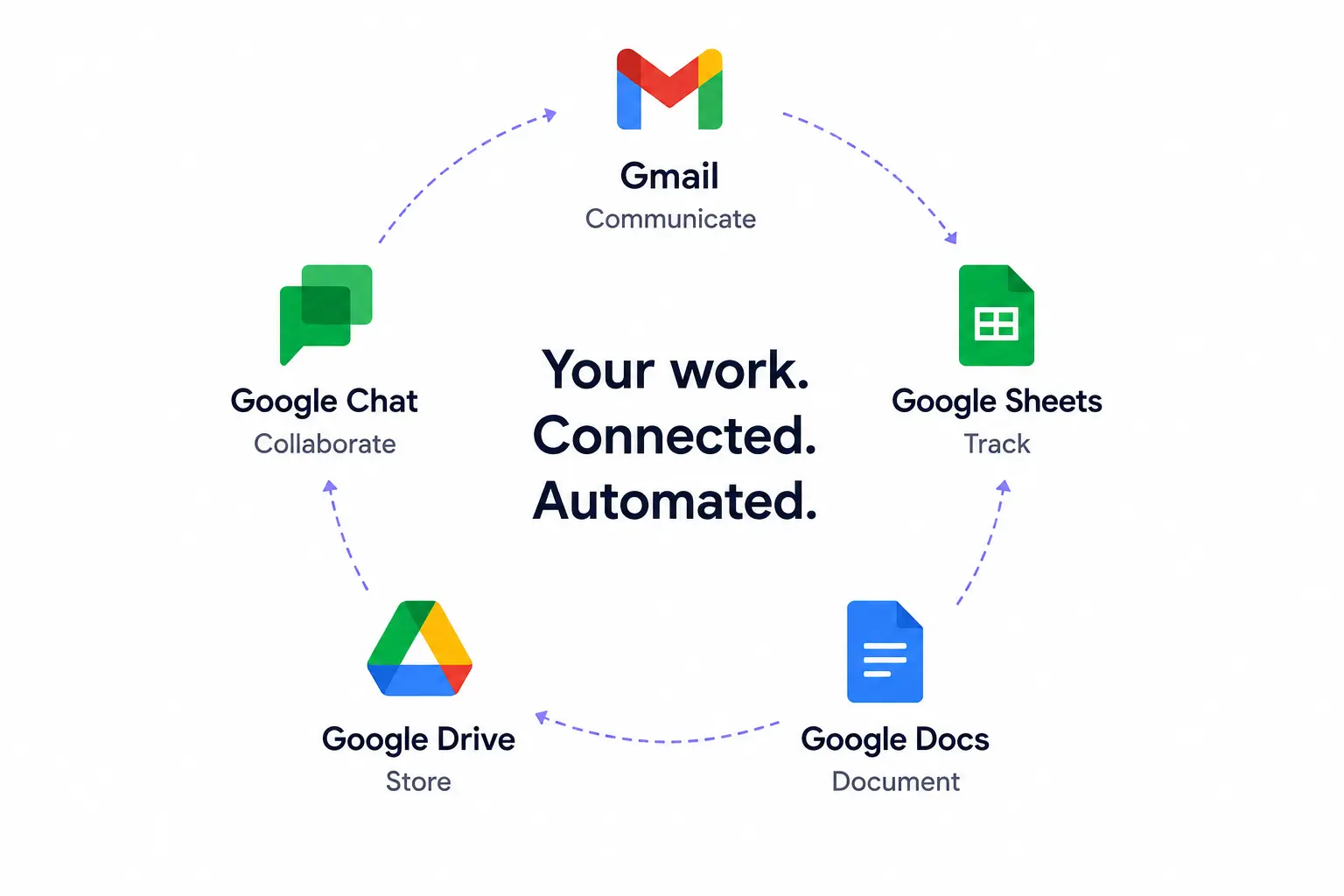
Unmeshed connects to Gmail, Google Sheets, Google Docs, Google Drive, and Google Chat. This is what that looks like in practice.
Why Google Workspace Specifically?
Most of our customers already use it. That was the short answer.
The longer answer is that Google Workspace is a strange beast. It is both a productivity suite and an informal data layer for a huge number of teams. Sheets is where people track things. Docs is where decisions get written down. Drive is where files end up. Gmail is how things get communicated. Chat is where teams react to things in real time.
These tools are already inside most of the workflows we were being asked to automate. They just weren't connected to anything.
Before this integration, if you wanted a workflow to send an email when something happened, you had two options: maintain a separate email service integration (and its credentials, its templates, its rate limits) or use a webhook that fired into a third-party tool that then sent the email. Both worked. Neither felt right.
Now you just add a Gmail step. The connection is already there. The workflow sends the email and moves on.
What Each Integration Actually Does
Google Sheets: The Tracker That Runs Itself
Sheets is how most teams keep track of things because it requires no setup, everyone already knows how to use it, and it is readable by a human without any additional tooling.
The problem is that someone has to update it. That "someone" is usually the first person who notices something happened and remembers to do it, which is not a great system.
With Unmeshed, a Sheet can be on the receiving end of any workflow. Incident happens, a row gets appended. New hire joins, a row gets appended. Support ticket comes in, a row gets appended. Leave request submitted, the workflow reads a different sheet to check the balance before deciding what to do.
You can also read from Sheets inside a workflow, which turns a spreadsheet into a lightweight config or lookup table. We used this in our PTO approval workflow to check an employee's remaining balance before deciding whether to route the request to a manager or auto-deny it. No database needed. Just a sheet.
The value here is not just convenience. It is that the sheet becomes accurate in real time, without asking anyone to update it.
Gmail: The Email That Goes Out at the Right Moment
I want to be careful about how I describe this one because "send email from a workflow" sounds simple to the point of being boring.
What is actually interesting is the timing.
Most teams send emails when someone remembers to send them. A new hire gets a welcome email when HR finishes their onboarding checklist, which might be the morning of their start date or might be two days before. A customer gets a ticket acknowledgment when the support agent gets to it, which might be immediately or might be three hours later.
When the email comes from a workflow, it goes out at the moment the event occurs. The new hire's welcome email lands in their inbox the second the offer is accepted, not when someone gets around to it. The customer's acknowledgment is sent within seconds of the ticket being submitted, not when an agent picks it up.
That consistency is what teams actually want. And it is hard to get when humans are doing the sending.
Google Docs: Documents That Exist Before Anyone Asks for Them
Here is a thing that happens on every engineering team I have seen: an incident fires, the on-call engineer opens their laptop, and the first five minutes are spent making a postmortem doc. Picking a template. Filling in the title. Writing down the service name, the severity, the time it started. Basic information that was already in the alert.
Those five minutes are not a big deal in isolation. But they happen every single time, for every single incident, and they are happening at exactly the moment when the engineer's attention is most valuable.
We wired up the Google Docs API so that the postmortem doc can be created the moment the incident is logged. By the time the on-call engineer opens their laptop, the doc exists, the fields are filled in, and there is a structured template waiting for them. They start writing the actual timeline instead of creating the file.
The same logic applies to welcome packets for new hires, release notes from commit data, knowledge base articles for support tickets that are worth documenting, and policy rollout docs. The document exists before anyone asks for it.
Google Drive: Filed Before Anyone Gets a Chance to Lose It
Drive is one of those tools where the value is obvious and the execution is painful. Everyone knows that files should be organized. Everyone knows that a well-structured Drive folder is better than a jumbled shared drive. Nobody has time to actually do the filing.
Unmeshed can create folders and move files as part of a workflow step. This means the onboarding folder for a new hire gets created the moment the offer is accepted, not the day before they start. The postmortem doc goes into the ops folder the moment it's created, not after someone remembers to move it. The KB article lands in the support library without anyone having to drag it there.
In the onboarding workflow we built, the folder gets created, the welcome packet doc gets filed inside it, and the manager gets an email with a direct link to the folder. All before the HR team even sees the notification. That is not a meaningful optimization in terms of time. It is a meaningful optimization in terms of never having to remember to do it again.
Google Chat: Notifications That Are Actually Part of the Process
I want to draw a distinction here between a Chat message that comes from an Unmeshed workflow and a Chat message that a person sends.
When a person sends a message in a team channel, it might have incomplete information. It might come late. It might not come at all if the person is in a meeting. It is informal, and it depends on someone deciding the message is worth sending.
When an Unmeshed workflow sends a Chat message, it carries the exact data relevant to the moment: the incident ID, the severity, the affected service, the link to the postmortem doc. It goes out the second the event occurs. And it always goes out, regardless of whether anyone is watching.
For the DevOps incident workflow, this means the DevOps Chat space gets notified the moment an incident is logged, with everything the team needs to start responding. For the support ticket workflow, high-priority tickets alert the Support space before an agent manually routes them. For onboarding, HR sees a new hire notification in their space the moment the offer is accepted.
The message is part of the process, not a side channel someone manually updates.
One Thing Worth Saying Plainly
We tested a lot of approaches for the Google Chat integration specifically. The first version used a webhook URL stored as a secret. It worked, but it meant maintaining a URL, worrying about it expiring, and managing it separately from everything else.
The current version uses a proper Google Chat integration step with its own space ID and configured connection. It is cleaner, it is observable the same way every other step is, and it does not require anything to be managed outside the workflow.
The same is true for Gmail. It is not an SMTP connection or a third-party email service. It is a step in the workflow, set up as its own integration, just like every other Google Workspace step.
The goal was always to make adding these steps feel as natural as any other step in a workflow. I think we got there.
How to Use It
Each Google Workspace app connects as its own integration in Unmeshed. Sheets, Gmail, Docs, Drive, and Chat are set up individually, so you only connect the ones you actually need.
From there, you add a step to whatever workflow it belongs in, and point it at the integration. Each integration supports multiple operations, so the same step can be configured differently depending on what the workflow needs it to do.
Once an integration is set up, it's not tied to a single workflow. The same Google Sheets integration used to log incidents in one workflow can be used by a Sheets step in a completely different workflow to check PTO balances. The same Gmail integration used for onboarding emails can be used by a Gmail step in the support ticket workflow. Set up the integration once, use it across as many workflows as you need.
Every step is logged. Every run is visible. You can see exactly what each step did, what data it used, and whether it succeeded. No separate logging setup needed.
The Bottom Line
Most teams are not looking for new tools. They are looking for the tools they already have to work together without someone manually bridging the gaps.
Google Workspace is already where your team works. Unmeshed connects it into your workflows so that the things that are supposed to happen automatically, actually do.
If you are building workflows that involve documents, emails, spreadsheets, file storage, or team messaging, and your team runs on Google Workspace, this is worth trying.
If your team runs on Gmail, Sheets, Docs, Drive, or Chat, Unmeshed can wire them into your workflows so the repetitive steps run themselves.
We can help map your onboarding, support, or incident workflows onto Gmail, Sheets, Docs, Drive, and Chat.