

Running AI in production has a funny way of humbling you.
Most teams I have worked with had no idea what their AI features actually cost to run until the bill showed up and made it very clear.
According to Deloitte's 2026 enterprise AI report, AI is now the fastest-growing expense in corporate technology budgets, with some firms reporting it consumes up to half of their IT spend. And most of that spending is invisible until it is not.
Token efficiency is what separates teams that scale AI sustainably from ones that end up in a budget conversation they did not plan for. This post breaks down what it means, where teams lose the most money, and how to get ahead of it.
1. What Tokens Are and Why They Cost Money
Every time you call an LLM, you are not paying per request. You are paying per token, and those add up faster than most people expect.
A token is roughly four characters of text. The model reads your input in tokens and generates output in the same way. What most teams miss early on is that input and output tokens are priced very differently, and the gap is significant.
Here is what that looks like across the major providers right now (as of June 2026):
| Model | Input (per 1M tokens) | Output (per 1M tokens) | Output multiplier |
|---|---|---|---|
| GPT-5.5 | $5.00 | $30.00 | 6x |
| Claude Sonnet 4.6 | $3.00 | $15.00 | 5x |
| Gemini 3.5 Flash | $1.50 | $9.00 | 6x |
| DeepSeek V4 Flash | $0.14 | $0.28 | 2x |
Output tokens cost four to five times more than input tokens across every major provider. That one fact changes how you think about what is actually driving your bill.
A 500 word prompt with a 300 word response is around 1,000 tokens, roughly $0.018 per call on Claude Sonnet 4.6. At 100,000 requests a day, that is $1,800 daily on a single workflow, and output tokens are doing most of the damage.
2. What Token Efficiency Actually Means
Token efficiency is the ratio of useful output to total tokens consumed.
A workflow that returns a correct answer in 200 tokens costs a quarter of what a workflow costs when it returns the same answer padded with 800 tokens of preamble and repetition. The output quality is identical. The cost is not.
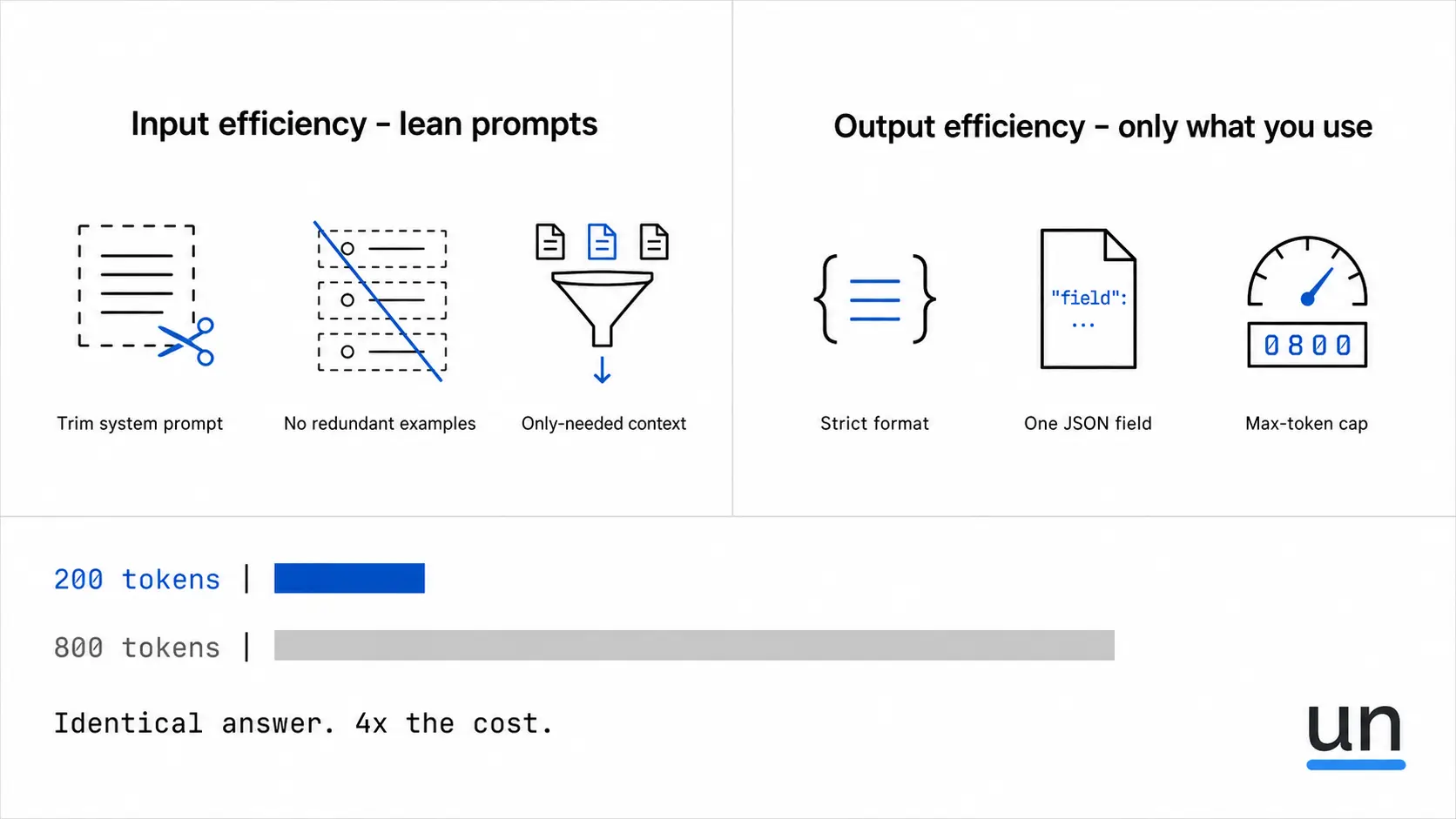
There are two dimensions to this:
Input efficiency is about how lean your prompts are.
- Every unnecessary sentence in your system prompt costs money.
- Every redundant example costs money.
- Every piece of context the model does not need costs money.
And it costs you on every single request.
Output efficiency is about how much of what the model returns you actually use.
- If your downstream code reads one JSON field and you ask the model to return a formatted table with explanations, you are paying for tokens your product never uses.
- If the model adds a preamble and you strip it in post-processing, you already paid for it.
Both matter, and most teams I have worked with are only fixing one of them.
How to Measure Token Efficiency
Most teams track total token usage. That tells you what you spent but not whether it was worth it.
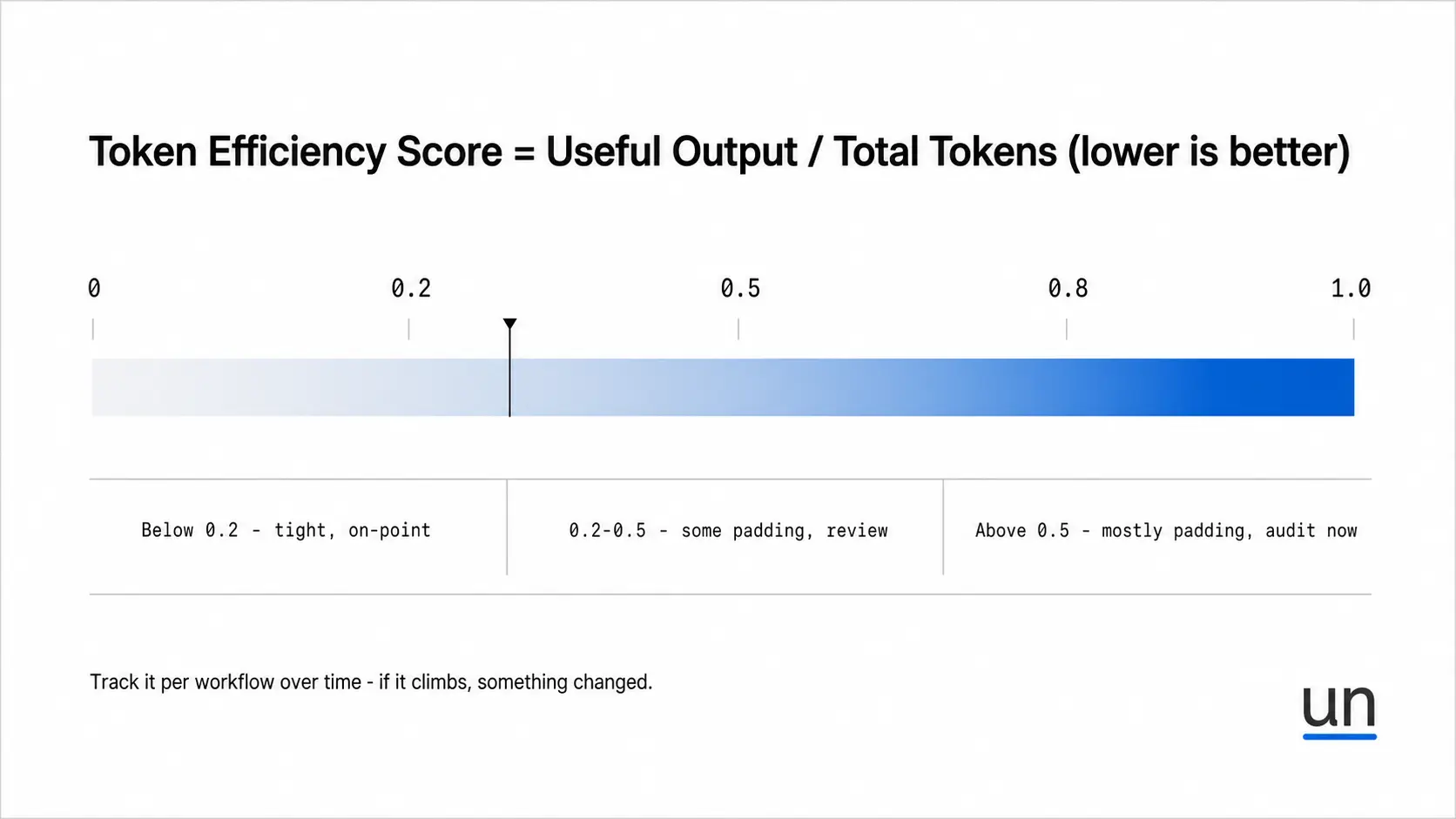
A more useful way to think about it:
Efficiency Score = Useful output tokens ÷ Total tokens consumed
The higher the score, the better. A high score means more of what the model returned was actually useful to your product.
| Score | What it means | What to do |
|---|---|---|
| Above 0.8 | Most of what the model returns is useful | You are in good shape, keep monitoring |
| 0.5 to 0.8 | Some padding, but mostly usable | Review output constraints and prompt length |
| Below 0.5 | More than half your tokens are noise your product never uses | Audit prompts, retrieval, and output format now |
Track this at the workflow level over time. If the score keeps dropping, something in your pipeline has changed, and it is worth looking at.
Token efficiency also affects speed, and this one caught me off guard.
Output tokens are generated sequentially, not in parallel, so a verbose 800 token response is not just more expensive; it is slower.
I spent an embarrassingly long time staring at latency dashboards before someone pointed out the responses were just too long.
Reducing AI inference cost and reducing response time are the same fix.
3. Where AI Teams Lose Tokens Without Knowing It
The most common sources of token waste are overloaded context windows, bloated system prompts, and redundant retrieval. Each request looks fine individually. The cost only becomes visible when you look at the workflow as a whole.
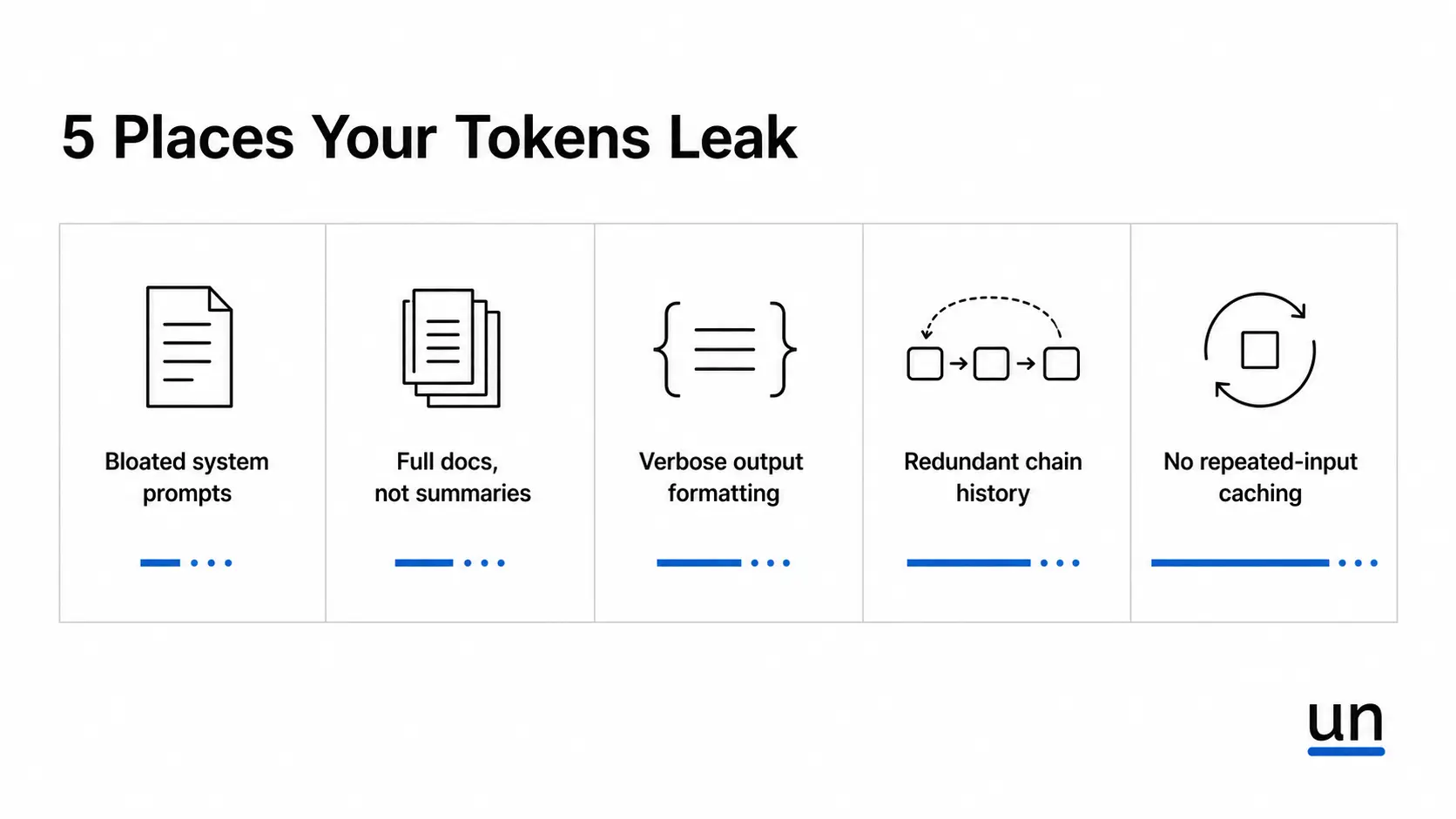
Bloated System Prompts
This is probably the one I see most often. System prompts grow quietly.
Someone adds a caveat, someone else adds an edge case instruction, and a new model version needs a formatting note. Six months later, your system prompt is 2,000 tokens, and half of it has nothing to do with what most requests actually need.
The problem is that every single request pays for the full prompt every time.
A 1,000 token system prompt across 100,000 daily requests is 100 million input tokens before a single user message even comes in. Trimming it is one of the fastest wins you can get on AI inference cost.
Sending Full Documents When Summaries Work
Passing an entire PDF or knowledge base into the context window when the model only needs two relevant paragraphs is one of the most common and expensive habits teams develop.
I think most companies underestimate how much of their token spend sits here. Poor retrieval is a big part of the problem:
- Bad retrieval means large context windows.
- Large context windows mean wasted tokens.
- Better chunking and better retrieval pipelines reduce costs quickly.
Semantic caching can cut API costs by up to 73% in high-repetition use cases. Fixing retrieval is usually the highest-impact change a team can make before touching anything else.
Verbose Output Formatting
If you ask the model to return a markdown table with column headers, descriptions, and a plain English summary, but your application only reads one field, you are generating output tokens you never use.
Output tokens cost four to five times more than input tokens. Telling the model exactly what you need, and nothing more, is one of the fastest ways to reduce AI costs without changing your model or your pipeline.
Redundant Chaining in Multi-Step Pipelines
In agent workflows with multiple steps, each step often receives the full conversation history.
By step four, the model is re-processing the context it already handled in steps one, two, and three. You are paying to re-read the same tokens repeatedly. The fix is to summarize history between steps rather than passing the full thread forward.
The cost grows with each step:
- A five-step pipeline where each step carries the full history does not cost five times the first step.
- It costs significantly more because the context window gets larger with each hop.
- Most teams do not notice until the bill arrives.
No Caching on Repeated Inputs
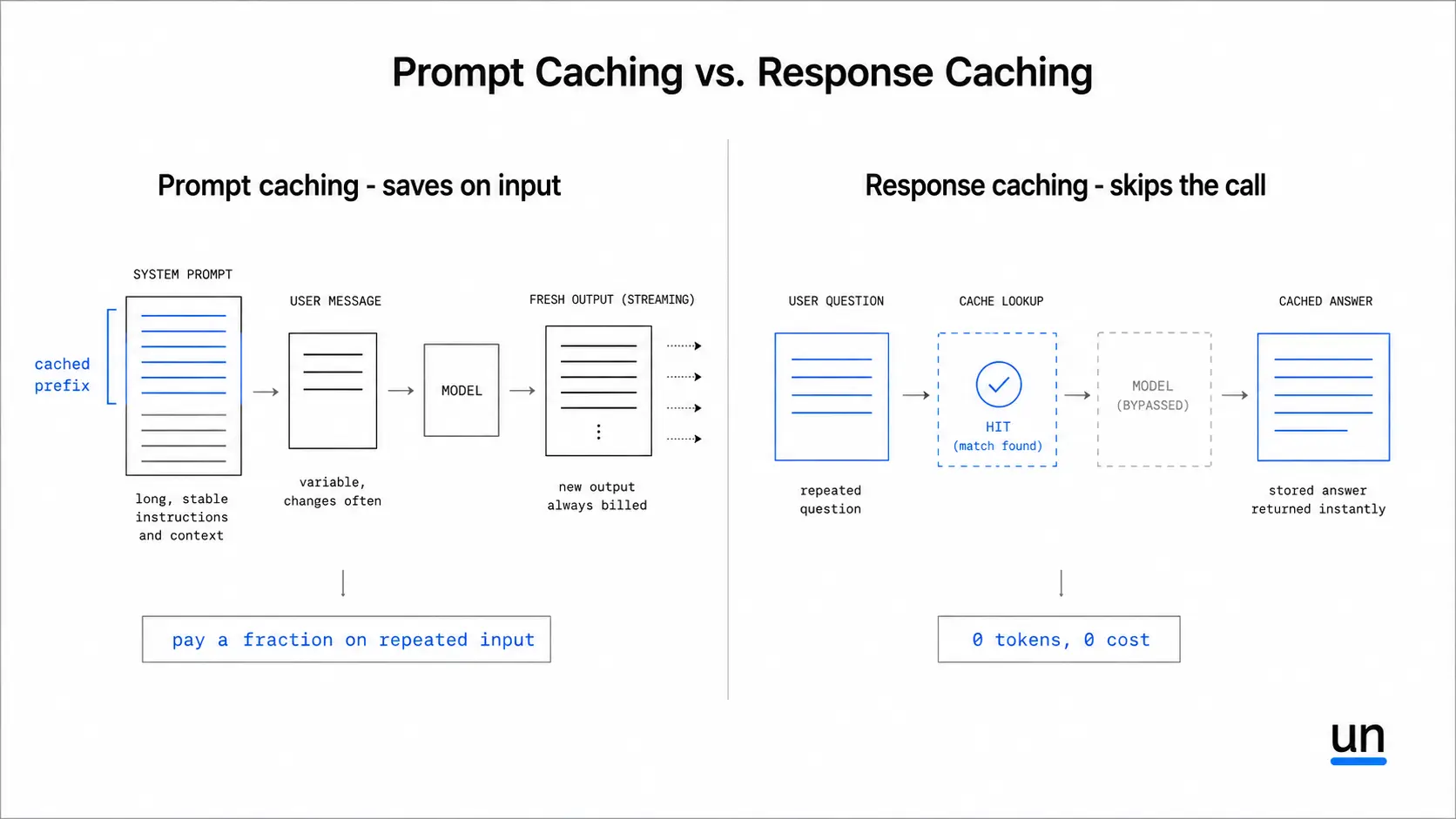
There are two types of caching worth understanding, and they work very differently.
-
Prompt caching saves you money on inputs. If your system prompt is long and stable, the model does not need to reprocess it on every call. You pay a fraction of the normal input cost for that repeated portion. A 3,000 token system prompt across 10,000 daily requests adds up to 30 million tokens a day. With caching, most of that is free.
-
Response caching goes further. If a user asks the exact same question and you have a stored answer, you skip the model call entirely. Zero tokens, zero cost. This works well for high-volume use cases where questions repeat frequently.
Most teams never set up either. Once you run the numbers on how often your inputs repeat, it becomes an obvious fix.
4. Practical Ways to Improve Token Efficiency
These are not theoretical. Each one directly reduces what you spend.
| Tactic | Effort | Typical savings | Best for |
|---|---|---|---|
| Audit system prompts | Low | 10–30% on input | All workflows |
| Fix retrieval quality | Medium | 20–50% on context | RAG pipelines |
| Set output constraints | Low | 30–60% on output | Structured outputs |
| Model routing | Medium | 40–80% on cost | Multi-step pipelines |
| Prompt caching | Low | Up to 90% on repeated input | Long stable prompts |
| Response caching | Medium | 100% on repeated calls | High-repetition use cases |
| Max token limits | Low | Prevents runaway spend | Agentic workflows |
A few of these deserve more detail:
-
Audit your system prompts every month: Remove instructions that no longer reflect how the product works. If a caveat was added for an edge case that no longer exists, it is costing you money on every request.
-
Route by model, not by habit: Not every step needs your most capable and most expensive model. Classification, formatting, and extraction tasks often work just as well on smaller models at a fraction of the cost. Running a simple task through a frontier reasoning model when a smaller model would do it just as well is one of the most expensive habits I see in production pipelines.
-
Set a max token limit on every AI step: A hard ceiling on output length prevents verbose responses from quietly inflating your bill. It is the simplest guardrail you can add, and most teams skip it entirely.
-
Track at the workflow level: Total monthly token usage tells you what you spent. Workflow-level tracking tells you where and why.
5. How Unmeshed Helps You Control Token Spend
Provider dashboards tell you what you spent after the invoice arrives. Unmeshed lets you set hard limits before the spend happens.
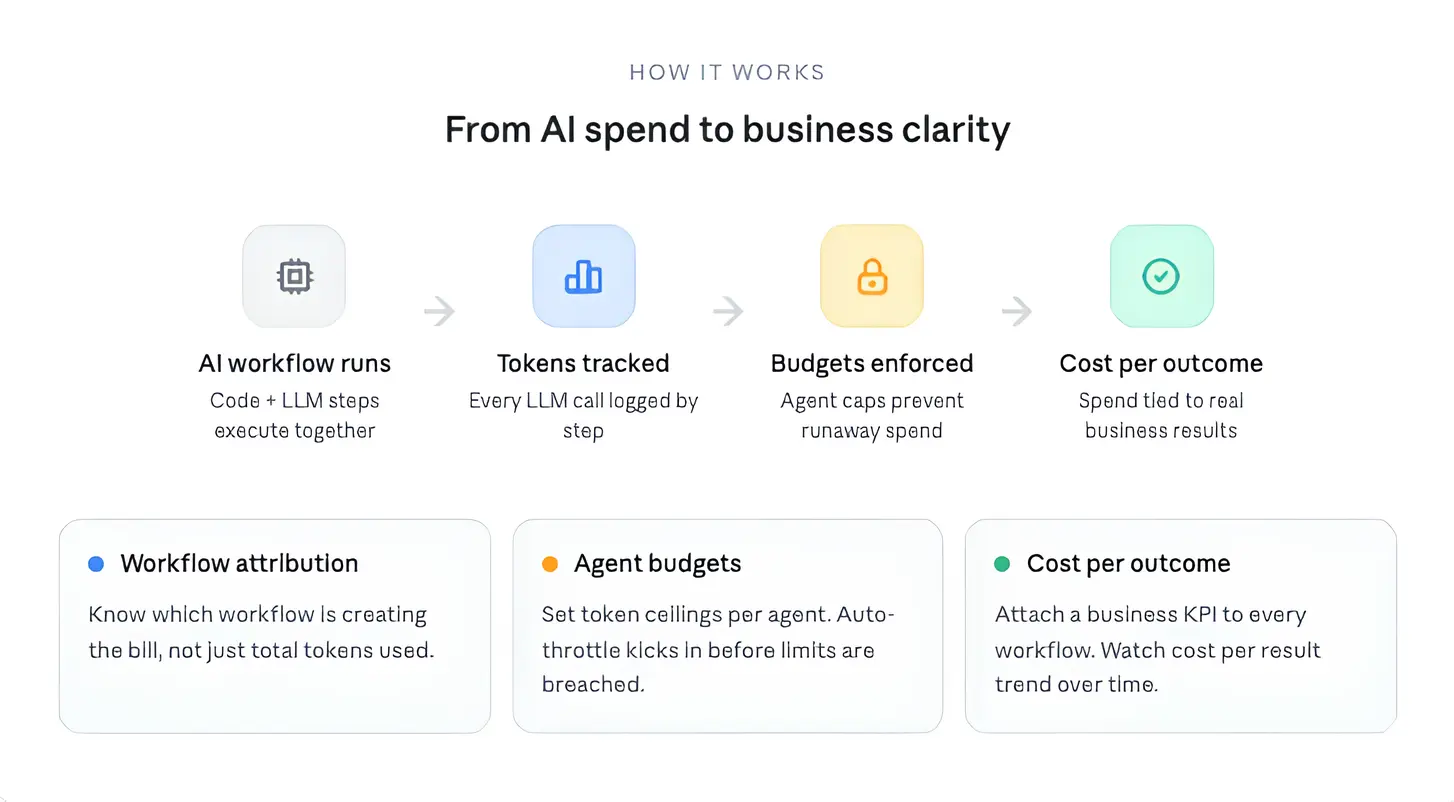
Here is what that looks like in practice:
-
Per-step token limits. Every AI step in your workflow has a maximum token budget. Once a step hits that limit, it stops. This means no single step can quietly generate thousands of tokens and inflate your bill without you knowing.
-
Tool allow-lists for agents. You decide upfront which tools each AI agent is allowed to use. If a tool is not on the list, the agent cannot call it. No unintended actions, no surprise costs from tools running in the background.
-
Deterministic steps where AI is not needed. Not every step in a workflow needs a language model. Tasks like routing a request, parsing a field, or validating a value can run as plain code at zero token cost. You only pay for the steps where AI is actually doing something a function could not.
The goal is not to use fewer tokens across the board. It is to use AI where it earns its cost and replace everything else with code that runs for free.
The Bottom Line
Token efficiency is not about being cheap with AI.
Anyone can reduce a bill by doing less. What actually matters is understanding which workflows are worth the spend and which ones are just generating noise.
Tracking token usage early, at the workflow level, is how you stay ahead of that.
If you want hard limits on what every AI step can spend, Unmeshed is a good place to start.
Frequently Asked Questions
Sources
Still finding out AI costs after the invoice?
Set the limit before the spend, not after
Unmeshed caps token spend per step, routes work to code where a model isn't needed, and shows you exactly which workflow is driving the bill.