

The one thing about me is that I have always been more interested in what things actually cost than what they can do.
So when I started working with AI teams in production, the first thing I noticed was not the models. It was the prompts nobody had looked at in months.
According to a 2026 LLM pricing report, teams are overspending on input tokens by up to 40% simply because prompts were never revisited after launch.
Prompt optimization is not about making prompts smarter. It is about making sure you are not paying for tokens that stopped being useful the day after you shipped.
This post breaks down how to audit what you have, where the waste hides, and how to cut without breaking anything.
1. Why Does Prompt Optimization Directly Affect Your Bill?
Most teams treat prompts as a quality problem. Length, structure, and redundancy are a cost problem.
Every token in your prompt costs money on every single request. Not occasionally. Every time.
Here is what that math looks like:
- A 1,200-token system prompt at 100,000 daily requests on Claude Sonnet 5 costs roughly $360 per day on input alone, before a single user message enters the picture.
- Trim 400 tokens from that prompt, and you save $120 a day.
- That is $3,600 a month from one edit to one prompt.
Most teams have five to ten prompts running in production. The math compounds fast.
2. The Anatomy of an Expensive Prompt
I want to tell you about a prompt I saw once that was 2,400 tokens long. The team had no idea. They thought it was maybe 600, because that is what it looked like when they wrote it. The rest had accumulated over eight months, one caveat at a time, and nobody had gone back to look.
That is how expensive prompts happen.
Take a customer support bot as an example. It launched with a clean 350-token prompt, just a role definition, response tone, and one example ticket. Within six months, that same prompt had grown to 1,400 tokens without anyone rewriting it.
A caveat got added after a tricky refund case, three examples went in when the bot started misclassifying billing tickets, and a full refund policy section got pasted in because it felt safer to have it there. The bot kept working fine. The token bill did not.
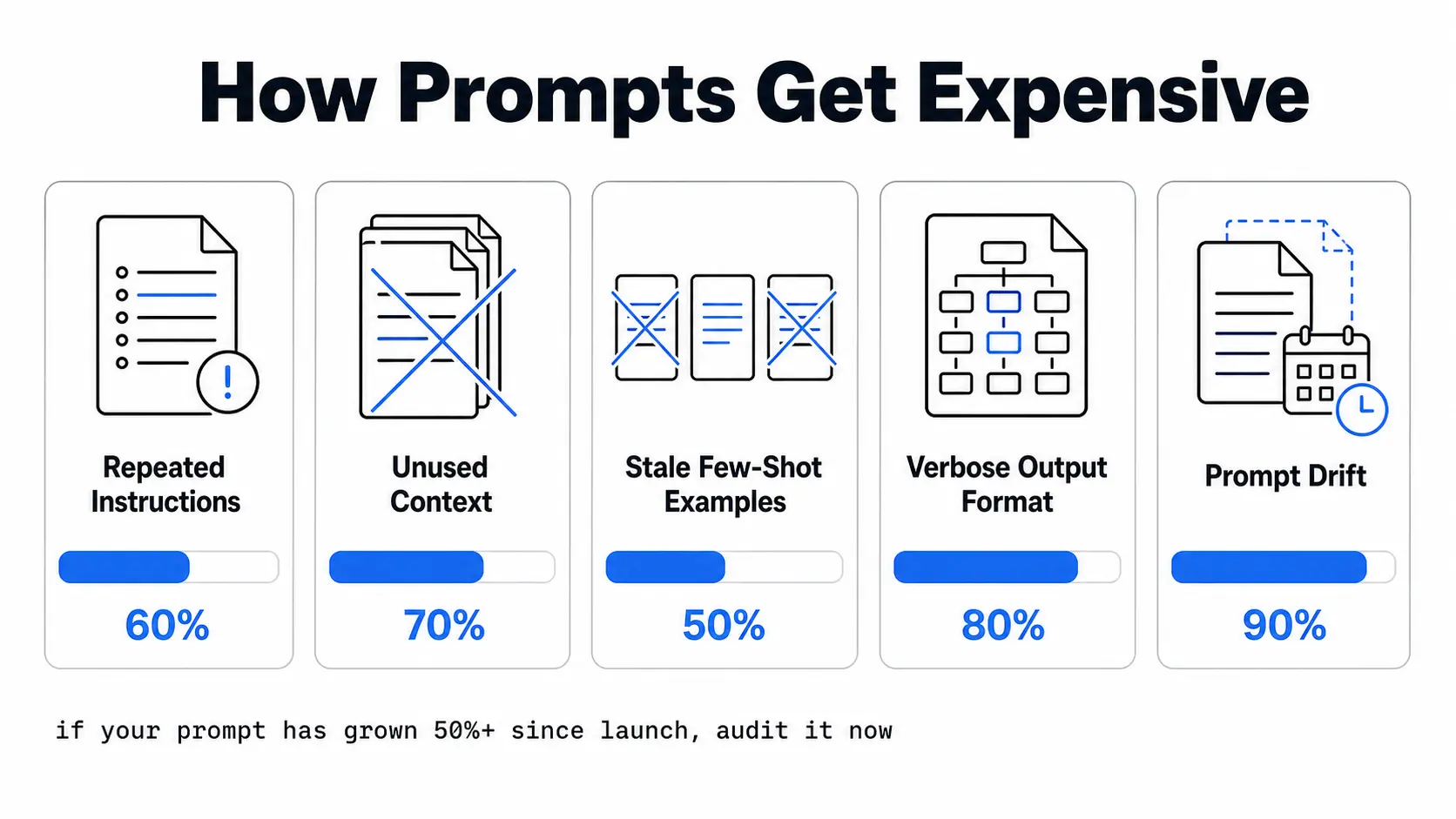
Instructions That Repeat Themselves
Teams write prompts the way they write documentation. Thorough, detailed, every edge case covered.
The model does not need all of that every time. I have seen prompts that explain the same output constraint in three different ways, just worded differently. The model gets it the first time. You are paying for the other two on every single request.
Context That Does Not Change the Output
Full company backgrounds. Product overviews. Onboarding materials. All of it is sitting in the context window when the model only ever uses one paragraph.
A simple test: remove the section and run 50 requests. If the output does not change, the model was not using it. You were just paying for it to be there.
Few Shot Examples Left Permanently
Examples were added during testing that nobody removed.
Three examples at 150 tokens each add up to 450 tokens per call, whether the model needs that context or not. I have seen teams with six examples still in their production prompt from a testing session that happened a year ago.
Output Formatting Nobody Asked for Downstream
Ask the model to return markdown tables, headers, and plain English explanations when your application reads one field.
Output tokens cost four to five times more than input tokens. This is one of the most expensive habits to leave in production and one of the easiest to fix.
Prompt Drift
This is the one nobody names. And in my experience, it causes more damage than all the others combined.
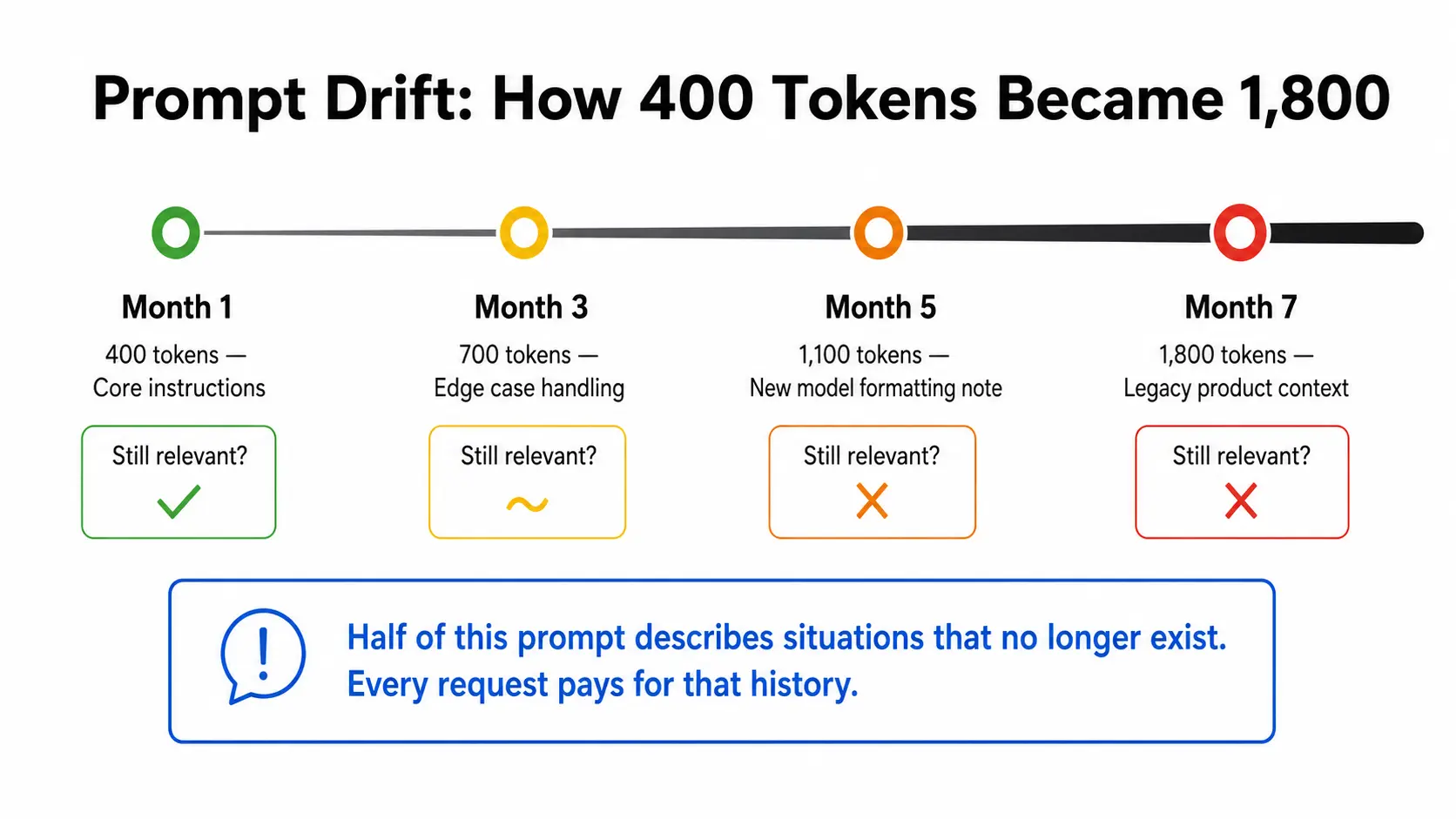
Your prompt grows quietly:
- Someone adds a caveat after a bug report.
- Someone else handles an edge case inline instead of in code.
- A new model version needs a formatting note.
- A product change makes half the instructions irrelevant, but nobody updates the prompt.
Six months later, your prompt is 2,000 tokens, and half of it describes situations that no longer exist. Every single request pays for that history.
| Month | Token count | What was added | Still relevant? |
|---|---|---|---|
| Month 1 | 400 | Core instructions | Yes |
| Month 3 | 700 | Edge case handling | Partially |
| Month 5 | 1,100 | New model formatting note | No |
| Month 7 | 1,800 | Legacy product context | No |
If your prompt has grown more than 50% since you first shipped it, audit it now.
3. How to Run a Prompt Optimization Audit?
You need to run such an optimization audit every month. Clean prompt optimization audits don't work well if you do it once and forget about it.
Measure What Your Prompt Is Actually Doing
Start by counting tokens per section. Break your prompt into named parts:
- Core instructions
- Context and background
- Few-shot examples
- Output format instructions
- Edge case handling
Count what each section costs, then ask which ones fire on most requests versus rare edge cases. If 20% of your prompt only applies to 2% of requests, that 20% is a candidate for removal.
What to Cut and What to Keep
Here is the rule I follow:
- Instructions that change output quality: keep.
- Instructions that only affect format or style: candidates for cutting.
- Instructions added for edge cases that no longer exist: cut immediately.
Remove the section, run 50 requests through both versions, and compare outputs. If quality holds, the cut is safe. If it drops, put it back and look somewhere else.
Test Cuts Without Breaking Production
Never cut in production without testing first. I learned this the hard way, watching a team shave 300 tokens off a classification prompt and quietly break edge case handling for three days before anyone noticed.
Run both versions side by side and track three metrics at the workflow level:
- Tokens per successful task completion
- Cost per outcome
- Output quality score
Average tokens per request tells you what you spent. Tokens per successful task completion tell you whether it was worth it.
4. How to Optimize Your Prompts and Cut LLM Costs?
Five prompt optimization actions in order of impact. Pick the one that fits your situation first, not the one that sounds most impressive.
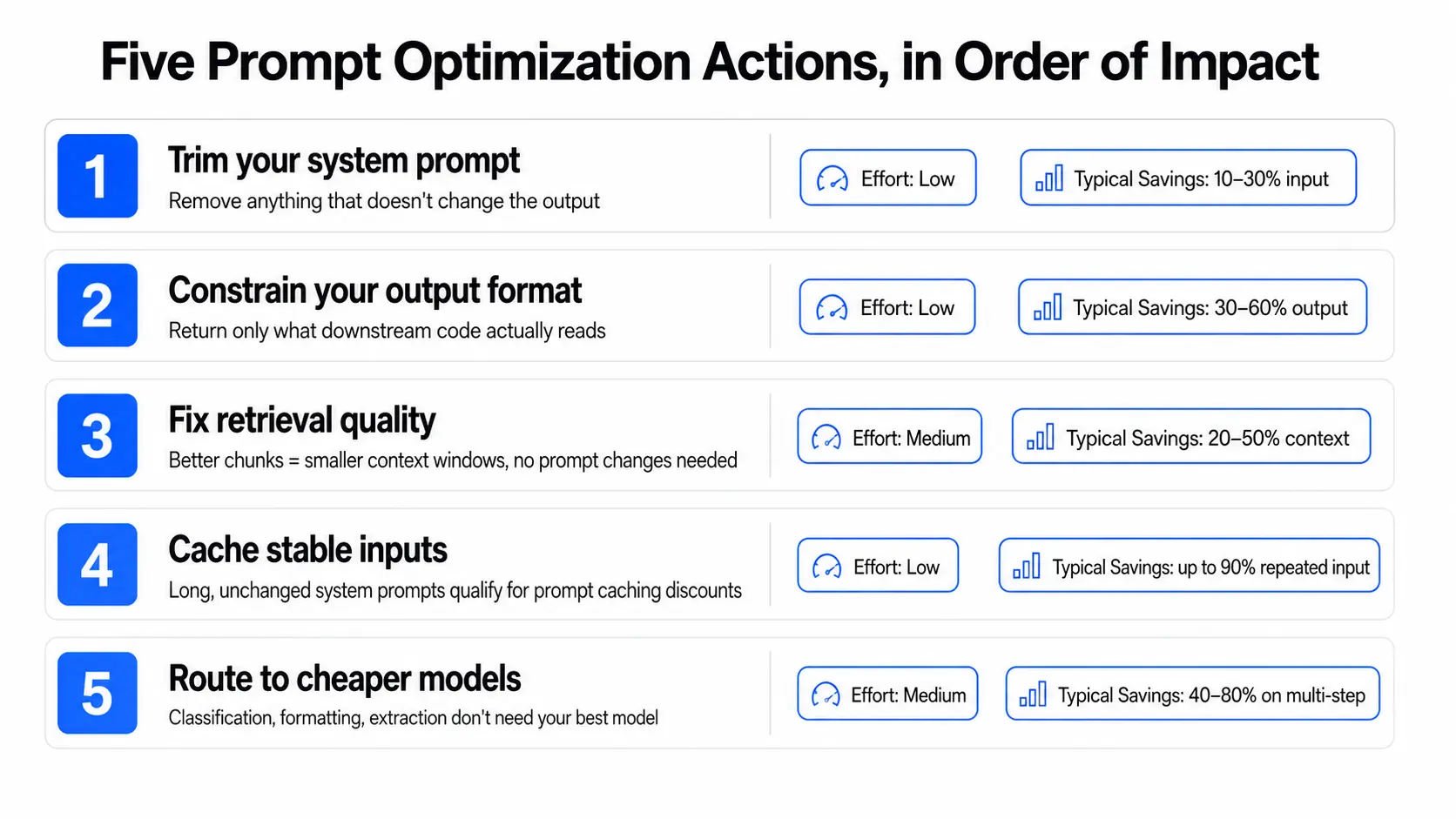
- Trim your system prompt: Run the audit above. Remove anything that does not change the output. This is almost always the fastest win and the one most teams skip because the prompt feels important to touch.
- Constrain your output format: Tell the model exactly what you need and nothing more. "Return only the category name" is a valid instruction. It is also cheaper than "Return the category name with a brief explanation of your reasoning and any relevant caveats."
- Fix retrieval before touching the prompt: For RAG workflows, the prompt is often fine. The problem is that everything is stuffed into the context around it. Better chunking means smaller context windows, which reduce token spend without changing a single prompt instruction.
- Cache stable inputs: If your system prompt is long and does not change between requests, prompt caching gives you a significant discount on that repeated input. Most major providers support it. Most teams never set it up.
- Route simple tasks to cheaper models: Not every step needs your most capable model. Classification, formatting, and extraction work just as well on smaller models at a fraction of the cost.
| Tactic | Effort | Typical savings | Best for |
|---|---|---|---|
| Trim system prompt | Low | 10 to 30% on input | All workflows |
| Constrain output format | Low | 30 to 60% on output | Structured outputs |
| Fix retrieval quality | Medium | 20 to 50% on context | RAG pipelines |
| Prompt caching | Low | Up to 90% on repeated input | Long stable prompts |
| Model routing | Medium | 40 to 80% on cost | Multi-step pipelines |
5. What Prompt Optimization Actually Looks Like in Production?
Let’s walk through a hypothetical audit, okay?
A prompt that went from 800 tokens to 300 tokens with zero change in output quality. I want to walk through exactly what was cut and why each cut was safe, because the decisions matter more than the outcome.
That customer support bot example is a good reference here. The 1,400-token prompt we talked about earlier went through exactly this kind of audit and came out at 420 tokens with no change in ticket classification accuracy.
Here it is:
The Before
A prompt that started at around 400 tokens. Over six months, it grew:
- A 200 token company background section was added during onboarding that nobody revisited
- Three few-shot examples from early testing, all doing roughly the same thing
- An output format instruction asking for structured JSON with an explanation for every field
- Two edge case instructions for scenarios that had not come up in four months
By the time anyone counted, it was 800 tokens. At 50,000 daily requests on Claude Sonnet 5, that is roughly $150 per day on one prompt.
The Cuts and Why They Were Safe
| Prompt element | Token cost | Decision | Reason |
|---|---|---|---|
| Role definition | 40 | Keep | Removing it changed the model's behavior |
| Company background | 200 | Cut | The output was identical without it |
| 3 few-shot examples | 300 | Cut 2, keep 1 | One example was enough |
| Output format instructions | 80 | Rewrote to one line | Downstream code only reads one field |
| Edge case instructions | 150 | Cut | Those scenarios no longer exist |
The After
300 tokens, and the output did not change across 500 test requests. Here is what that translated to:
- Cost dropped from $120 to $45 per day on one prompt
- $75 saved daily, $2,250 saved every month
- Zero changes to the model, the pipeline, or anything the user sees
Most production pipelines have several prompts in exactly this condition right now.
6. How Far Is Too Far With Prompt Optimization?
There is a version of this that goes wrong, and I have seen it happen.
Cutting too aggressively is its own problem. When token counts drop fast, quality usually follows. The model starts missing things it used to catch, and by the time the support queue makes it obvious, the cost of handling bad outputs has already exceeded what was saved on tokens.
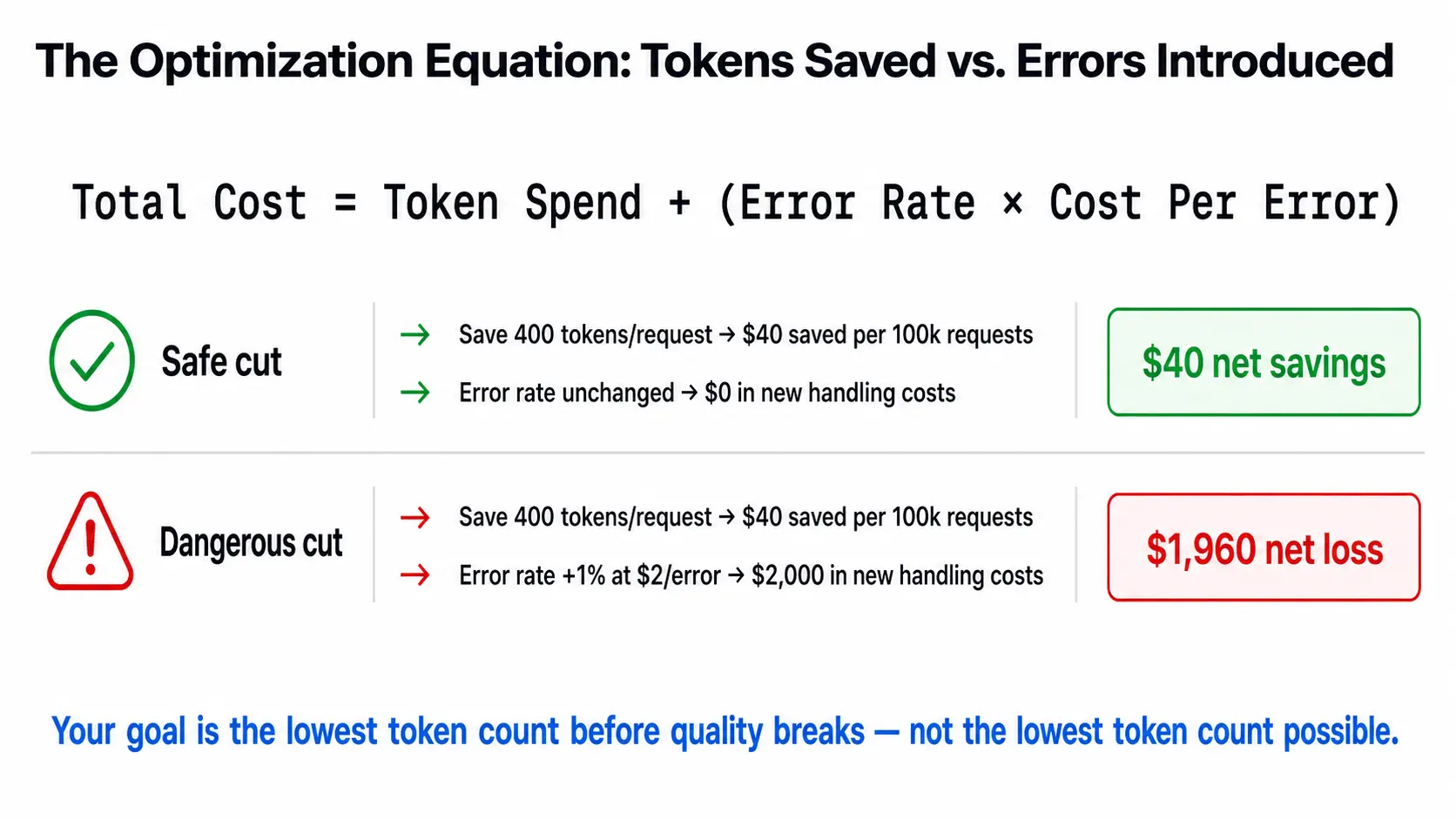
The math is not complicated:
Total cost = token spend + (error rate x cost per error)
- Saving 400 tokens per request saves $40 per 100,000 requests.
- A 1% rise in error rate at $2 per error costs $2,000 in new handling costs.
- The savings disappear and then some.
Your goal is the lowest token count before quality breaks. Not the lowest token count possible.
7. Prompt Optimization Across Different Workflow Types
The right approach depends on what your prompt does. Same problem, different starting points.
Classification and Routing Prompts
Usually, the most over-engineered prompts in any pipeline. Teams add examples, edge cases, and explanations for every possible category because classification feels fragile.
In most cases, you can cut 60 to 80% with no quality loss. This is the easiest win in prompt optimization and the best place to start if you want fast results on LLM cost optimization.
RAG Prompts
The prompt itself is usually fine. The expensive part is everything stuffed into context around it.
Fix your retrieval pipeline first:
- Better chunks mean smaller context windows.
- Smaller context windows mean lower token spend.
- Semantic caching can cut API costs by up to 73% in high-repetition RAG use cases.
You can reduce LLM costs significantly here without touching a single line of the prompt.
Agent System Prompts
The most expensive and most neglected. Every tool description, every instruction, every example adds to every single agent call, which often runs multiple times per task.
This is where prompt drift does the most damage because agent system prompts grow the fastest and get audited the least. Every tool you add comes with a description. Every new capability gets an instruction. Nobody removes the old ones.
If you only have time to audit one prompt this month, make it your agent system prompt.
8. How Does Unmeshed Support Your Prompt Optimization Process?
Prompt optimization reduces what you pay per token. Unmeshed controls what gets to spend tokens in the first place.
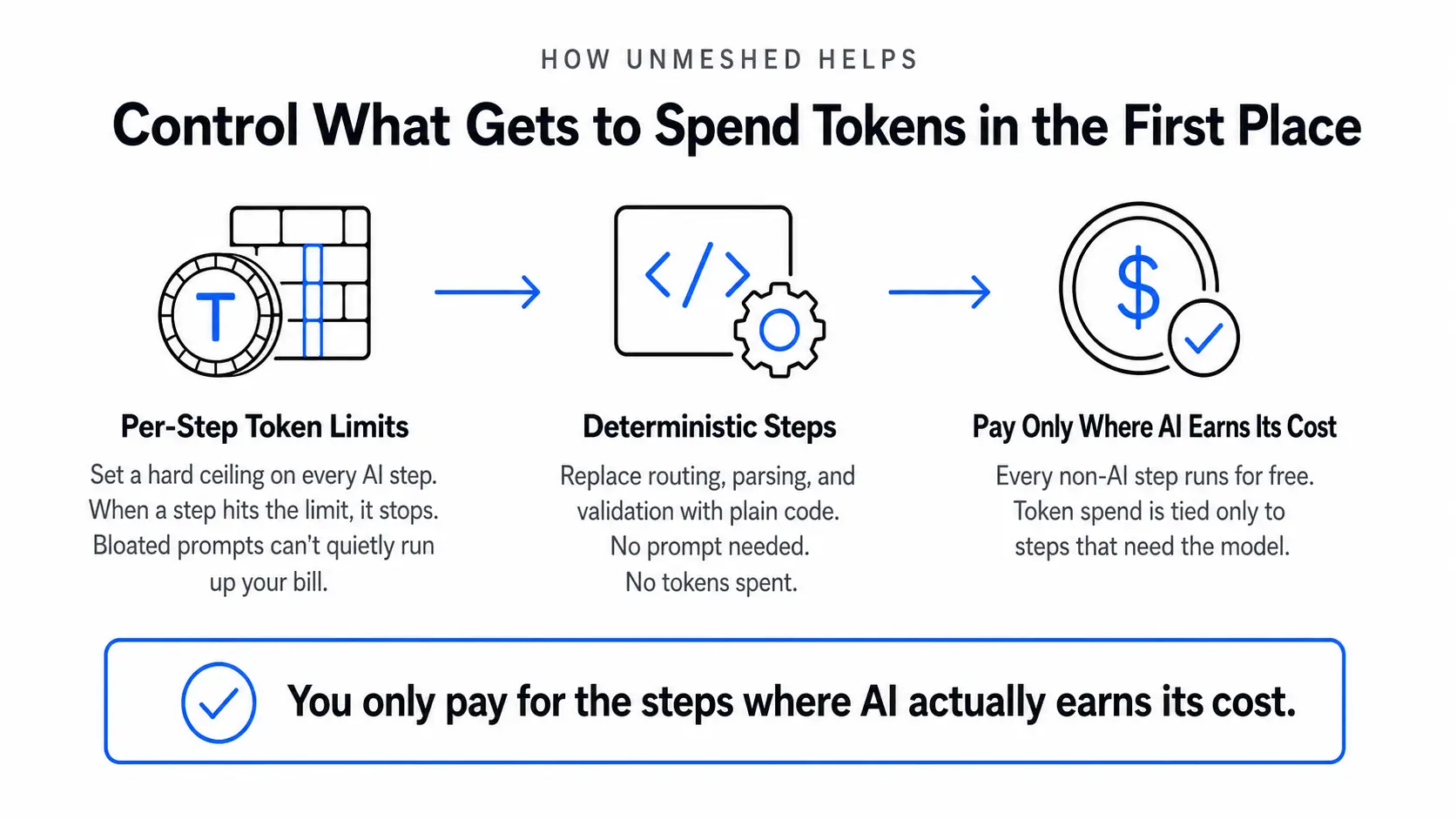
Here is what that looks like in practice:
- Per-step token limits. You set a ceiling on every AI step in your workflow. When a step hits that limit, it stops. A bloated prompt cannot quietly run up your bill because there is a hard limit on what each step can generate.
- Deterministic steps where AI is not needed. For tasks like routing a request, parsing a field, or validating a value, you replace the LLM step with plain code. No prompt needed. No tokens spent.
- You only pay for the steps where AI actually earns its cost. Everything else runs for free.
The Bottom Line
Prompt optimization is not a one time thing you do when costs spike. It is something you build into how your team works.
Everything drifts over time and by the time the bill makes it obvious, the decisions behind it are months old and spread across people who may not even remember making them.
An audit every month, clear rules on what to cut, and hard limits on what each step can spend are what keep it manageable. If you want those limits enforced at the workflow level automatically, that is exactly what Unmeshed is built for.
Frequently Asked Questions
Sources
A prompt audit catches drift once a month. Unmeshed catches it on every run, with a token limit on each AI step so a bloated prompt can never quietly run up your bill.
Bring the prompt you haven't audited since launch and we'll help you find what's safe to cut.