
Modern backend systems often become complex, and every code change or deployment can feel like a potential risk for downtime. With Unmeshed, your backend logic is managed as modular workflows, so you can build, monitor, and update business processes visually without touching your application code.
Fix Issues Instantly Without Deployment Nightmares
When something breaks in your backend, you do not need to redeploy or hotfix your codebase. Instead, you update or fix the specific step in your Unmeshed workflow. This means:
- Minimal downtime because fixes are instant and isolated
- No risky code rollbacks or emergency redeploys
- Business operations keep running smoothly
Teams can monitor, debug, and patch workflows live, so you avoid the classic deployment nightmare.
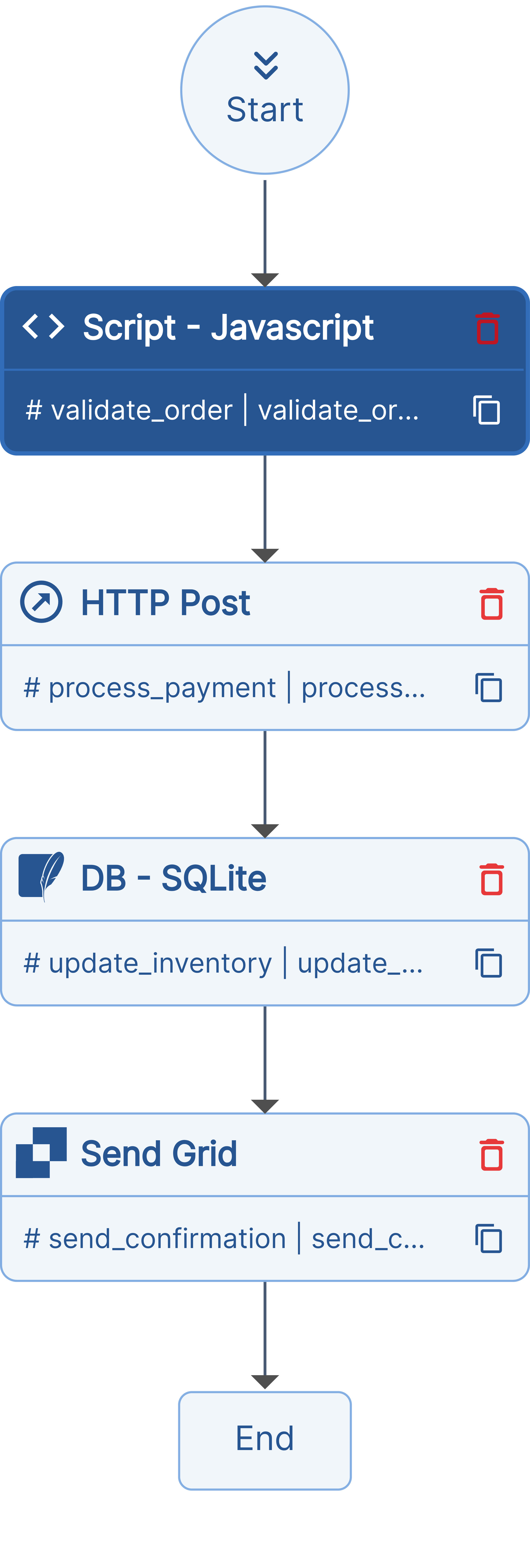
Example: Order Processing Workflow
Let’s say your order processing backend is a workflow:
- Validate Order
- Process Payment
- Update Inventory
- Send Confirmation
If Process Payment fails, you just fix or update that step in the workflow, no code change, no redeploy, and your business is back online in minutes.
You can build similar workflows for user onboarding, data sync, or any business process, knowing that if a step breaks, you can fix it instantly without deployment drama.
Buggy Script vs Fixed Script: Why Validation Matters
Let's look at a real-world example of how a missing validation can cause issues, and how Unmeshed makes it easy to fix such bugs instantly without redeployment.
Buggy Script
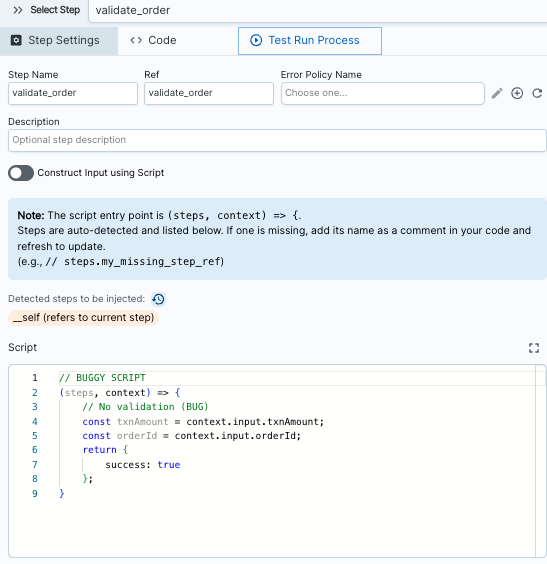
(steps, context) => {
  // No validation (BUG)
  const txnAmount = context.input.txnAmount;
  const orderId = context.input.orderId;
  return {
      success: true
  };
}
Problem: No validation on txnAmount. Invalid or negative values can slip through, causing silent failures and cascading errors downstream.
Fixed Script
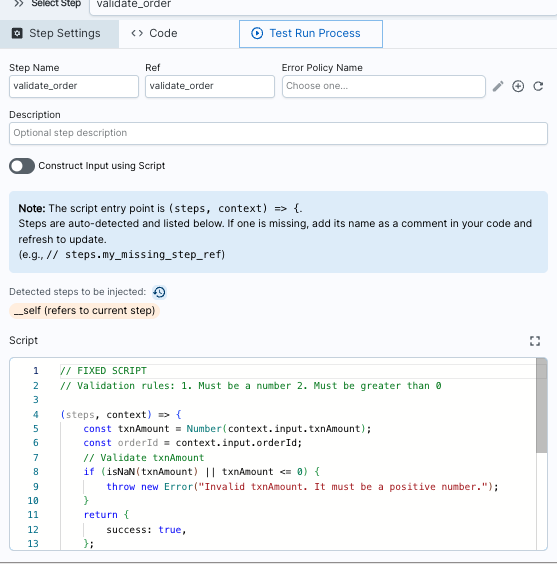
// Validation rules: 1. Must be a number 2. Must be greater than 0

(steps, context) => {
const txnAmount = Number(context.input.txnAmount);
const orderId = context.input.orderId;
// Validate txnAmount
if (isNaN(txnAmount) || txnAmount <= 0) {
throw new Error("Invalid txnAmount. It must be a positive number.");
}
return {
success: true,
};
}
Fix: Now txnAmount is validated before processing. Invalid
data is caught immediately and rejected safely.
The Unmeshed Advantage
With traditional deployments, fixing the buggy script requires:
- Changing the code
- Testing it
- Creating a PR
- Code review
- Merging to main
- Redeploying the entire service
Risk: If something goes wrong in the redeployment, your entire order processing system could go down.
With Unmeshed, you simply:
- Edit the step in your Unmeshed workflow
- Click
Save
Result: The fix is live immediately, the rest of your workflow is untouched, and order processing continues seamlessly.
Unmeshed empowers engineering teams to move fast without fear of deployment downtime. Host your workflows with Unmeshed and experience stress-free releases.
Still redeploying the whole service for one bug?
Ship fixes without the deployment risk
Unmeshed manages backend logic as modular workflow steps, so one broken step gets fixed on its own, without touching the rest of your system.