I was probably not the first person to tell you that AI breaks in ways nobody warned you about. But I might be the first to admit I had no idea what was actually happening inside my own AI application until something went very wrong and I had absolutely nothing useful to look at.
There was no stack trace to follow, no error log to read, just a very unhappy user and a dashboard that had absolutely no idea anything had gone wrong.
That moment is why LLM observability has become one of the fastest-growing categories in AI infrastructure.
The market hit $2.75 billion in 2026, and Gartner expects it to cover 50% of all GenAI deployments by 2028. Teams are not spending on this because it is fun. They are spending on it because running AI blind is genuinely painful.
1. What Is LLM Observability?
Okay, so by early 2026, 72% of Fortune 500 companies had at least one LLM application running in production. Most had no real visibility into what it was actually doing inside.
What is LLM observability is the answer to that problem. It is your ability to see inside your AI application while it runs: every prompt sent, every response generated, what it cost, how long each step took, and whether the output was actually correct.
The uncomfortable truth about what LLM observability is that you need it most in situations where nothing looks wrong. A hallucinating model does not throw errors. It just returns confident wrong answers with a 200 OK while your monitoring takes a nap.
LLM monitoring tells you something broke. LLM observability tells you why it broke and where to look first.
2. LLM Observability vs Monitoring vs Evaluation
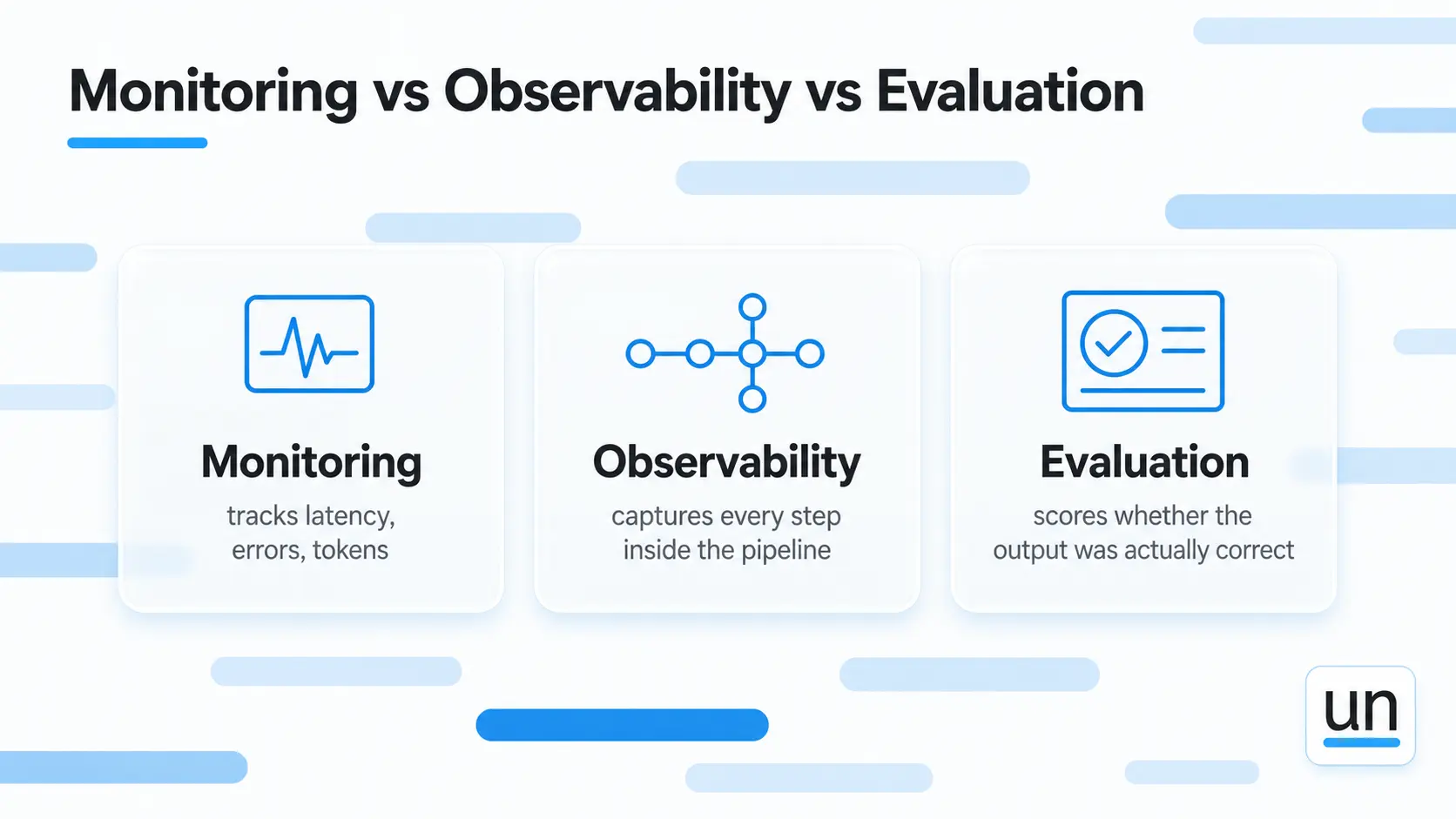
Most people treat these as the same thing. They are not even close, and mixing them up is how you end up with blind spots that only surface when users complain.
| Capability | What it actually does | What it cannot tell you |
|---|---|---|
| Monitoring | Tracks latency, errors, token counts. Alerts when thresholds cross. | Whether your outputs were correct |
| LLM observability | Captures every step inside the pipeline. Shows what happened and when. | Whether the output quality was good |
| Evaluation | Scores outputs for faithfulness, relevance, hallucination detection | Nothing; this is the full picture |
94% of organizations with AI agents in production have observability in place. Only 44.8% run evaluations on live traffic. That gap is where most quality problems hide.
Here is the honest breakdown of what each one does:
- Monitoring watches from the outside. Good for infrastructure. Not good enough for AI.
- LLM tracing shows every step inside your pipeline. What was retrieved, what prompt went in, what came back, and when. This is where you find out why something failed.
- Evaluation scores whether the output was actually good. In my experience, this is the one most teams skip entirely, and it is always the one that would have caught the problem first.
3. What LLM Observability Actually Tracks in Your Application?
You do not need to observe everything. You just need visibility into the parts that tell you what went wrong and why when something breaks in production.
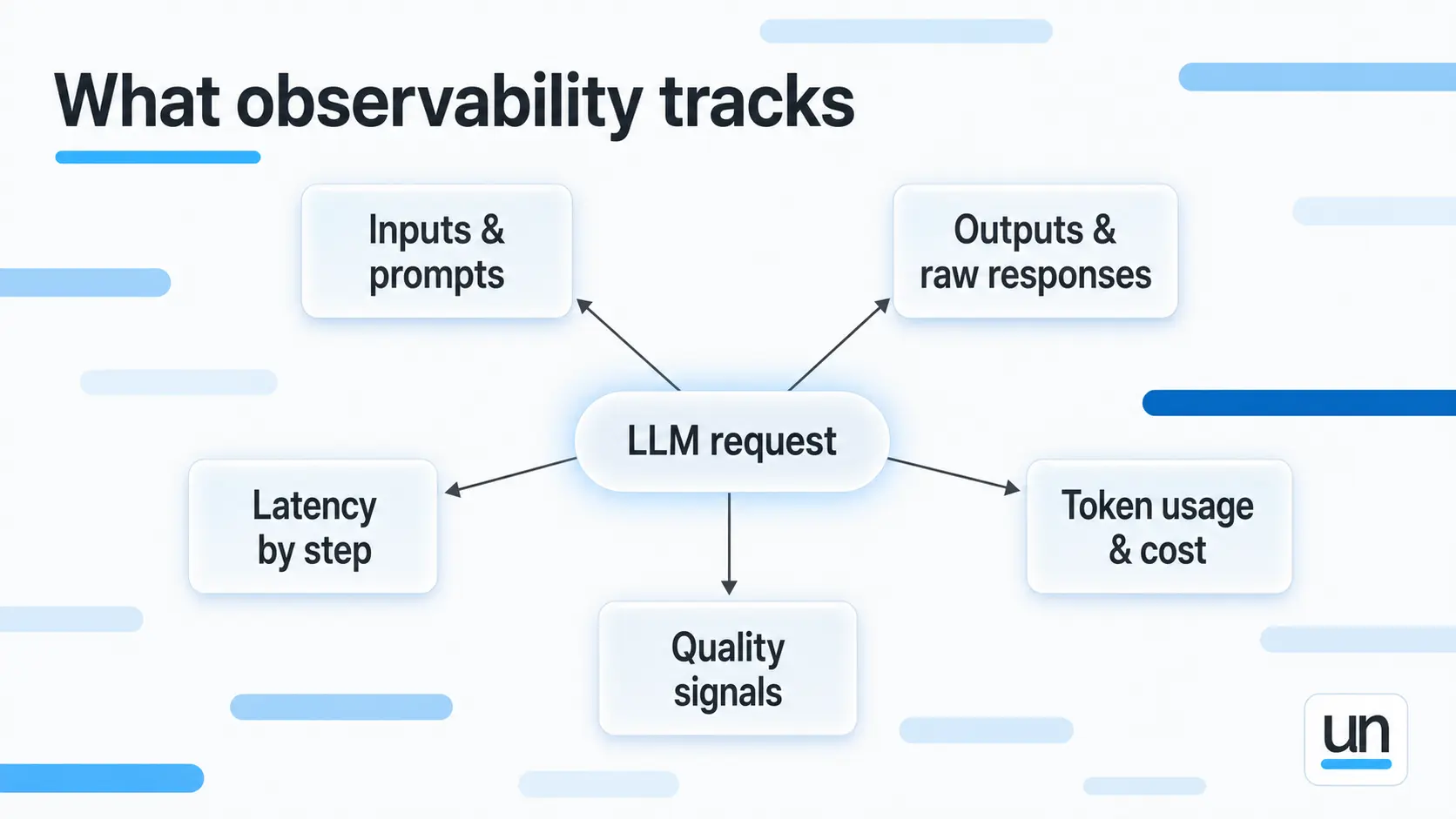
Inputs and Prompts
When a user reports a bad answer, the first thing you want to see is the exact prompt that went to the model, fully built out with all the context that was injected. In most cases, the problem is sitting right there the moment you can actually read it.
Outputs and Responses
You need the raw response the model gave before your code did anything with it. Think of it as evidence. If the answer was already wrong at that point, the model is the problem. If it was fine and broke later, something in your code changed it. You cannot debug this without seeing both versions.
Latency by Step
How long each step actually took:
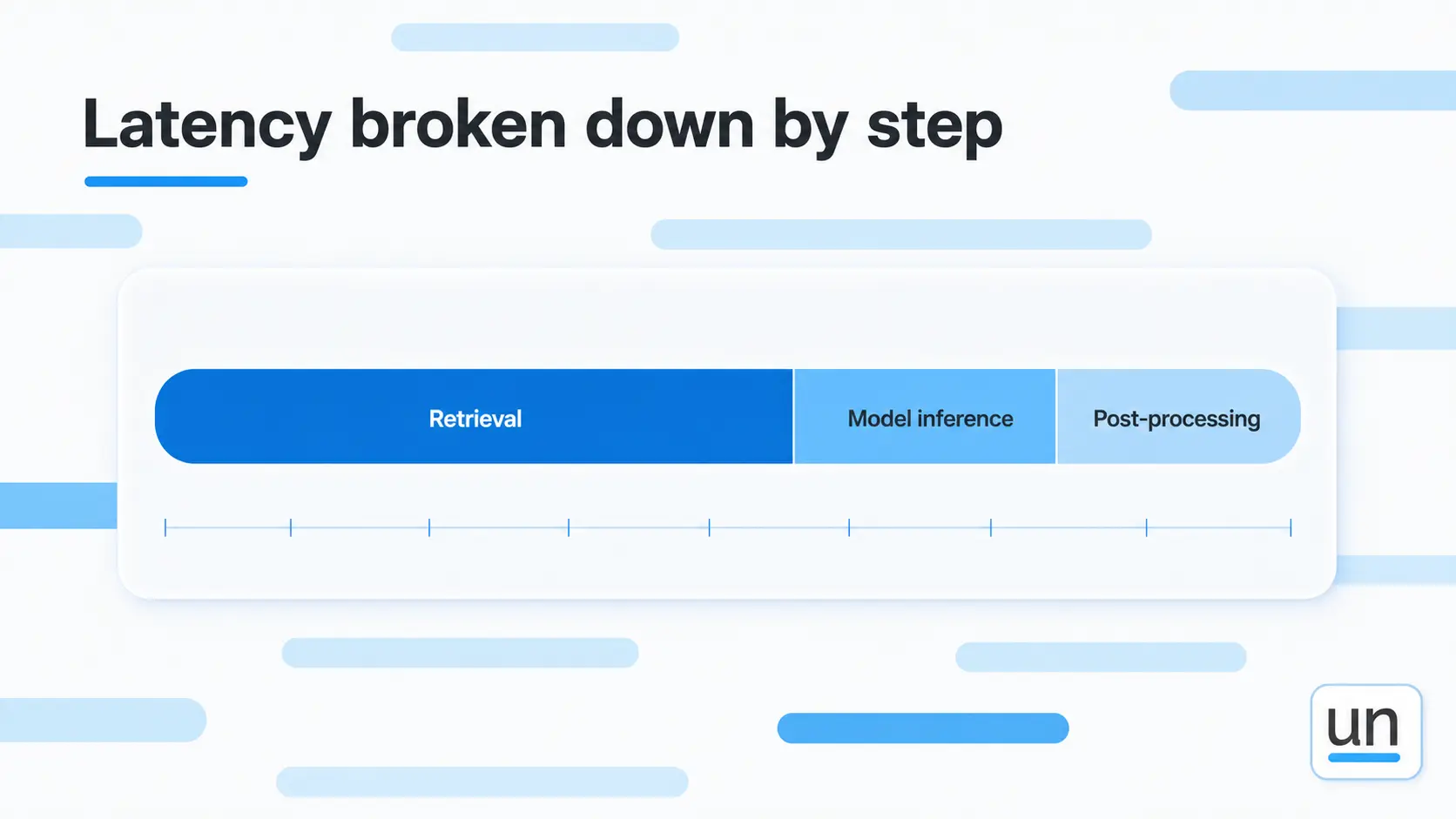
- Retrieval
- Model inference
- Post processing
Without step-level LLM performance tracking, you are guessing where the slowness is coming from. Most teams assume it is the model. Half the time it is a retrieval step that nobody thought to measure.
Token Usage and Cost
A prompt that grew by 200 tokens sounds small. At 100,000 daily requests, that is thousands of dollars a month in extra spend that nobody planned for. LLM telemetry at the token level shows you that happening in real time instead of on the invoice.
Quality Signals
This is the column most teams leave empty:
- User thumbs up or down
- Hallucinations detected
- Validation failures
- Task completion rates
Production AI monitoring without quality signals means you are collecting data you cannot act on. Expensive logging, essentially.
4. Why LLMs Fail Differently From Traditional Software?
Think of it this way. When a regular app breaks, it screams.
You get errors, alerts, something blinking red somewhere.
LLMs do not scream. They just start giving wrong answers while looking completely healthy from the outside. No errors, no alerts, nothing to tell you something is off.
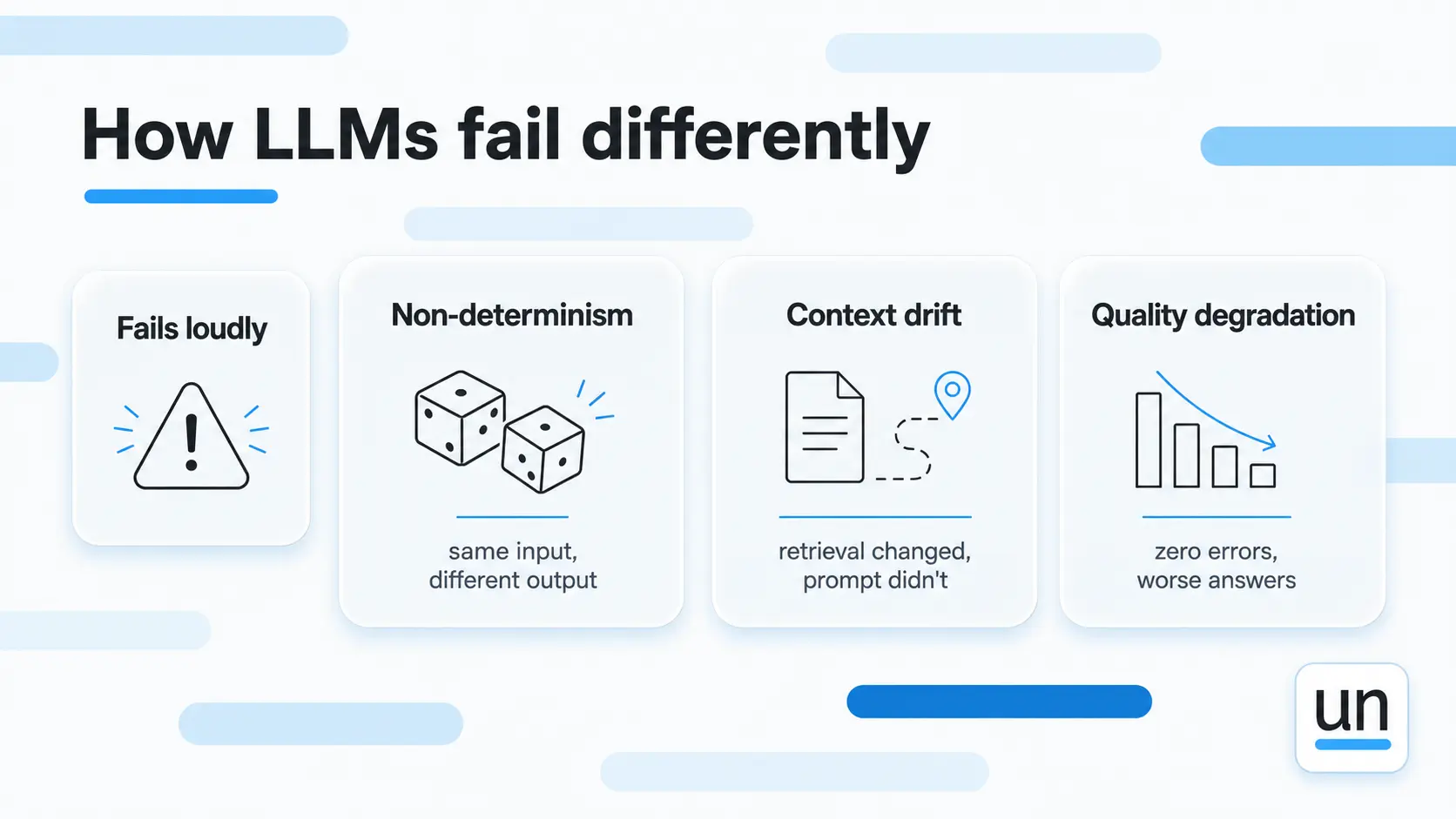
Non-determinism
Run the same prompt twice, and you get different outputs. That is just how LLMs work. So when a failure shows up once and then disappears when you go looking for it, you have no way to reproduce it without LLM tracing capturing exactly what went in and what came out every single time.
Context Drift
Context drift is the kind of problem that genuinely surprised me the first time I encountered it in production. Everything looks fine; the model is running, but the outputs have been getting worse for weeks because retrieval changed and nobody updated the prompt to match.
Quality Degradation With Zero Errors
This is a cute one now. The application was healthy by every measure we had. Users were just getting worse answers, and we had no signal telling us that until enough of them said something about it.
5. What LLM Observability Looks Like in Practice
Take a RAG-powered support bot as an example.
A lot happens between a user asking a question and your application returning an answer. Without observability, you see none of it.
You see a question went in and an answer came out, and that is genuinely all you have to work with when something goes wrong.
With LLM observability, you see all of this for every request:
- The original user question
- The ten documents retrieval returned and their relevance scores
- The full resolved prompt with those documents injected
- The model's raw response before any parsing
- Latency at each step broken down individually
- Cost of the API call
- Whether the user marked the answer helpful
And here is what you actually catch by having it:
- A retrieval step returning stale documents because the index had not updated
- A prompt that doubled in size because a context injection bug ran twice
- A model response that was wrong before your code even processed it
- A retrieval call that took four seconds on specific query types
None of this is findable without LLM telemetry. But… all of it is obvious once you have it.
6. LLM Observability Across Different Application Types
The right observability setup depends on what your application actually does because different applications fail in completely different ways.
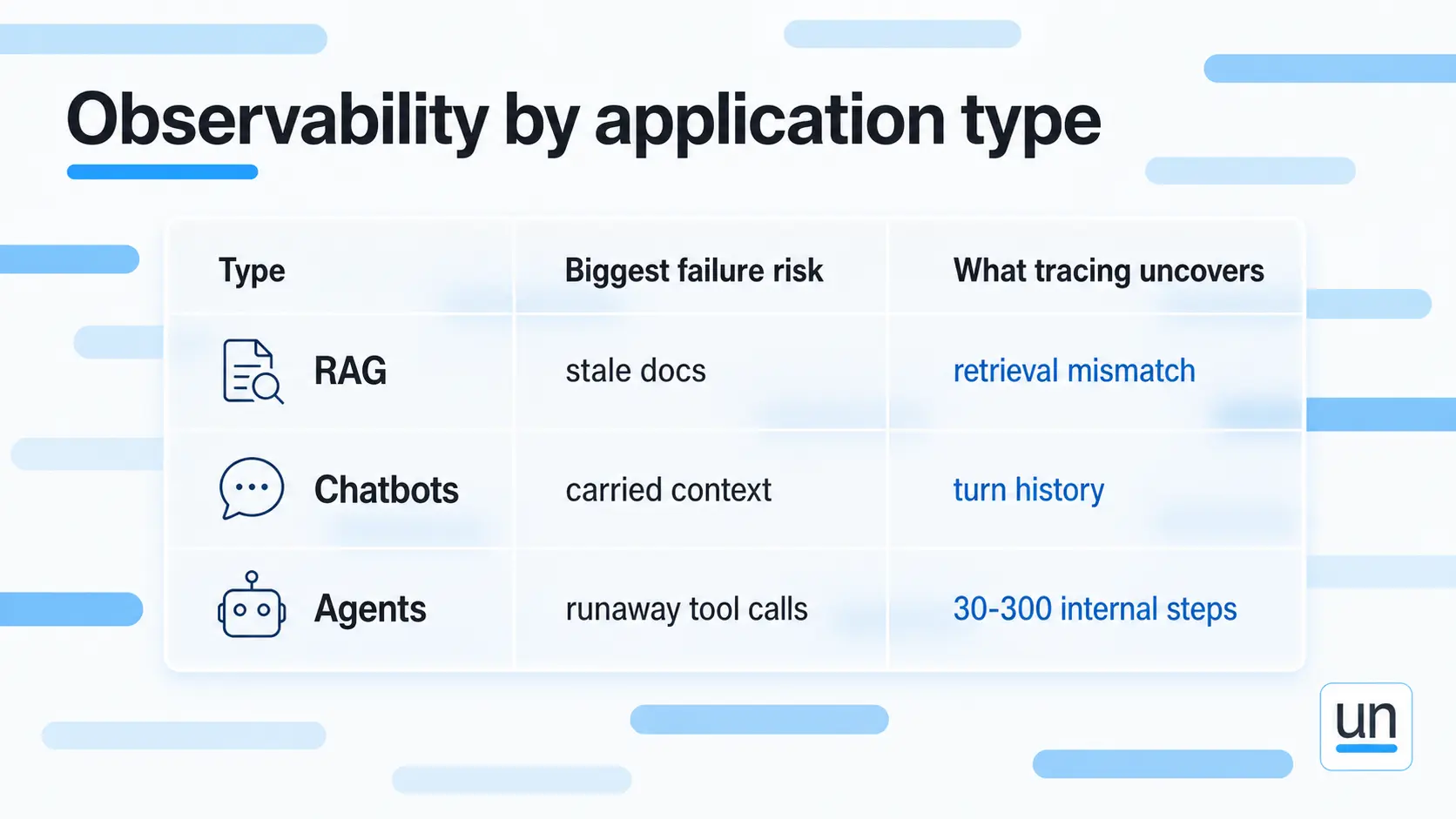
RAG Applications
Most RAG failures hide in retrieval. When an answer comes back wrong, you need to know whether the model got bad information or whether the model got good information and still got it wrong. Those are two completely different problems with two completely different fixes, and you cannot tell them apart without visibility into what was actually retrieved.
Chatbots and Conversational AI
A single turn log is not enough here. A bad answer in turn three usually has its roots in turn one, where the model picked up an incorrect assumption and carried it through the whole conversation. For monitoring AI applications like this, you need the full conversation trace, not just individual snapshots.
Agents and Agentic Workflows
Agents are the hardest application type to observe and also the most expensive when something goes wrong. Agent observability means having visibility into every tool call, every decision, and every loop the agent runs.
According to MLflow's 2026 report, a single user request in production can trigger anywhere from 30 to 300 internal steps.
Without LLM tracing, most of that is invisible to you. You see the request that went in and the response that came out and nothing in between. That is where the cost surprises and the quality failures live.
Here is how the three application types compare on what matters most for LLM debugging:
| Application type | Biggest failure risk | What LLM debugging uncovers |
|---|---|---|
| RAG | Retrieval returning wrong or stale documents | Exactly what was retrieved and when |
| Chatbots | Context carried forward incorrectly across turns | Full conversation trace across all turns |
| Agents | Loops, unexpected tool calls, runaway token spend | Every step, decision, and tool invocation |
7. How Unmeshed Reduce What You Need to Observe?
The less your AI workflows are allowed to do without guardrails, the less you need to observe after the fact.
Unmeshed lets you set hard limits on what each AI step can do before it runs. Here is what that looks like in practice:
- Per-step token limits: Every AI step in your workflow has a maximum token budget. When a step hits that limit, it stops. No single task can run up your bill before anyone has a chance to notice.
- Tool allow-lists for agents: Agents only call the tools you explicitly approved. Nothing runs outside the boundaries you set upfront.
- Deterministic steps where AI is not needed: For tasks like routing a request or validating a value, you replace the LLM step with plain code. No prompt, no tokens, nothing that needs observing.
Observability tells you what went wrong after it happened. Unmeshed is what you put in place so fewer things go wrong in the first place.
The Bottom Line
Running AI in production without LLM observability is how you end up finding out about problems from users instead of dashboards. By then the damage is usually already done, and the fix takes longer than it should.
The teams that get this right are not necessarily the ones with the best models. They are the ones that built visibility into their workflows early enough to actually use it.
If you want to reduce what can go wrong before observability needs to catch it, that is exactly what Unmeshed is built for.
Frequently Asked Questions
Sources
Still finding out about failures from users?
Catch it before observability has to
Unmeshed puts hard limits on what every AI step can do, so fewer things go wrong in the first place, and less needs watching after the fact.