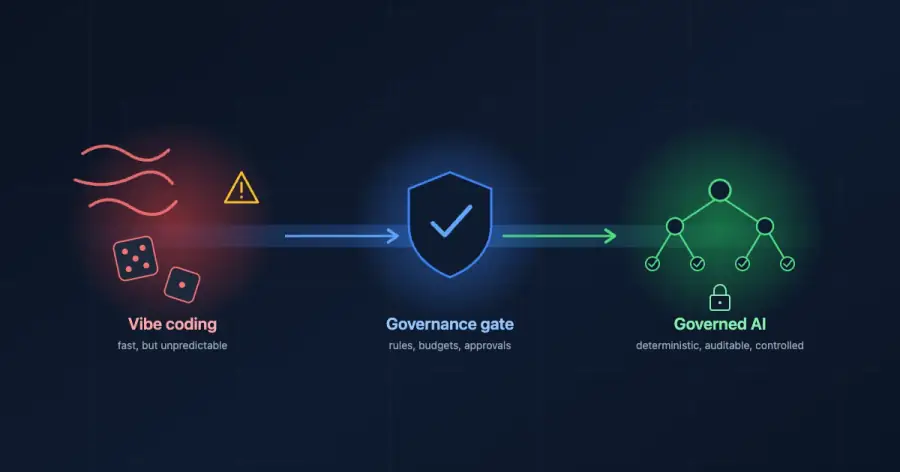
There is a scene in Moneyball where Brad Pitt sits across from a room of old scouts who want to spend big on famous players. He tells them they are asking the wrong question. The point was never to buy the best players. It was to buy wins, and wins were hiding in places nobody was looking.
That is the mindset LLM cost optimization asks of you.
The most powerful model is rarely the answer to every task, and the biggest line on your invoice is rarely the one you would guess.
The trouble is that most teams cannot see where their money actually goes. The number climbs each month, and the explanation lives somewhere nobody has looked yet.
This post gives you nine ways to bring that number down and cut your token usage in production. Every one has been tested in real systems, and not one of them asks you to change models or rebuild anything.
1. Why Does LLM Cost Optimization Matter More Than Teams Think?
The model is almost never the real problem. What teams actually lack is a clear view of what each part of their system costs to run, and that view is where LLM cost optimization begins.
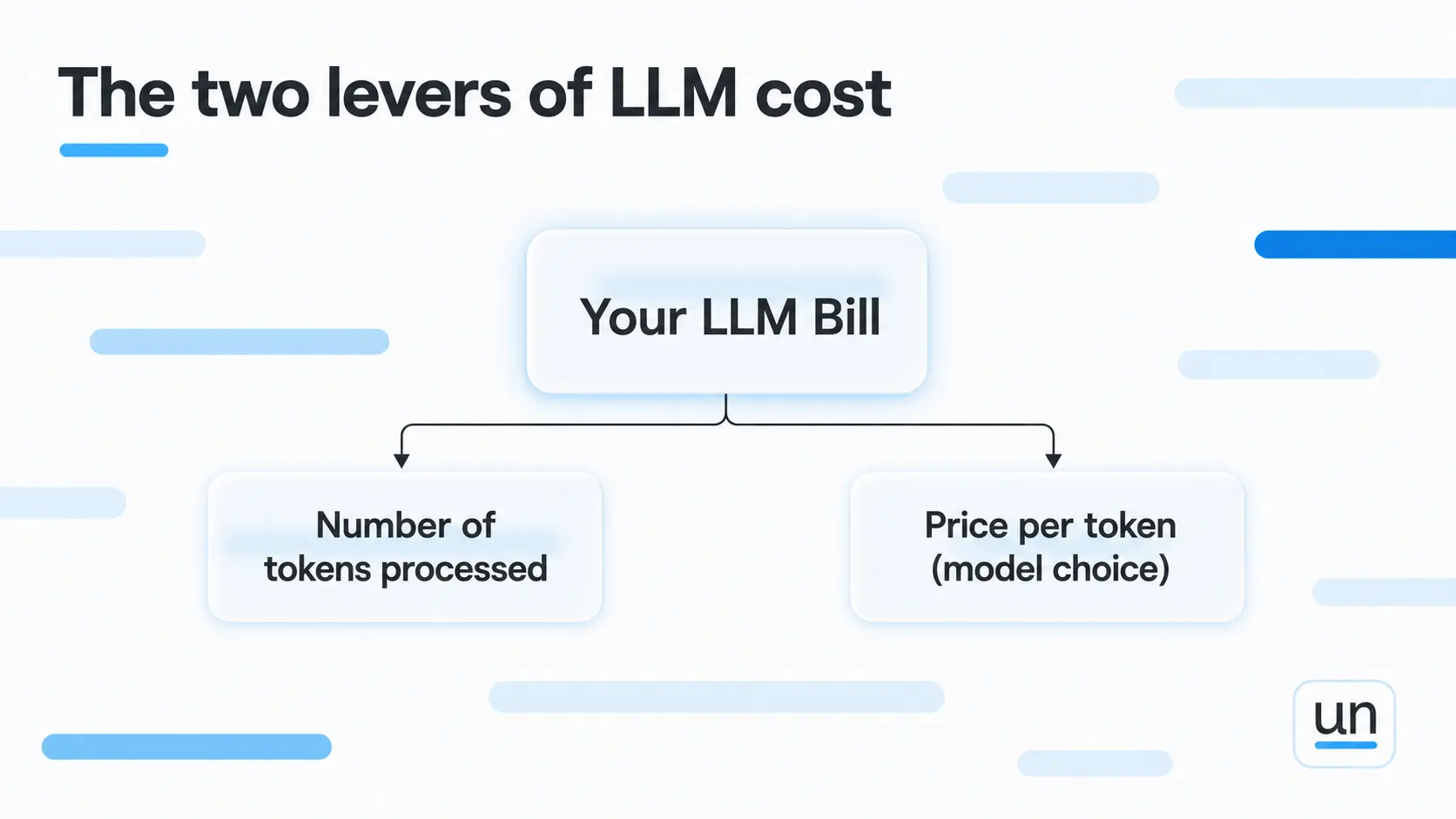
Your bill really comes down to two numbers:
- How many tokens move through your system
- What each token costs on the model you chose
Everything in this guide moves one of those two.
Say you run a support summarizer that turns long ticket threads into short summaries for your agents. It handles 100,000 requests a day, taking in a thousand tokens and giving back five hundred.
Now, obviously, for months nobody noticed what it cost, because the number lived inside one plain line on the invoice. That is how LLM inference cost hides.
Enterprise LLM API spending hit $8.4 billion by mid-2025, more than double the $3.5 billion from late 2024.
As OpenAI CEO Sam Altman put it, "compute costs limit everything."
2. The 9 LLM Cost Optimization Techniques That Actually Work
Here are the nine LLM cost optimization techniques, starting with the ones that give you the most back for the least effort.
1. Route Simple Tasks to Cheaper Models
Your best model is overkill for most of what you send it. Model routing means matching each request to the cheapest model that can still do the job well.
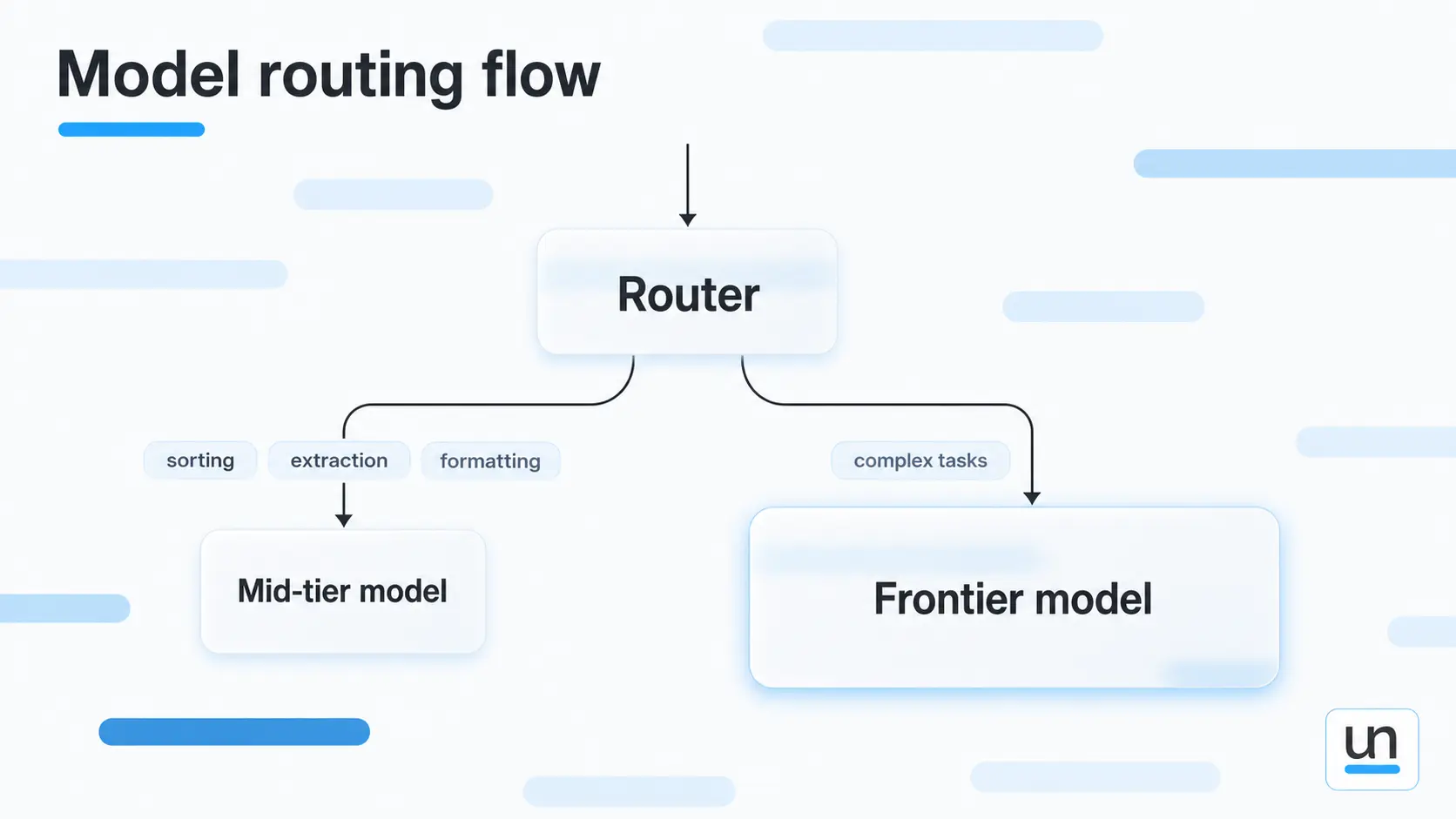
Sorting tickets, pulling out fields, cleaning up formatting. None of these need a frontier model, and smaller ones handle them for a fraction of the price.
Look at the summarizer again. Condensing a ticket thread is not deep reasoning. Move it down to a solid mid-tier model and the cost of that workflow can fall by half while the summaries read the same.
2. Trim Your System Prompts
System prompts get long the same way junk drawers get full. You keep adding one more thing that seemed necessary at the time, and nobody ever goes back to clear it out.
You pay for all of it on every request, whether the model needs it or not. Prompt optimization here is the fastest structural saving most teams have within reach.
The surprising part is how little quality you give up when you cut. Trimming a prompt down to the instructions that actually shape the output usually leaves the results looking the same, with a noticeably smaller bill behind them.
3. Cache Repeated Inputs and Responses
Two kinds of caching exist, and they solve different problems.
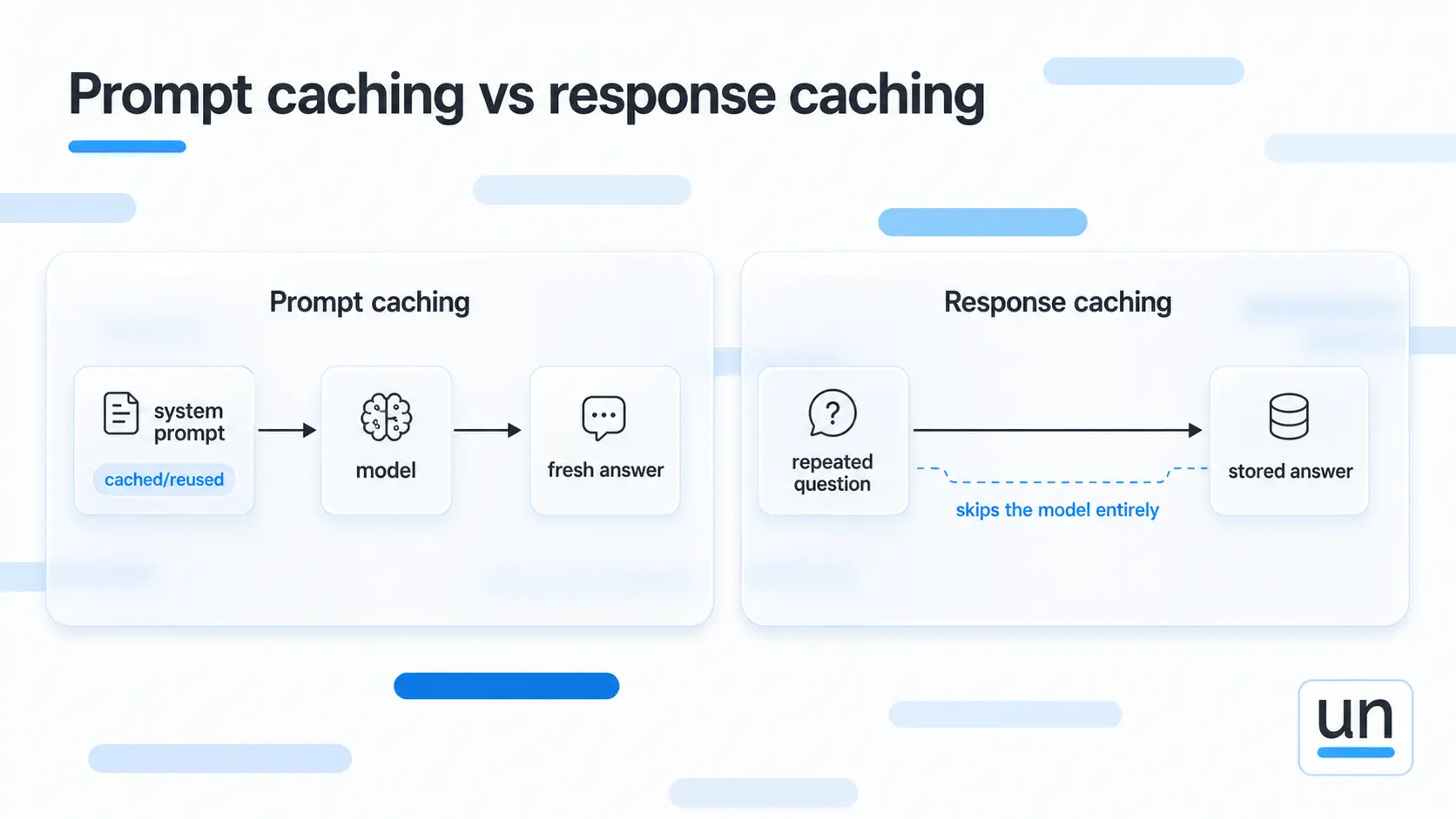
- Prompt caching cuts the cost of reprocessing a stable chunk like your system prompt. The model stops rereading it every call, so you pay a fraction for that repeated part.
- Response caching skips the model completely. When a question already has a stored answer, you hand it back for nothing.
Barely anyone switches either one on, which is a shame for a workflow like the summarizer. The instruction block at the top never changes, so caching it means you stop paying to teach the model the same thing on every single run.
4. Constrain Output Length and Format
Output tokens run four to five times the price of input tokens on every major provider. That single fact should shape how you write every prompt you own.
When your code only reads one field, asking for a full explanation around it is money spent on text nothing ever uses. Tell the model to return the summary and nothing else.
It is one of the simplest fixes available and one of the most skipped, because a wordy answer never feels expensive until you multiply it out. Output length is the easiest LLM cost optimization win people walk right past.
5. Fix Retrieval Before Touching Anything Else
In a RAG setup, the prompt is usually fine. The waste comes from everything you pack into the context around it.
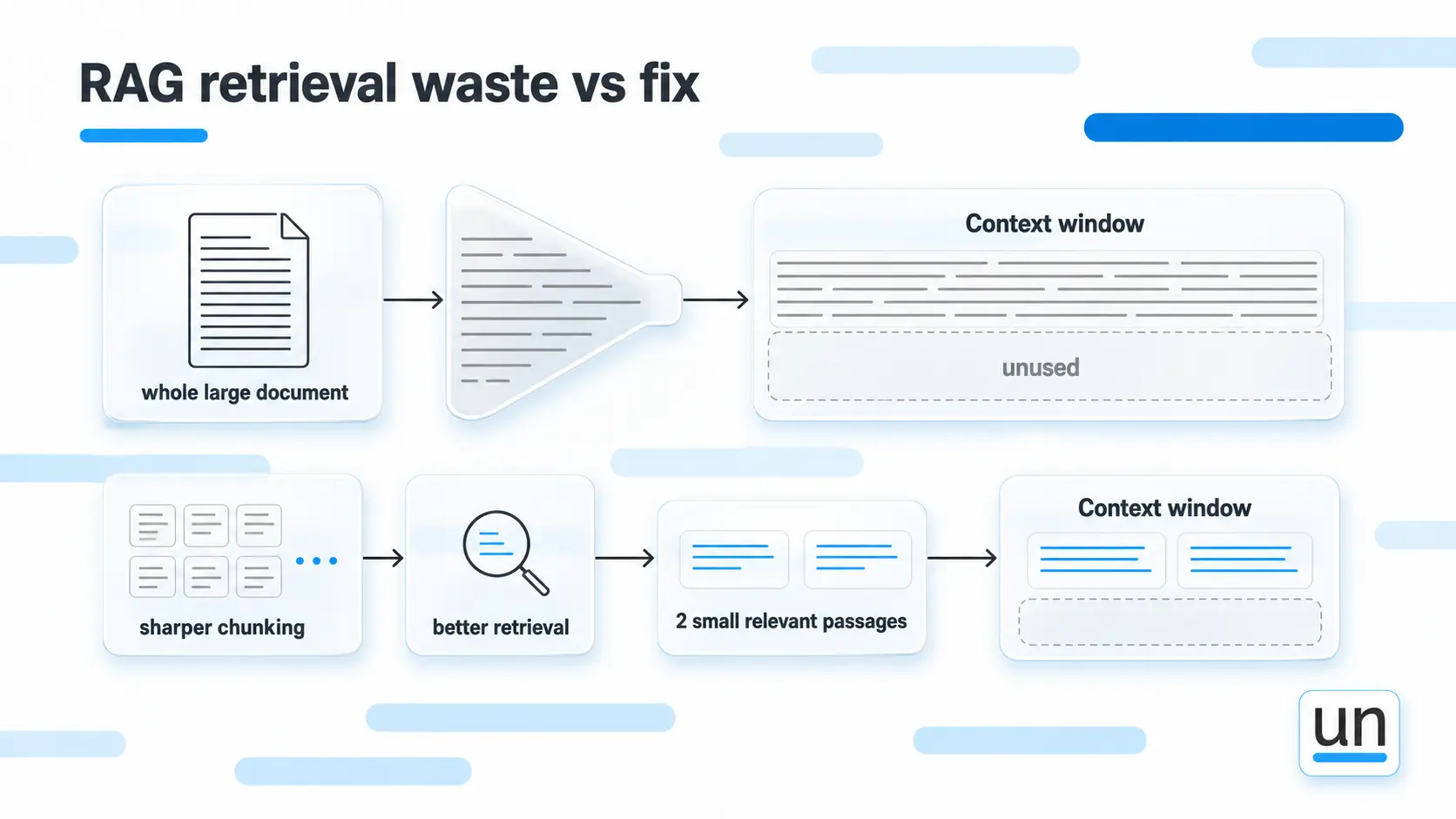
Dropping a whole document into context when the model only needs two paragraphs is one of the easiest ways to pour tokens down the drain. Two fixes handle most of it:
- Sharper chunking so you pass smaller, more relevant pieces
- Better retrieval so only the context that matters makes it into the prompt
Together they reduce token usage more than any wording change you could make. So start there. In a retrieval pipeline, this is nearly always the change that moves the needle most.
6. Batch Non-Urgent Requests
Plenty of work does not need an answer the second you ask. Batch APIs handle those requests on a delay and charge you roughly half of standard rates for the patience.
Anything on a schedule qualifies. Say the summarizer also builds a morning digest of yesterday's tickets. That digest has no reason to run at live prices, so batching it halves the cost with nothing lost.
Live chat and anything a person is waiting on stays on standard calls. The rest is worth a second look.
7. Set Hard Token Limits on Every Step
This is the plainest safeguard you can put in place, and the one teams skip most.
A ceiling on each step stops a runaway before it reaches your invoice. It catches the two failures that quietly rack up tokens:
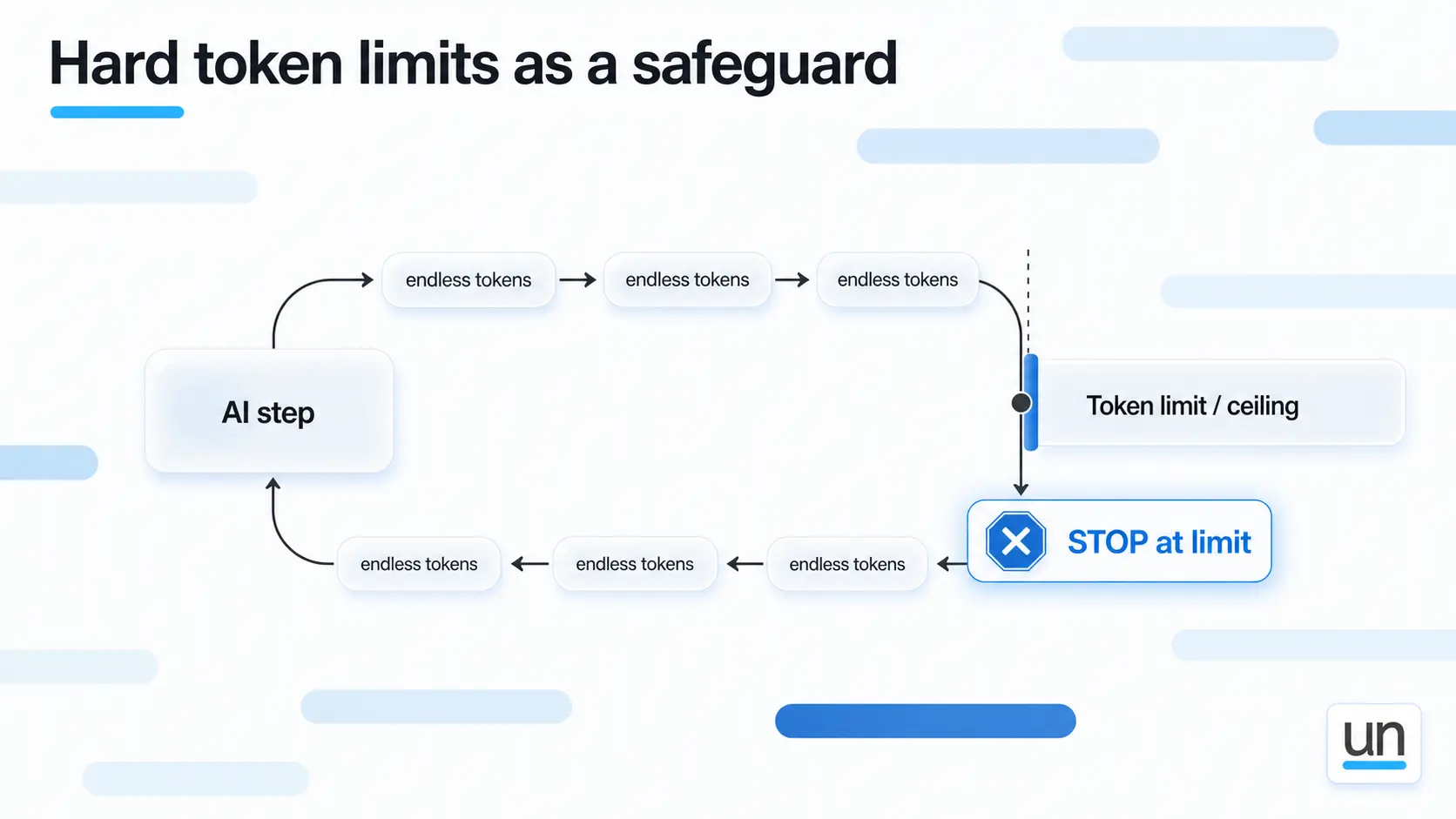
- A model that loops on itself and keeps generating
- An agent that wanders off track and calls step after step
When either one hits the limit, it stops instead of billing you for a mountain of tokens nobody wanted.
It will not lower your everyday spend. What it does is save you from the bad day, and at scale that is worth a lot.
8. Replace LLM Calls With Code Where Possible
Some steps in your workflow do not need a model at all. Things like routing a request, reading a single field, or checking whether a value is formatted correctly. A few lines of normal code can do these jobs, and code does not cost you anything to run.
The problem is that reaching for a model is easy, so teams do it even when the task is simple. Take pulling a date out of a sentence. That is not a thinking task. Code can find the date every time and get it right.
Give that same job to a model, and two things happen. You pay tokens for it, and now and then it hands the date back in a format you did not ask for. More cost, less certainty, for a job code already does well.
9. Track Cost at the Workflow Level
A monthly total tells you what you spent. It says nothing about where the money went or why.
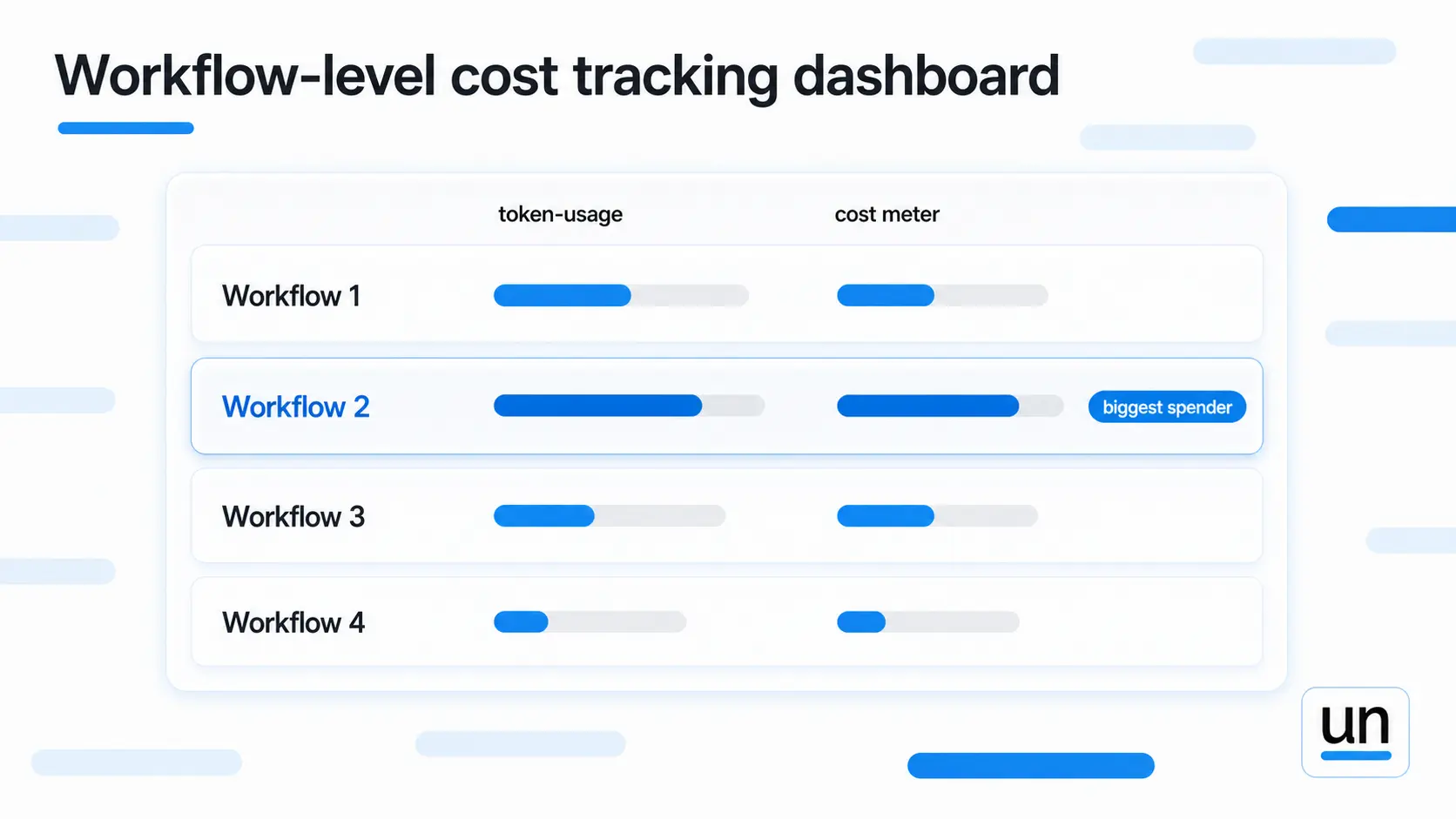
Tracking at the workflow level turns that number into something you can act on. Real AI cost management starts here, where you finally see:
- Which workflow is driving the bill
- Which ones pay for themselves
- Which ones are just noise
This is the groundwork that makes every token optimization effort on the list measurable. You cannot fix what you cannot see.
3. Which Technique Should You Start With?
Every LLM cost optimization effort needs a starting point. Here is how the nine stack up on effort, savings, and where each one earns its place.
| Technique | Effort | Typical savings | Best for |
|---|---|---|---|
| Route to cheaper models | Medium | 40 to 80% on cost | Multi-step pipelines |
| Trim system prompts | Low | 10 to 30% on input | All workflows |
| Caching inputs and responses | Low | Up to 90% on repeated calls | Stable prompts, repeat questions |
| Constrain output | Low | 30 to 60% on output | Structured outputs |
| Fix retrieval | Medium | 20 to 50% on context | RAG pipelines |
| Batch requests | Low | Up to 50% on batched work | Non-urgent tasks |
| Hard token limits | Low | Prevents runaway spend | Agentic workflows |
| Replace with code | Medium | 100% on replaced steps | Routing, parsing, validation |
| Workflow level tracking | Medium | Enables everything else | All production systems |
Begin with the low-effort rows near the top. Trim your prompts, tighten your output, and turn on caching.
Once those are done, move to the heavier lifts like routing and replacing steps with code. They take more work, but they keep paying you back long after.
4. Where Do Most Teams Go Wrong With LLM Cost Optimization?
The usual mistake in LLM cost optimization is cutting too deep. Teams get a taste of the savings, push harder, and quality starts slipping somewhere they do not immediately connect to the change.
Three traps catch most teams:
- Cutting past the point of quality. When your token count falls, but your error rate climbs, the cleanup can cost more than you ever saved. Aim for the lowest token count before quality breaks, not the lowest number you can hit.
- Fixing the wrong thing. Without workflow-level tracking, teams tend to optimize whatever feels expensive, which is often not what is actually draining the account.
- Treating this as a job you finish. Prompts fill back up, new features launch, usage shifts under you. LLM cost reduction works best as a habit, not a task you close and forget.
The strange part is that prices are actually falling. Epoch AI found the cost to reach GPT-4 level performance dropped about 40x per year, yet bills keep growing because usage climbs faster than prices drop.
5. How Does Unmeshed Help You Control LLM Costs?
Most cost tools report what you spent once the invoice has already landed. Unmeshed takes a different path to LLM cost optimization and lets you draw the line before the money leaves.
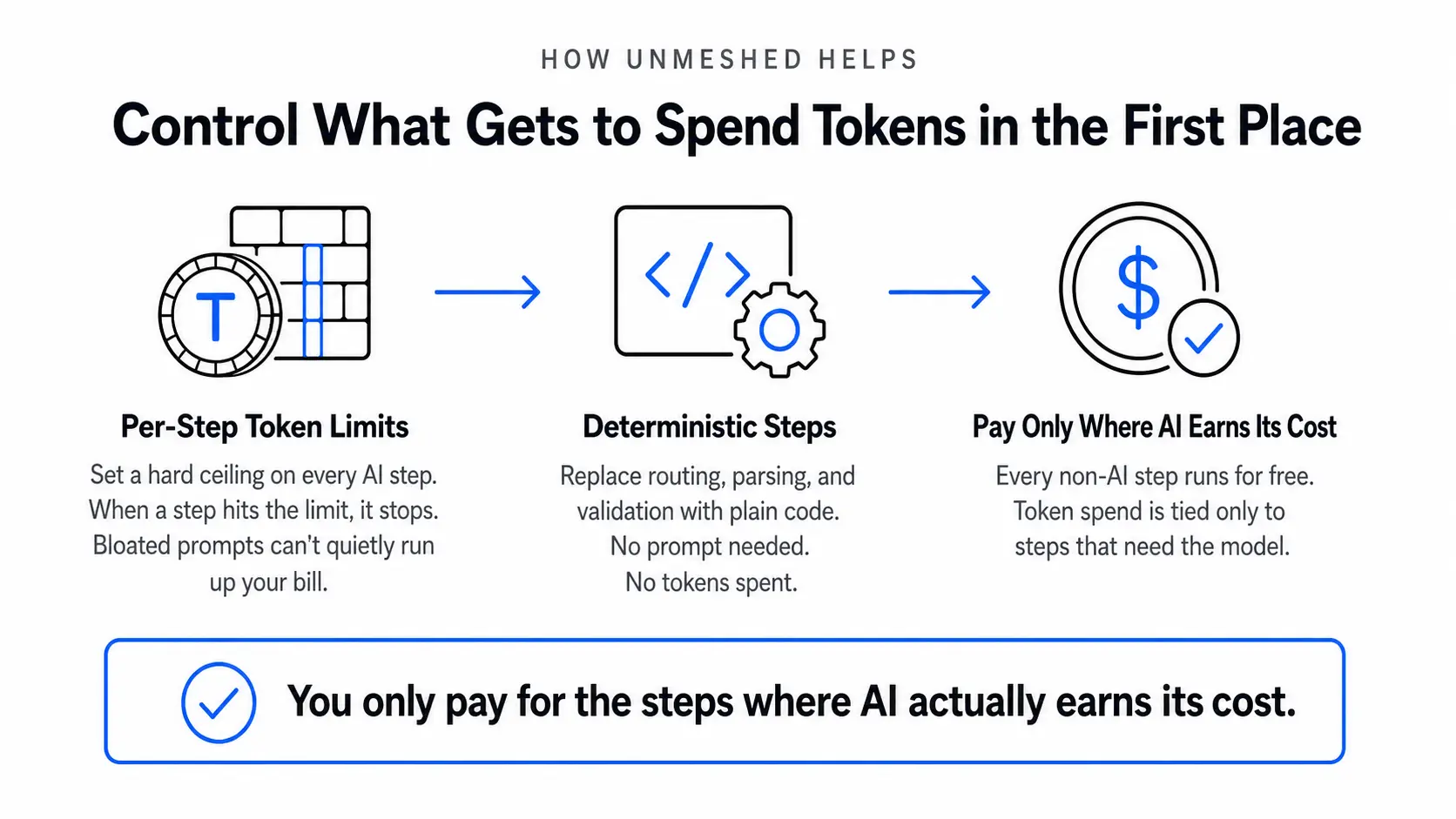
- Per-step token limits. Every AI step gets a budget. When it hits the cap, it stops, so no single task quietly runs up the bill.
- Tool allow lists for agents. Agents only touch the tools you approved. Nothing strays past the edges you set.
- Deterministic steps where AI is not needed. For routing, parsing, or validation, you swap the model call for plain code: no prompt, no tokens, no cost.
The goal is not to starve your system of tokens. Good LLM cost optimization spends them only where a model earns its keep and lets code cover the rest for free.
The Bottom Line
LLM cost optimization is not about being stingy with AI. Anyone can shrink a bill by doing less. The real work is spending only where the spend pays off and trimming everything that does not.
Brad Pitt never won by buying the priciest roster. He won by knowing what every dollar was actually doing.
Do that with your tokens. Take the easy wins first, watch what genuinely moves your bill, and build the habit of checking before the number drifts. If you want those limits enforced for you at the workflow level, that is what Unmeshed is built for.
Frequently Asked Questions
Sources
You built something powerful. Now it's burning tokens you can't account for. Unmeshed brings your AI, APIs, decision rules, and human approvals into one place, so you control the spend instead of reacting to the bill.
Govern your AI workflow now, before it scales past your control.