TLDR
- An LLM judge grades another AI's output against a rubric. It agrees with humans about as often as humans agree with each other.
- Three ways to score: numerical rating, pass/fail, or pairwise comparison.
- Bias is real. Position, self-enhancement, and verbosity bias all skew scores if you don't design for them.
- Swap-and-average, hidden model identity, and few-shot examples fix most of it.
- Unmeshed can run the whole loop: judge the output, branch on the score, route low scores to a human, automatically.
Nobody has time to read every output their agent produces, not at ten runs a day, and definitely not at ten thousand.
So teams do the obvious thing.
They use an LLM to grade the LLM. It sounds circular the first time you hear it, and reasonable the second, once you see the accuracy numbers behind it.
LLM as a judge is that method. One model scores another model's output against a rubric you define, at a volume and speed no human review process can match.
This guide covers how LLM as a judge actually works, the three ways to score with it, where it breaks down through bias, and how to wire it into an automated pipeline instead of running it by hand.
1. What LLM as a Judge Actually Means
LLM as a judge is a method where one large language model grades another AI's output against a rubric, returning a score, a pass or fail verdict, or both, instead of a human reviewing every response.
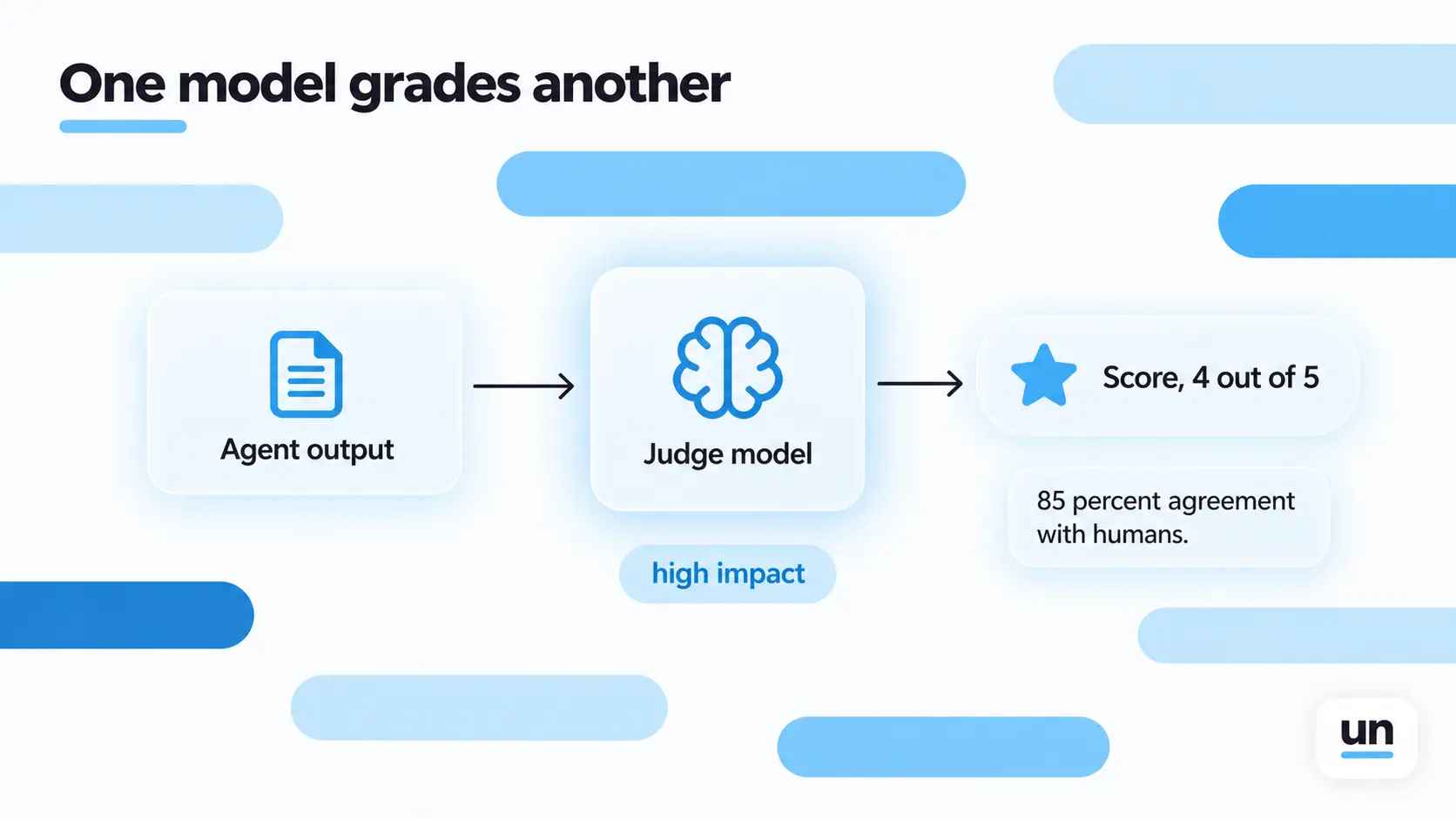
The accuracy case for this is stronger than it sounds. Research on GPT-4 as a judge found roughly 85 percent agreement with human annotators, which is actually higher than the roughly 81 percent agreement two human annotators show with each other on the same task, according to the original MT-Bench study.
That is the whole case for using it. Not that a judge model is perfect, but that it agrees with people about as often as people agree with each other, at a fraction of the cost and none of the multi-week turnaround.
2. How LLM as a Judge Works
The judge model receives three inputs: the rubric describing what counts as good, the original input the agent or LLM received, and the response being graded.
- Define the criteria. Accuracy, tone, safety, relevance, or a custom dimension specific to your product.
- Build the evaluation prompt. Give the judge a defined role, and specify the exact output format you want back, whether that is a score, a label, or a reasoning chain.
- Choose a scoring method that fits what you are actually trying to measure.
Some deterministic parts of a check, like format or schema validation, do not need a judge model at all. Those are often cheaper and more reliable when written as plain code, which is why a lot of teams run them as hosted functions sitting right next to the judge call in the same workflow.
Say the task is grading a customer support reply for tone. The rubric might read: score 1 to 5 on empathy, penalize any response that sounds scripted, and fail anything that contradicts the account details in context. The judge sees the original ticket, the account context, and the drafted reply, then returns a number and a short reason. That reason matters. A score with no explanation is much harder to trust, or to debug when it looks wrong.
3. The Three Ways to Score With a Judge
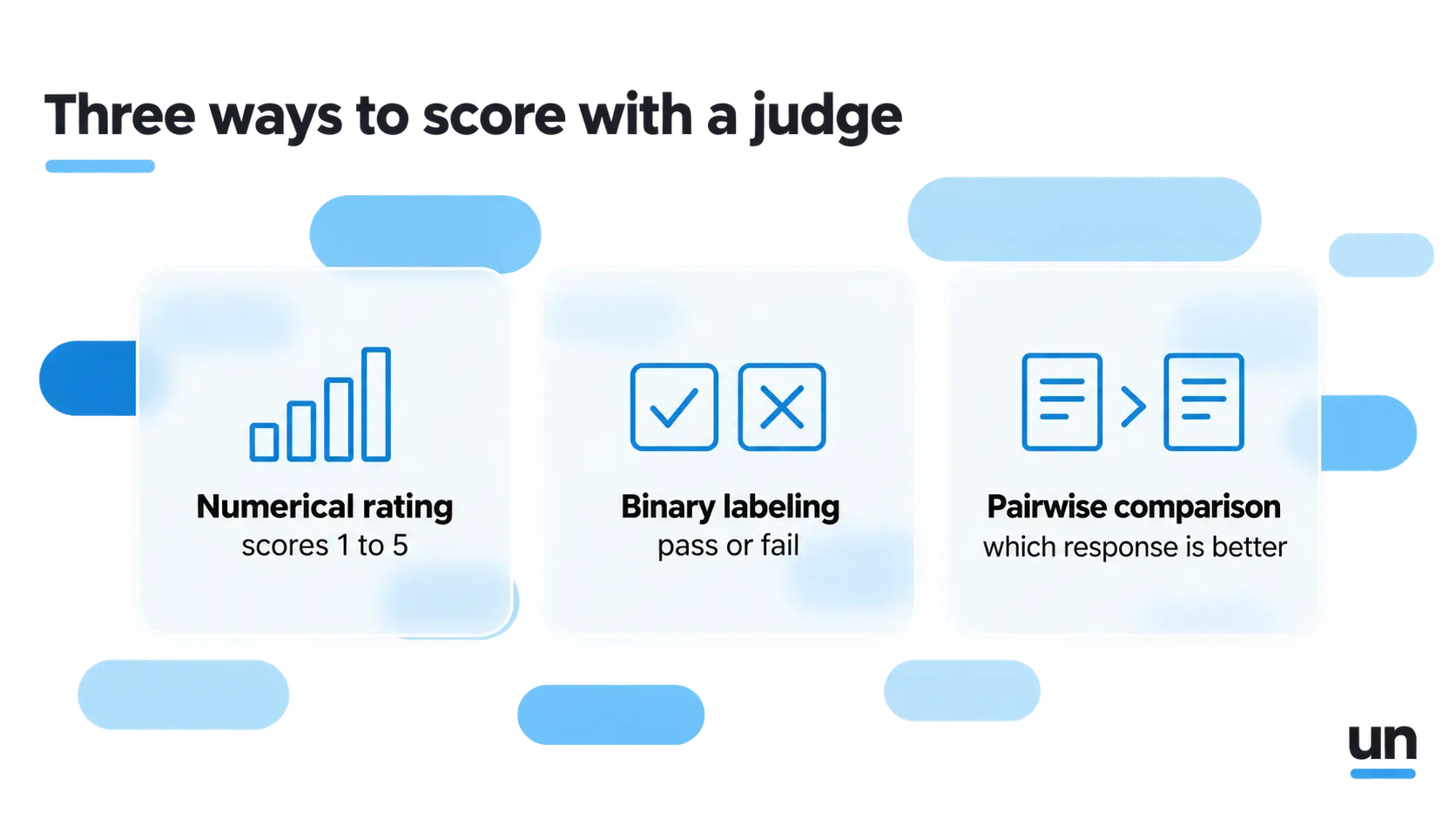
- Numerical rating scores a response on a scale, typically 1 to 5.
- Binary labeling returns a pass or fail, safe or unsafe verdict, nothing in between.
- Pairwise comparison shows the judge two responses for the same input and asks which one is better.
Pairwise comparison is the most common way to A/B test prompts, models, or fine-tunes against each other. It is also where nearly all the bias research concentrates, for a reason that becomes obvious in the next section.
Pick the method based on what you are actually deciding. Shipping a new prompt version and need to know if it is better than the old one? Pairwise. Monitoring quality over time on a single, stable prompt? Numerical rating tracks drift better than a pairwise setup ever could.
4. Where LLM as a Judge Breaks: The Bias Problem
A judge model inherits the same failure patterns as the models it grades. Three show up constantly.
| Bias | What happens | Why it matters |
|---|---|---|
| Position bias | The judge favors whichever response comes first in a pairwise comparison | Independent of which answer is actually better |
| Self-enhancement bias | A model rates outputs in its own style more favorably | Skews cross-model comparisons |
| Verbosity bias | Longer answers score higher regardless of quality | Rewards padding, not accuracy |
Self-enhancement bias is not a small effect. The same MT-Bench research found GPT-4 favored its own answers with a 10 percent higher win rate, and Claude-v1 favored its own with a 25 percent higher win rate, when judging against other models.
None of this is a reason to avoid the technique. It is a reason to treat judge output the way you would treat any measurement instrument with known error, correctable once you know where it comes from. Teams building AI governance into their agent stack tend to catch these failure modes earlier, because they are already auditing model behavior for other reasons.
5. How to Write a Judge Prompt That Actually Works
A working judge prompt has four parts: a criterion defined in your domain's own vocabulary, an explicit reasoning structure that forces step-by-step checking, a scoring rule that maps that reasoning to a deterministic verdict, and a clause for edge cases your pipeline actually produces.
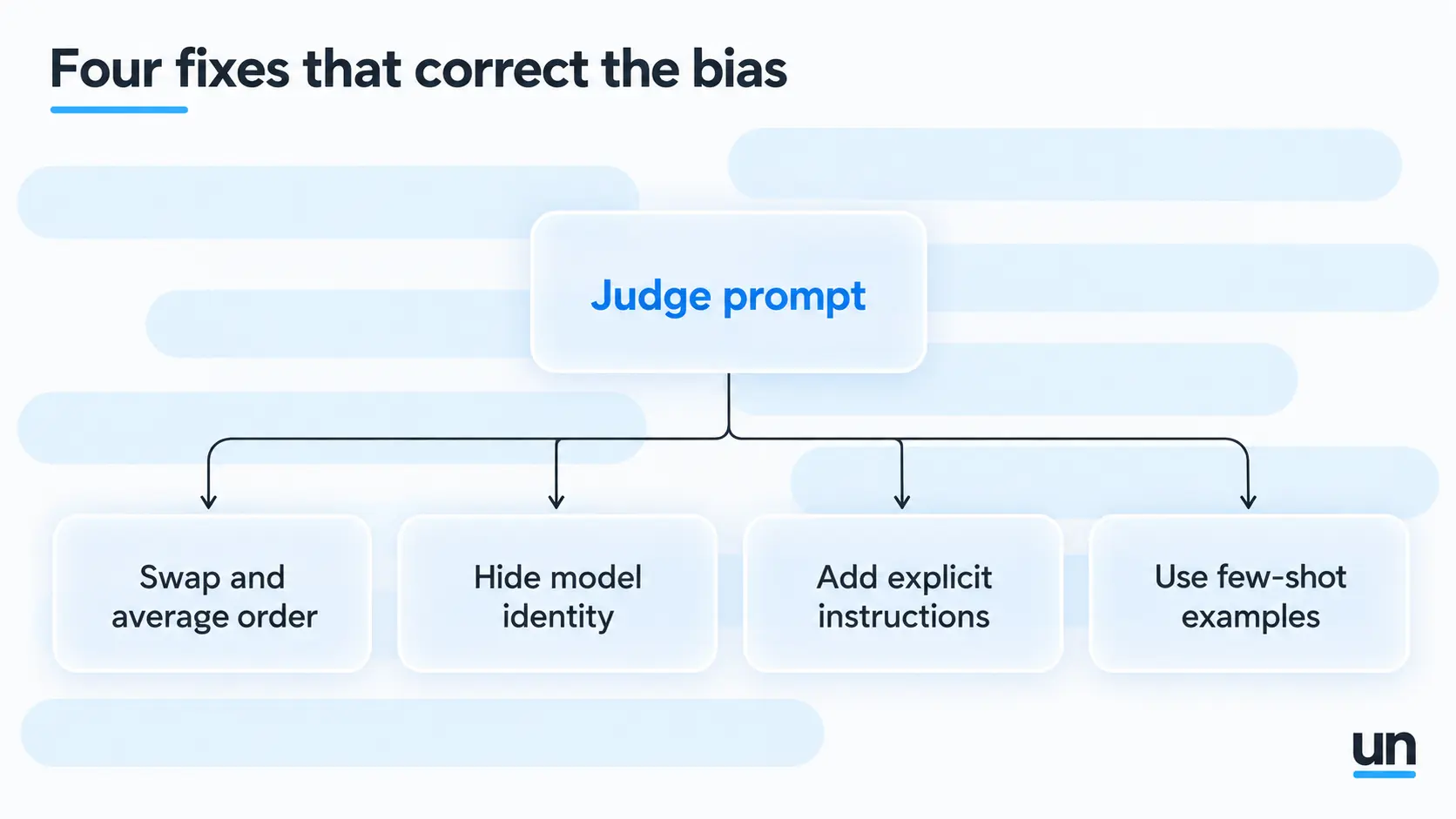
- Swap-and-average for position bias. Run the comparison twice with the order flipped, and only trust the verdict if it holds both times.
- Hide model identity from the judge to blunt self-enhancement bias.
- Add explicit instructions, like telling the judge to ignore stylistic differences if the core argument is valid, to reduce verbosity bias.
- Use few-shot examples. The same MT-Bench research found few-shot prompting raised GPT-4's scoring consistency from 65.0 percent to 77.5 percent.
Swap-and-average logic, score thresholds, routing rules. That is not a prompt anymore; that is a workflow.
See how the pieces fit together as one automated flow.
See The Pipeline6. When to Trust an LLM Judge (and When You Still Need a Human)
The roughly 85 percent agreement number holds up for well-scoped criteria on tasks the judge has effectively seen before. It does not hold up everywhere.
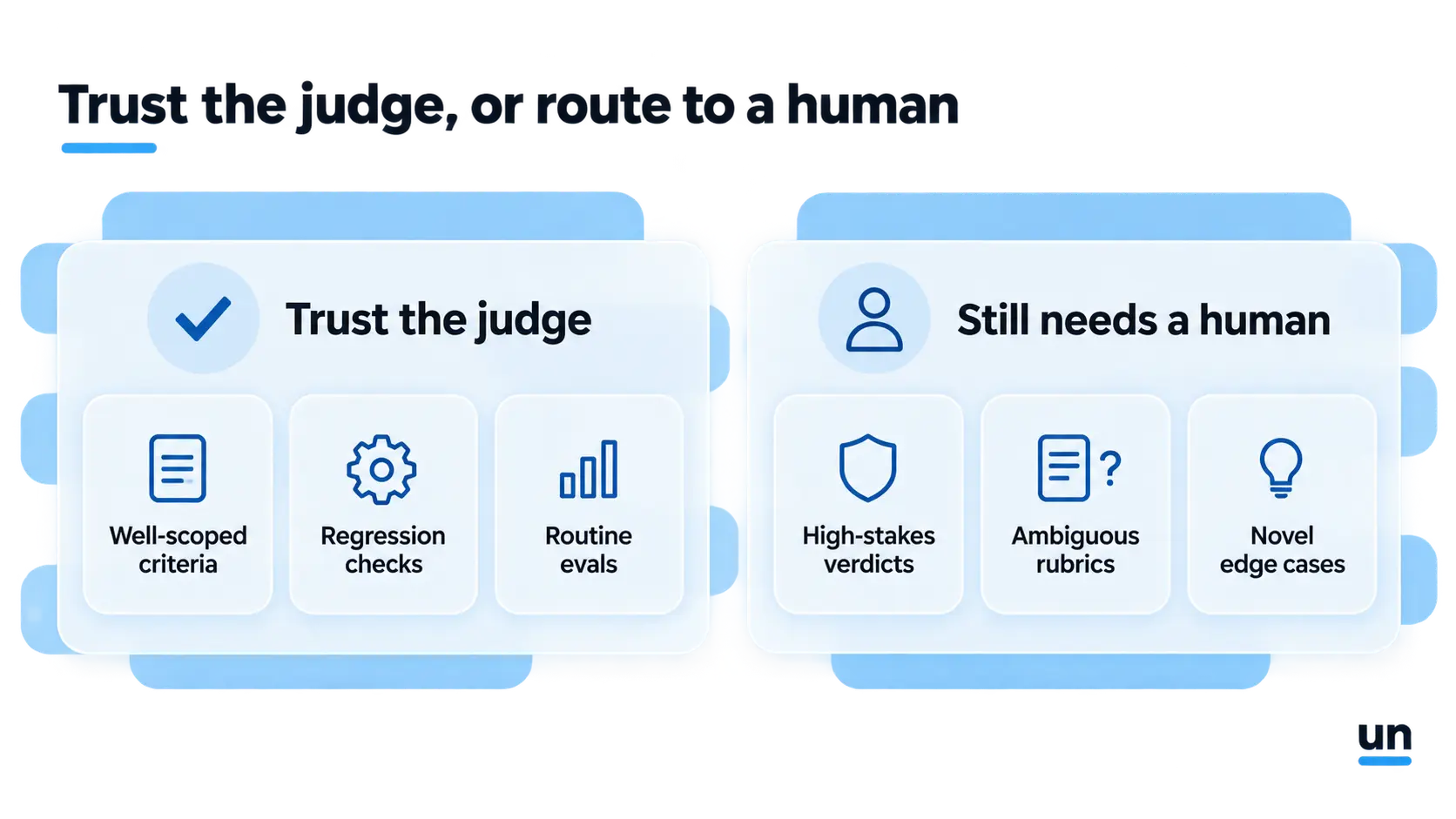
Trust the judge for
- High-volume, well-scoped AI agent testing where a rubric can be stated clearly
- Regression checks after a prompt or model change
- Routine evals for AI agents where speed matters more than perfect precision
Still route to a human for
- High-stakes verdicts, where a wrong call is expensive
- Ambiguous rubrics that even two humans would disagree on
- Novel domains and edge cases the judge has not been calibrated against
A lot of the tools built around LLM evals and AI evals, the ones covered in our observability tools roundup, use exactly this kind of judge internally. Knowing how the judge actually works is what lets you trust, or correctly distrust, the score it hands back.
A reasonable middle ground for most teams: run the judge on everything, but sample a small slice of its verdicts for human review on a schedule. If human and machine keep disagreeing on the same category of case, that is a signal the rubric needs work, not that the whole approach is broken.
7. How Unmeshed Runs the Judge-and-Branch Pipeline
This is not a plain trace-feed story. Three real, already-shipped Unmeshed capabilities chain together into an actual working pipeline that uses an LLM as a judge, not a hypothetical one.
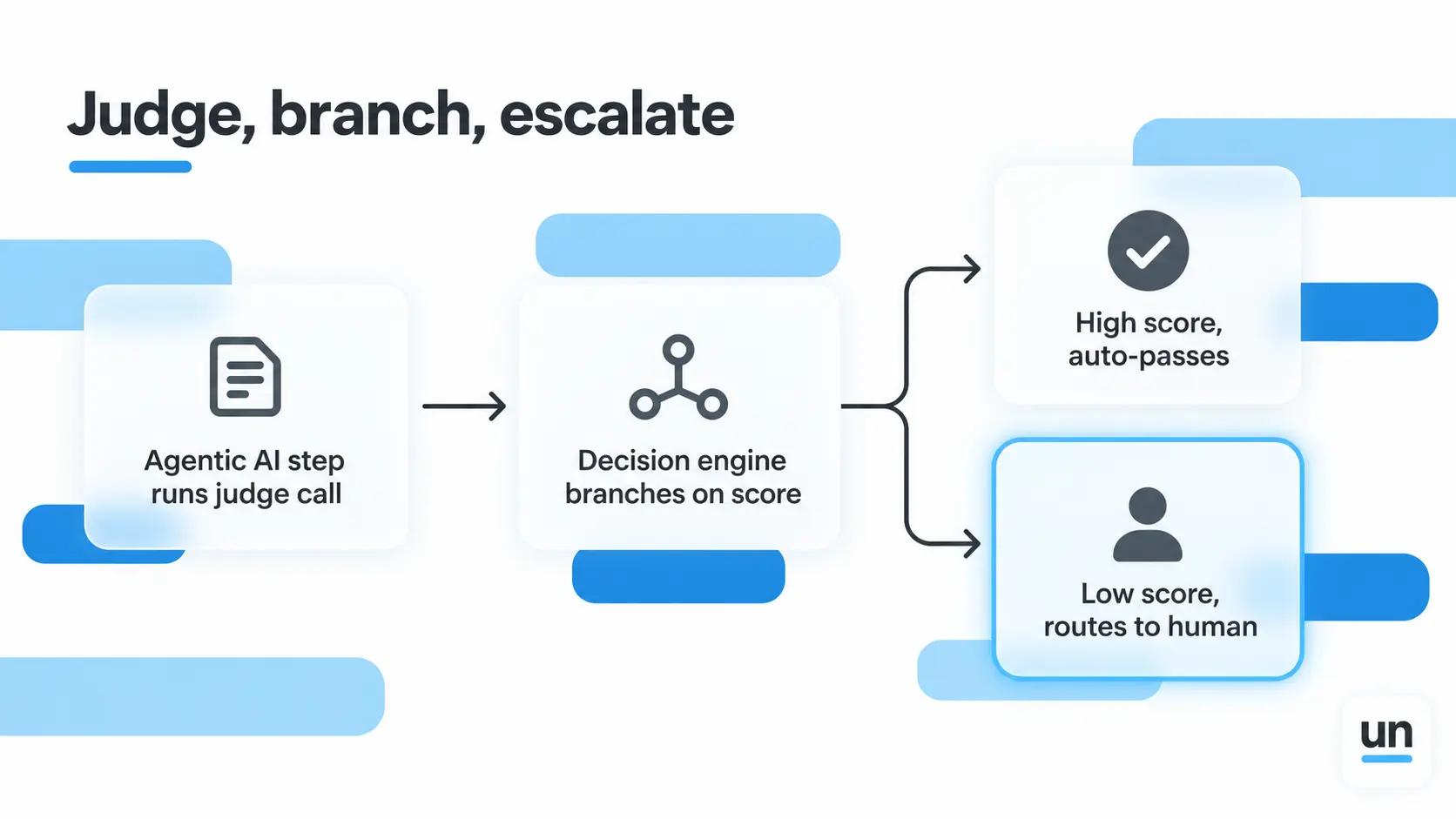
- An Agentic AI step runs the judge call on the agent's output, right as the next step in the same workflow
- The Decision Engine branches on the score or verdict the judge returns
- Human review picks up anything that scores below your threshold, instead of auto-passing it
Run the agent. Judge the output. Branch on the verdict. Log the whole chain for audit. That is the same escalation pattern used in workflows like claims automation, where most cases clear automatically and only the uncertain ones reach a person.
Unmeshed does not write your rubric or decide what counts as a passing score. Your team still owns that. What it runs is everything downstream of the verdict, automatically, on every plan.
Your judge model returns a score. Something still has to act on it.
Unmeshed branches on the verdict so a human only sees what actually needs one.
In a Nutshell
LLM as a judge is not a hack or a shortcut around real evaluation. It is a measurement instrument, with known biases, that happens to agree with humans about as often as humans agree with each other.
Treat it accordingly. Write the rubric carefully, test for position and verbosity bias before you trust the scores, and keep a human in the loop for anything genuinely high stakes.
Start with one criterion and one judge prompt. Run it against real outputs, compare it to your own read, and adjust before you scale it to everything.
A judge model without somewhere to send its verdict is half a pipeline. Build the other half, the part that actually acts on the score. Get Started
Frequently Asked Questions
Sources
- 1.Zheng et al., "Judging LLM as a Judge with MT-Bench and Chatbot Arena" - arXiv, the original research behind the agreement and bias figures cited in this guide
- 2.Confident AI - "LLM-as-a-Judge Simply Explained: The Complete Guide to Run LLM Evals at Scale"
- 3.Braintrust - "What is an LLM-as-a-judge? When to use it (and when to use deterministic evals)"
Ready to automate the verdict?
Wire your judge model straight into the workflow
Unmeshed runs the agent, calls the judge, and branches on the score, so the pipeline does not stop at scoring.