TLDR
- MCP's advantages depend on scale. The more AI apps and tools you run, the more MCP gives you, so the post gives the benefits by who feels them (developers, AI apps, end users).
- With 5 apps and 10 tools, custom links come to 50, or 15 pieces with MCP. At 8 apps and 20 tools, it's 160 versus 28. With one app and one tool, MCP saves nothing, and the post says that outright.
- MCP sits in front of APIs and doesn't replace them. A comparison table covers when a direct API call is enough.
- The limits section names security risks, a spec that keeps changing, and too many tools slowing the model. A short "should your team adopt it" check closes the body.
- Unmeshed isn't a replacement for MCP clients or servers. It publishes workflows as MCP tools, puts servers behind one gateway, and keeps a history of every call.
What is MCP and its advantages, and are they worth it for your team? Everyone says MCP is great, and very few people say for whom, or when it isn't.
So we'll do both.
We'll cover the main benefits, who feels each one, how MCP differs from an API, where it falls short, and a short way to decide. The ecosystem numbers come from Anthropic's own posts as of December 2025, and the connector math is ours. We haven't measured any time savings, so you won't see a made-up percentage here.
If you want examples of what teams do with it, our post on MCP uses has ten.
We build workflow software, so we'll say where Unmeshed fits near the end. Okay, let's get into it.
1. What Is MCP and Its Advantages?
MCP, the Model Context Protocol, is an open standard for connecting AI applications to outside systems like databases, files, and business tools. Its main advantages are that you build one connection that works with many AI apps, tools get discovered automatically, and an open ecosystem keeps growing around it.
That's the short answer. The longer one depends on how many AI apps and tools you run, and we'll get to that. For the official definition, see the MCP docs.
2. MCP Explained in One Paragraph
MCP, explained simply, is a shared language between an AI app and another app. The other app runs an MCP server that lists what the AI can do. The AI picks a tool, calls it with your permissions, and reads the result, without custom code for each pairing.
Think of it as a menu that every app prints in the same format. The AI doesn't need to learn a new layout each time. It reads the menu, picks something, and gets what it asked for. The Model Context Protocol is the set of rules for that menu.
Who Gets the Benefits
Anthropic's MCP docs split the MCP benefits by role. Developers spend less time and have less complexity building or integrating with an AI app. AI apps and agents reach a larger ecosystem of tools and data. End users get more capable apps that can act for them when needed.
| Who | What They Get From MCP |
|---|---|
| Developers | Less development time and complexity when building or integrating with an AI app or agent |
| AI apps and agents | Access to an ecosystem of data sources, tools, and apps |
| End users | More capable apps that can use your data and act for you when needed |
The rest of this post unpacks each of those. If you only remember one thing, remember that the MCP benefits depend on scale. The more apps and tools you have, the more MCP gives you.
3. How Does MCP Work?
MCP works through three parts. A host is the AI app, a client is the connection it opens, and a server is the program that exposes tools. The client asks the server what it offers, the model picks a tool, and the app calls it and returns the result.
If you're asking how does MCP work in more detail, the architecture docs are the source. We'll keep this part short, since our post on what MCP is used for walks through it with examples.
Hosts, Clients, and Servers
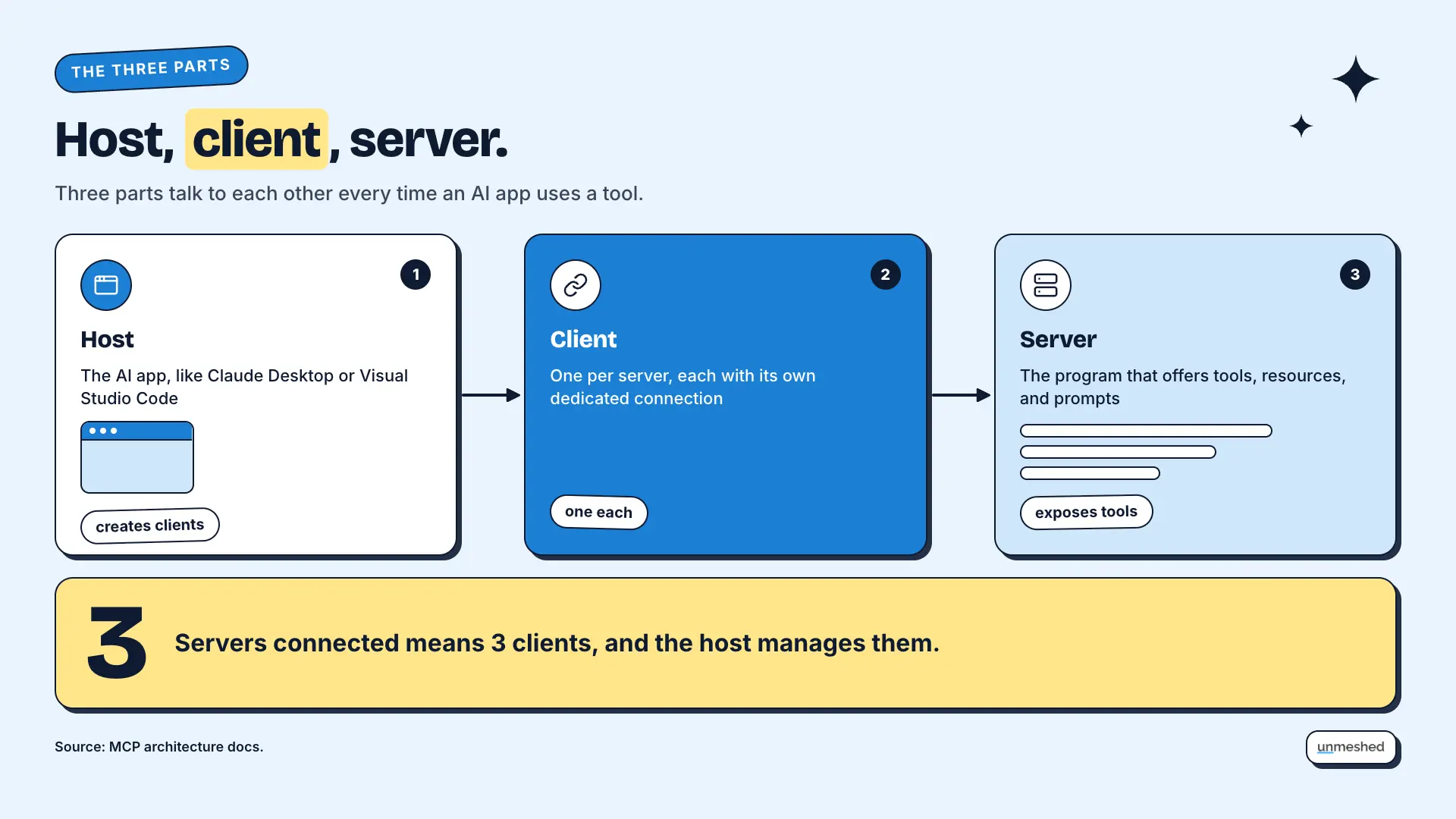
An MCP host is the AI application, such as Claude Desktop or Visual Studio Code. It creates one MCP client for each MCP server it connects to, and each client keeps its own dedicated connection. The server is the program that provides tools and context.
So if your host connects to three servers, it runs three clients. You never manage the clients yourself. The host does it for you.
Tools, Resources, and Prompts
MCP servers can expose three things. Tools are actions the AI can run, resources are data it can read, and prompts are reusable templates. A database server, for example, might offer a query tool, a schema resource, and a prompt with sample questions.
Most of the day-to-day value comes from tools, since that's where the AI gets things done. Resources and prompts help it do the job well.
Local and Remote Servers
A local MCP server runs on your own machine and talks over stdio, serving one client. A remote server runs elsewhere, talks over Streamable HTTP, and can serve many clients. Both use the same message format, so the AI app treats them the same way.
That difference decides how you set things up. A remote server needs sign-in, and a local one needs to be installed and trusted. We'll cover the setup side in a separate guide.
4. What Are the Advantages of MCP?
The main MCP advantages are build once and connect anywhere, tools discovered at runtime, a growing ecosystem, an open standard with neutral governance, and one clear place to add controls. How much each one matters depends on how many AI apps and tools you run.
Here's a way to picture it. Before standard shipping containers, every port handled cargo its own way, so moving goods between ships and trucks was slow and custom. Once everyone agreed on one box, any ship, truck, and crane could move any cargo. MCP is the standard box for AI tools.
Let's go through the advantages one at a time.
Build Once and Connect Anywhere
With a shared standard, each AI app builds one client and each tool builds one server, so the number of connectors adds up instead of multiplying. In our simple math, 5 apps and 10 tools need 50 custom links, or 15 pieces with MCP.
Anthropic described the same problem when it launched MCP. Every new data source needed its own custom implementation, and a single protocol replaces separate connectors for each one. Here's our own arithmetic, which we're calling an illustration.
| Setup | Without a Standard | With MCP |
|---|---|---|
| 5 AI apps and 10 tools | 5 x 10 = 50 custom connectors | 5 clients + 10 servers = 15 pieces |
| 8 AI apps and 20 tools | 8 x 20 = 160 custom connectors | 8 clients + 20 servers = 28 pieces |
| 1 AI app and 1 tool | 1 connector | 2 pieces, so MCP adds work |
This is a simplified model. Connectors aren't equal in effort, and servers still need to be built and kept up. The last row matters most. With one app and one tool, MCP saves you nothing. The more apps and tools you add, the more the gap grows.
Tools Found at Runtime
An MCP client asks a server what tools it has, so the AI app learns what is available when it connects instead of from hardcoded code. When a server's tools change, it can tell connected clients, so the list stays current without a new release.
In the docs, this works through a list request, and clients opt in to change notifications. In plain words, the app checks the menu when it sits down, and the server can tap it on the shoulder when the menu changes.
A Growing Ecosystem
Anthropic reported more than 10,000 active public MCP servers in December 2025, and support from ChatGPT, Cursor, Gemini, Microsoft Copilot, and Visual Studio Code. Those are Anthropic's own figures. A bigger ecosystem, one of the MCP advantages that compounds over time, means more ready-made servers you don't have to build yourself.
Anthropic also reported 97 million monthly SDK downloads across Python and TypeScript, and deployment support from AWS, Cloudflare, Google Cloud, and Microsoft Azure. These numbers come from its donation announcement and are almost a year old now, so treat them as a snapshot. Our post on Claude connectors shows what that looks like inside one product.
An Open Standard No Single Company Owns
Anthropic donated MCP to the Agentic AI Foundation, a Linux Foundation fund co-founded by Anthropic, Block, and OpenAI, in December 2025. Governance stayed with the project's maintainers. For a team, an open standard means less lock-in to one AI vendor.
We'd say less lock-in is a reasonable expectation, not a guarantee. A standard that several big companies back is easier to bet on than one a single vendor controls. But you should still check what each tool supports. Of all the MCP advantages, this one is the hardest to put a number on.
A Clear Place to Add Controls
Because every tool call goes through an MCP server, that server is one place to enforce sign-in, limit what a tool can do, and log what happened. MCP recommends OAuth for remote servers. Without a standard, those controls end up scattered across each custom connector.
MCP doesn't give you audit trails on its own. It gives you a single door to put them on. If you run many agents, our page on agent governance covers what that door needs.
5. MCP vs API: What Is the Difference?
An API is a specific interface to one service. MCP is a standard way for an AI app to discover and call tools, and an MCP server usually sits in front of an API. So it isn't a choice between them. MCP is a layer that makes APIs easier for AI apps to use.
People search for mcp vs api as if one replaces the other. It doesn't. Here's how they compare, based on how the docs describe each.
| MCP | A Direct API Call | |
|---|---|---|
| What it is | A standard for how an AI app finds and calls tools | A specific interface to one service |
| Discovery | The client asks the server what tools it has | You read the docs and write the call yourself |
| Reuse | One server works with any MCP client | Each app writes its own integration |
| Best when | Several AI apps or tools, or tools change often | One app, one service, a fixed task |
MCP Sits in Front of APIs
Most MCP servers wrap an existing API. The server describes each action as a tool with a name, a description, and inputs, so the AI knows how to call it. The API still does the work behind the scenes, and your existing integrations keep running.
So you don't rip anything out. You add a layer on top. The AI talks to the MCP server, and the server talks to the API.
When a Direct API Call Is Enough
If you have one app and one service doing a fixed task, a direct API call is simpler. MCP adds a layer, and that only pays off when several AI apps or tools share it, or when the set of tools changes often. Don't add MCP for its own sake.
That's the one row in our connector table where MCP saves nothing. If that's you today, it's fine to wait.
When Does MCP Not Help?
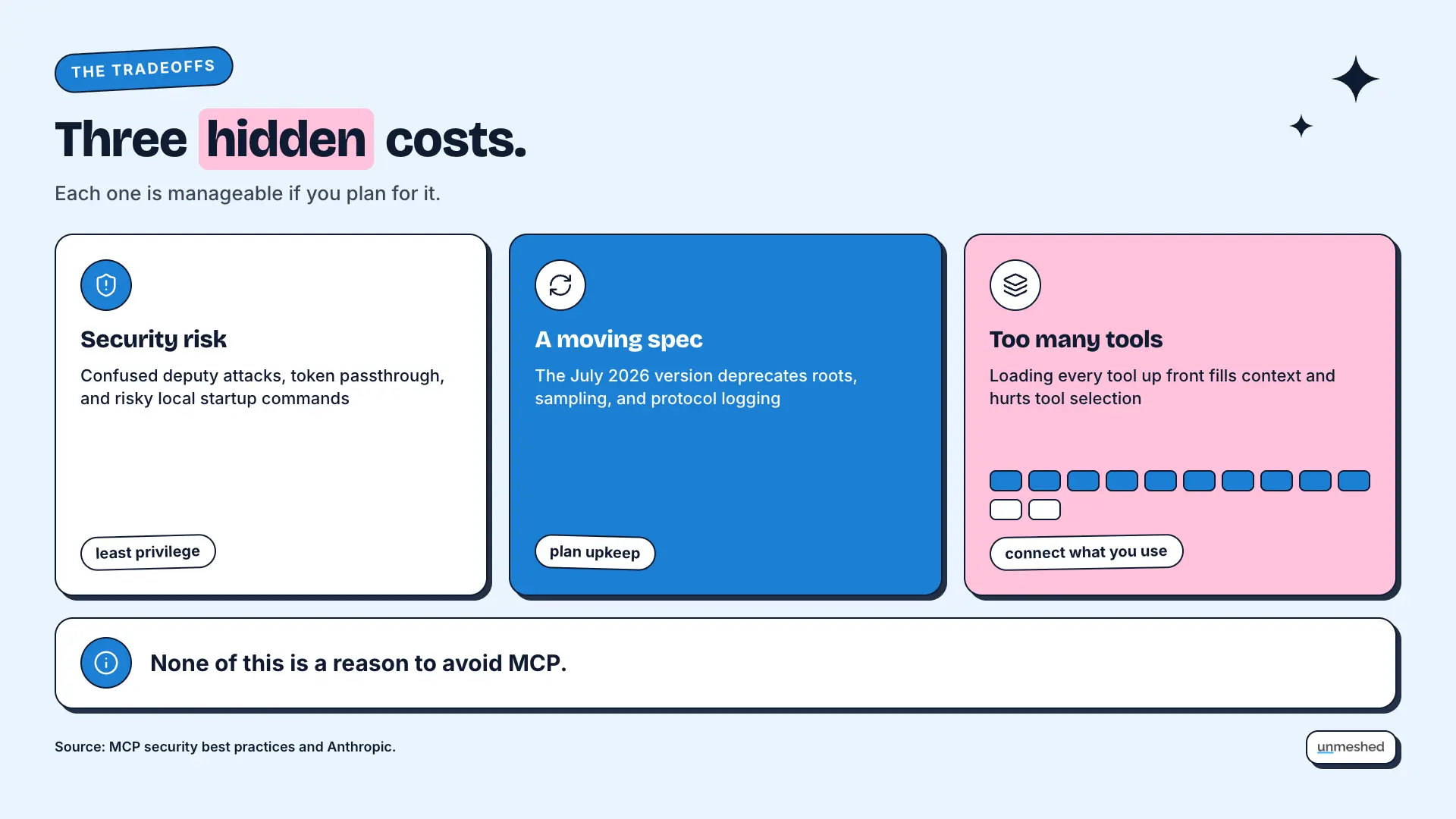
MCP doesn't help much with one simple integration, and it adds risks you have to manage. Giving an AI tool access means giving it a way to act; the spec keeps changing, and loading too many tools can slow the model down.
None of this is a reason to avoid MCP. It's a reason to go in with open eyes. If you're also thinking about where a gateway fits, our guide to the LLM gateway covers the model side.
Reach Brings Security Risk
MCP's own security guide names several risks. Proxy servers can be tricked into confused deputy attacks, servers must not pass tokens through without checking them, and local servers can run malicious startup commands. It recommends least privilege scopes and asking for consent before running local servers.
We won't walk through attack steps here. The security best practices page does that, and it's worth reading before you connect anything that can change data. The simple version is to start read-only, give each tool the smallest permission it needs, and only run servers you trust.
A Spec That Keeps Moving
The MCP spec changes. The current version in the docs is from July 2026, and it deprecates roots, sampling, and protocol logging. Check which version your clients and servers speak, and expect to update. An open standard evolves, which is good and also means upkeep.
That's a cost, and it's easy to forget. A standard that's still moving isn't a set-and-forget choice. Someone on your team needs to watch it.
Too Many Tools Slow the Model
When an AI app connects to many servers, loading every tool up front fills the model's context and can hurt tool selection. The MCP docs suggest progressive tool discovery for apps that connect to many servers, and Anthropic has added tool search to its API for large tool sets.
More tools isn't always better. A model with fifty tools in front of it has more to sort through than one with five. Connect what you use, and leave the rest.
6. Should Your Team Adopt MCP?
You should adopt MCP if several AI apps need the same tools, if your tools change often, or if you want to avoid lock-in to one AI vendor. Skip it, for now, if you have one app, one service, and a fixed task. Start small either way.
So, what is MCP and its advantages worth to you? That comes down to your numbers. Count your AI apps, count your tools, and run the math from earlier. Then weigh the MCP benefits against the upkeep by answering a few questions.
Questions to Ask First
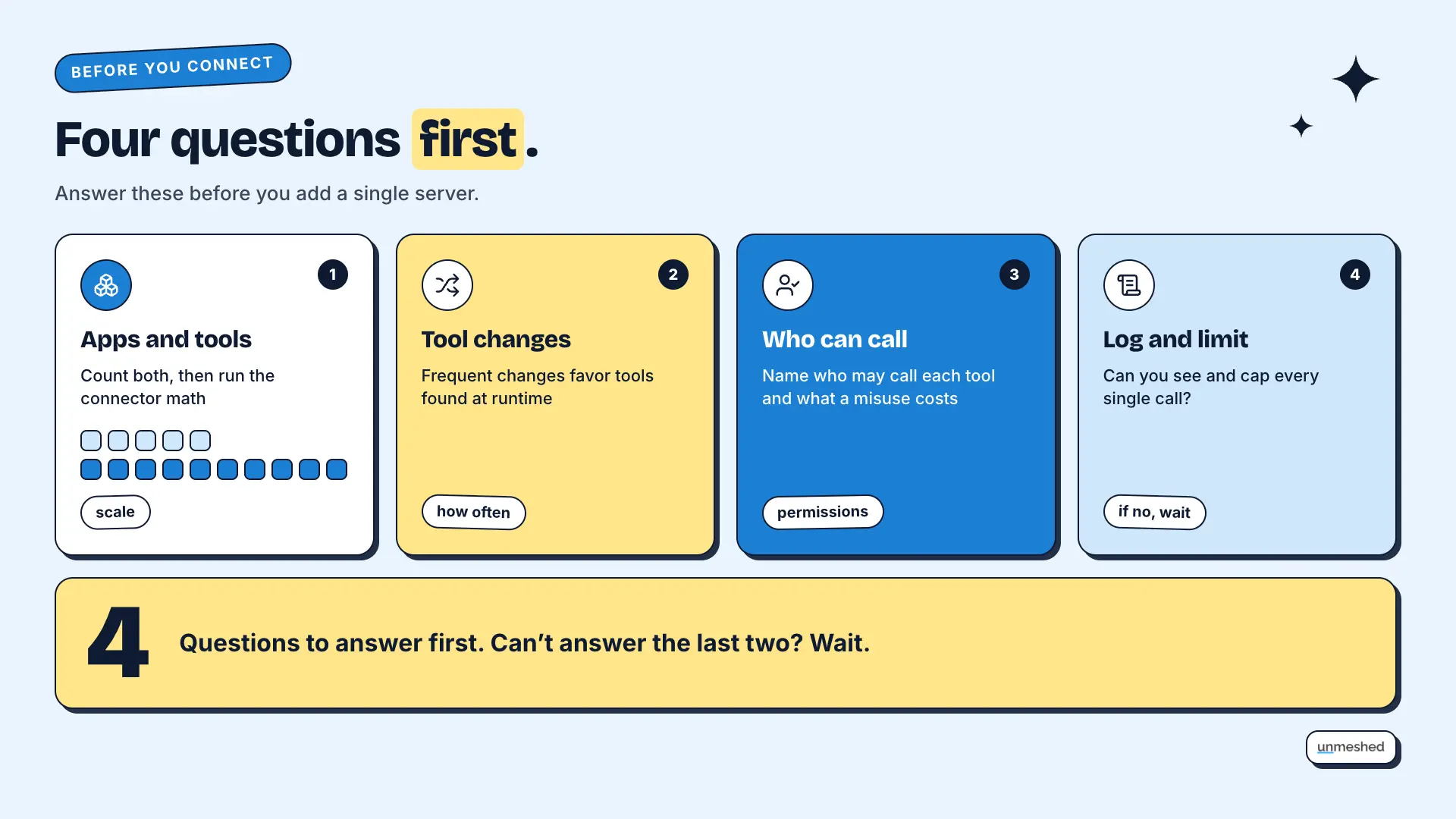
Ask four questions first. How many AI apps and tools do we have? Do the tools change often? Who is allowed to call them, and what can go wrong if one is misused? Can we log and limit every call? If you can't answer the last two, wait.
The last two are the ones teams skip. It's easy to get a demo working. It's harder to say who can do what and to see it afterward.
A Small First Rollout
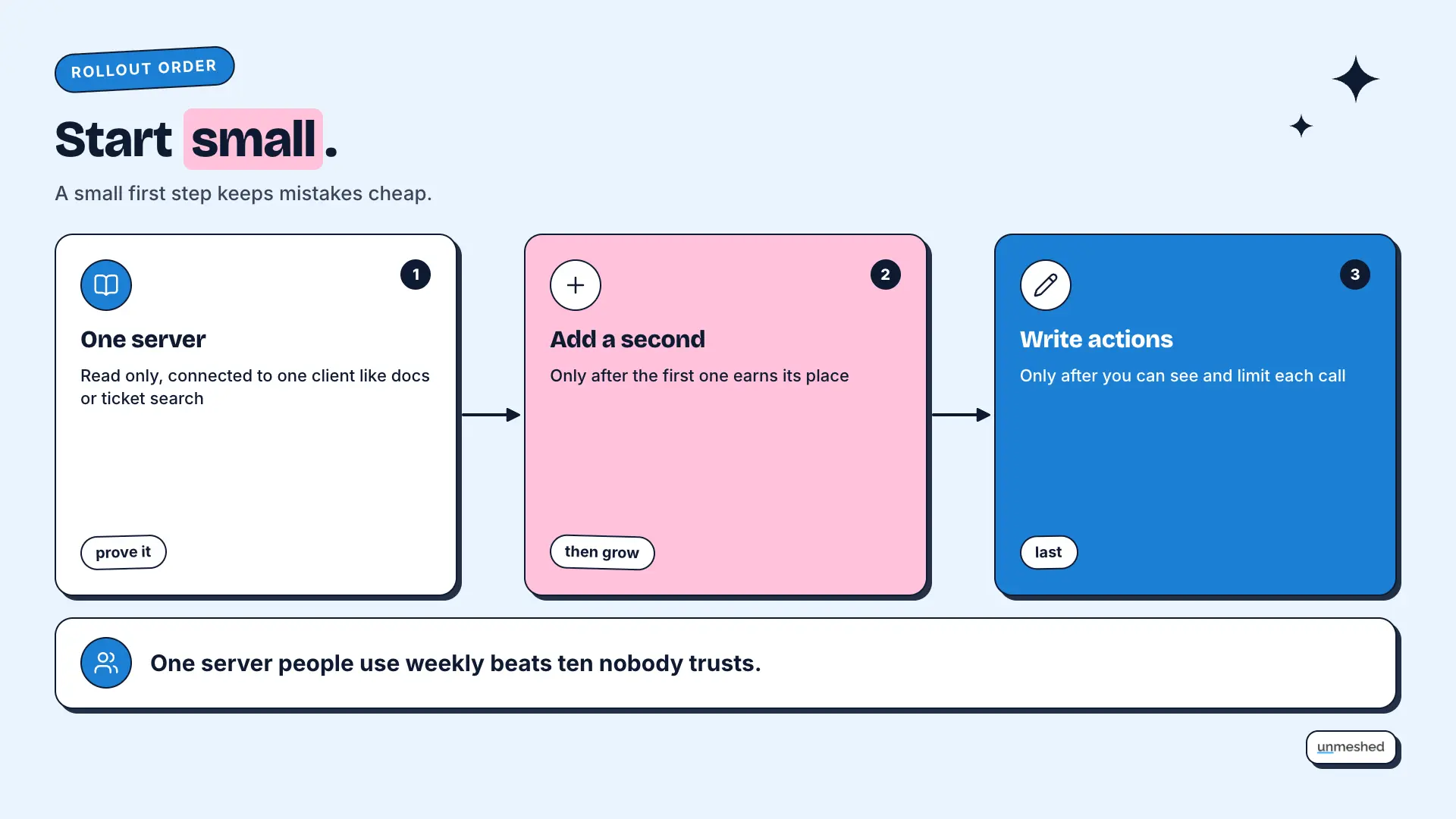
Start with one read-only server connected to one client, such as a documentation or ticket search. Prove it works, then add a second server. Add write actions only after you can see and limit each call. A small first step keeps mistakes cheap.
Resist the urge to connect everything in week one. One server that people use every week beats ten that nobody trusts.
Model Context Protocol Examples to Copy
Good first model context protocol examples are a filesystem server, a GitHub server, and a ticket or docs search server. Anthropic published pre-built servers for Google Drive, Slack, GitHub, Git, Postgres, and Puppeteer at launch. Our post on what MCP is used for has more.
Pick the one that matches a job your team already does by hand. A server that saves a task you repeat every week is easier to justify than one that sounds cool.
7. How Does Unmeshed Fit With MCP Advantages?
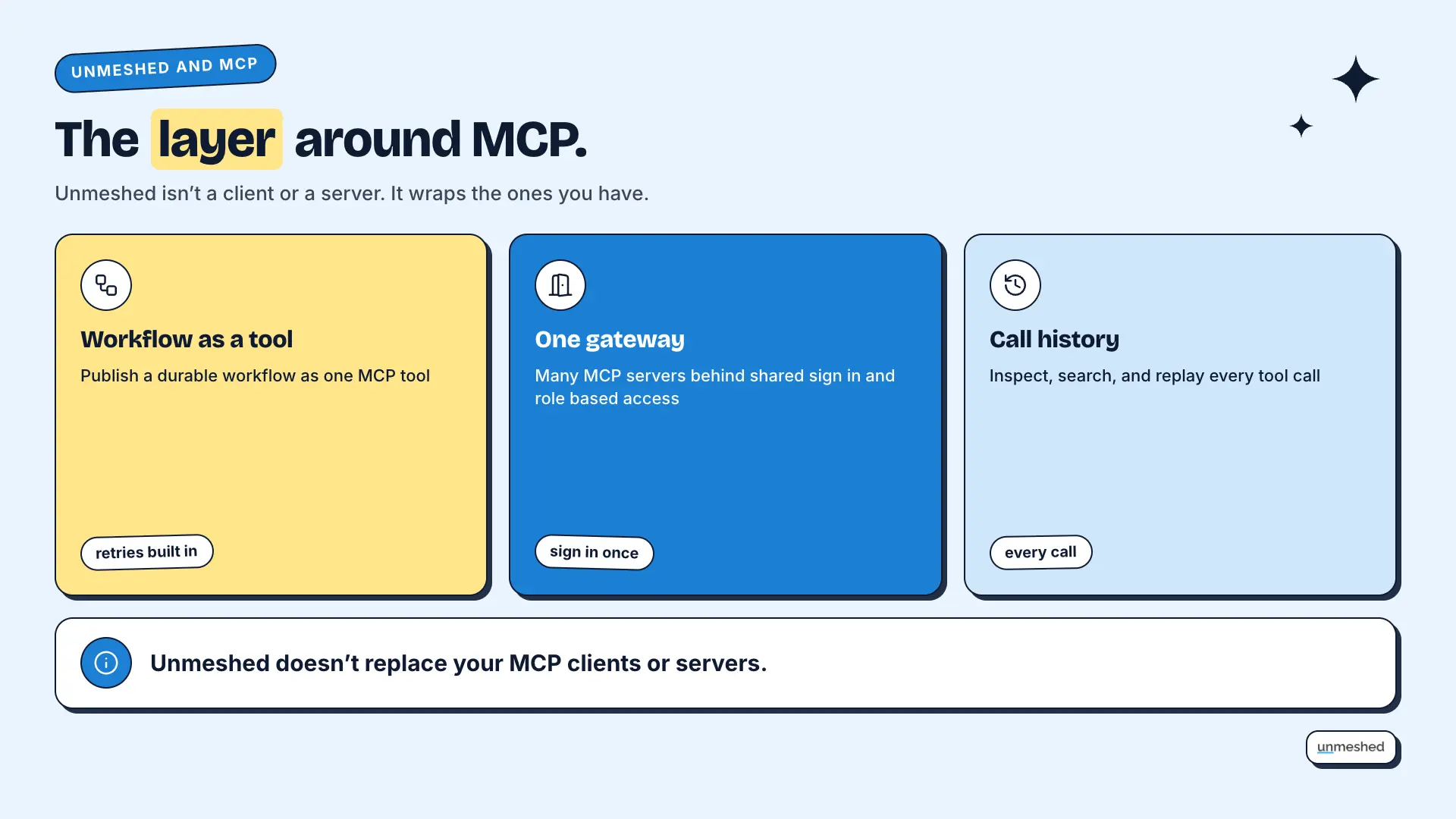
Unmeshed adds the production layer around MCP. It publishes durable workflows as MCP tools and puts several MCP servers behind one gateway with shared sign-in. The advantages of MCP stay, and you get retries, access control, and a history of every call. It doesn't replace your clients or servers.
Be clear about the line. We don't replace MCP clients or the servers you already use. We sit around them. Our MCP gateway page has the details, and it's built on durable workflows and agentic workflows. In terms of MCP advantages, we're the part that makes them safe to rely on when a whole team uses them.
Workflows as MCP Tools
Any Unmeshed workflow can be published as an MCP tool, so an agent calls one tool and the workflow handles the steps. Retries, durable state, and error policies live in the workflow. A refund that moves money should retry safely and run once.
That's a good fit when a job has several steps that must happen in order. The agent doesn't need to remember the order, and a failed step can retry without starting over.
One Gateway for Many Servers
When you connect several MCP servers, each wants its own credentials. An Unmeshed gateway puts them behind one door with shared sign-in and role-based access, so agents authenticate once. This is the clear place to add controls that we described earlier.
It's the same container idea again. One standard box is great, and a port that tracks every box is better.
A Record of Every Call
Each tool call that passes through Unmeshed leaves a history you can inspect, search, and replay. When an agent does something unexpected, you can see which tool it called, with what, and what came back. Vendor consoles still keep their own logs.
We don't replace those logs. We add one place that shows the whole job from start to finish.
One Door For Every Tool Call.
Put your MCP servers behind one gateway with shared sign in, retries, and a history of every call.
Run One GatewayConclusion
The MCP advantages come down to one idea. Build a connection once and use it everywhere, with an open standard behind it. That matters most when you have several AI apps and tools. Count yours, start small, and add controls before you add write access.
What stuck with us is how often people adopt MCP when they have one app and one tool. The math doesn't favor them yet. Back to the shipping container. A standard box only helps when there are several ports and several ships. If you have one of each, a custom link is fine, and you can switch later.
That's where Unmeshed comes in, once you have several servers and a team depending on them. We publish workflows as MCP tools and put your servers behind one gateway with a history of every call. So this week, count your AI apps and your tools, run the math, and see which side of the line you're on.
Frequently Asked Questions
Sources
- 1.What is the Model Context Protocol (MCP)?, MCP Documentation
- 2.Architecture overview, MCP Documentation
- 3.Security Best Practices, MCP Documentation
- 4.Introducing the Model Context Protocol, Anthropic
- 5.Donating MCP to the Agentic AI Foundation, Anthropic
- 6.MCP Gateway and MCP Server Orchestration, Unmeshed
Weighing MCP for your team?
Tell us what you'd connect. We'll tell you what to check first.
Share the AI apps and tools you have in mind. We'll run the connector math with you and point out where sign in, retries, and logging need work.