TLDR
- Agentic orchestration coordinates AI agents that choose their own next steps. It decides who acts, what they see, which tools they get, and when a person approves.
- Traditional orchestration runs a fixed path, while agentic orchestration bounds a path the model picks as it runs. It needs more control, not less.
- The five core patterns are sequential, parallel, routing, orchestrator and workers, and evaluator loops. Start with the simplest one that works.
- Give each step the least autonomy that does the job. Go from a fixed rule to a model call to an agent only when the simpler option fails.
- Production needs five controls around the agent: spend ceilings, scoped tools, approval gates, step limits, and tracing. Unmeshed covers these inside durable workflows, but it isn't an agent reasoning framework.
Agentic orchestration is the coordination layer that manages AI agents that choose their own next steps, deciding which agent acts, what context it gets, which tools it may use, and when a person must approve. It is orchestration for systems where the path is not fixed in advance.
Most explanations stop at that definition and a diagram of agents passing messages. The harder question is how much freedom each step should get. Gartner expects over 40% of agentic AI projects to be canceled by the end of 2027, citing cost, unclear value, and weak risk controls.
This guide covers what agentic orchestration is, how it differs from traditional orchestration, the core patterns, and the controls that keep agents inside safe limits. We'll also say where Unmeshed fits and where it doesn't.
1. What Is Agentic Orchestration?
Agentic orchestration is the coordination layer that manages AI agents that choose their own next steps, deciding which agent acts, what context it gets, which tools it may use, and when a person must approve.
The key word is choose. In a fixed workflow, a developer decides every step before the run starts. In an agentic system, a model decides some of them while the run is happening. Someone has to set the limits on that choice, and that someone is the orchestrator.
It helps to say what it is not. It isn't one big agent doing everything. It isn't a prompt chain with a fancier name. And it isn't an agent framework on its own, because a framework shapes how one agent reasons while orchestration governs how agents run together.
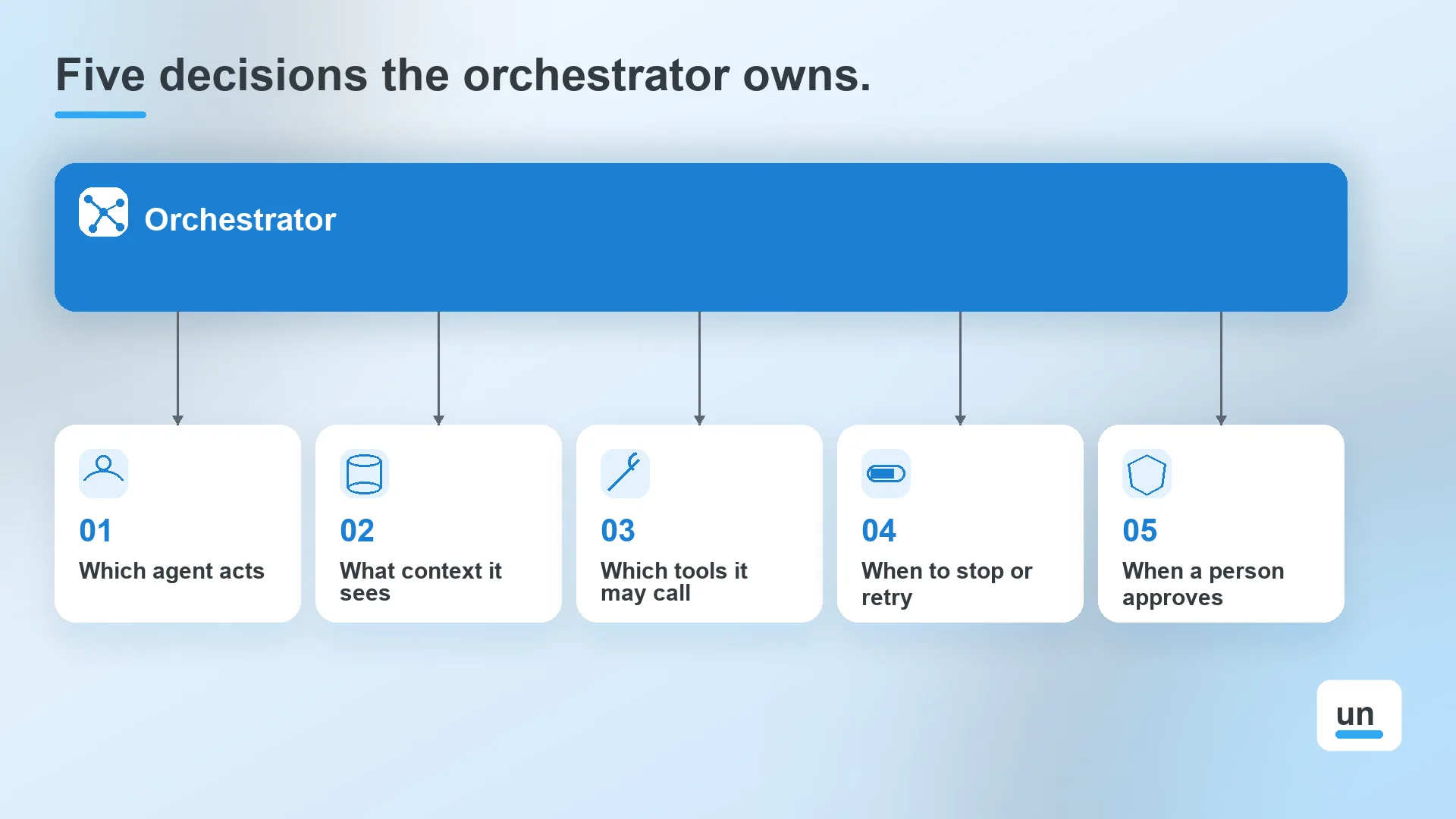
The orchestrator owns five decisions:
- Which agent or tool acts next
- What context each agent sees
- Which tools each agent may call
- When the run stops, retries, or escalates
- When a person has to approve
2. How Is Agentic Orchestration Different From Traditional Orchestration?
Traditional orchestration runs steps along a path you define in advance. Agentic orchestration coordinates steps where an AI model decides the path as it runs, so the orchestrator has to bound that freedom with limits, approvals, and logging.
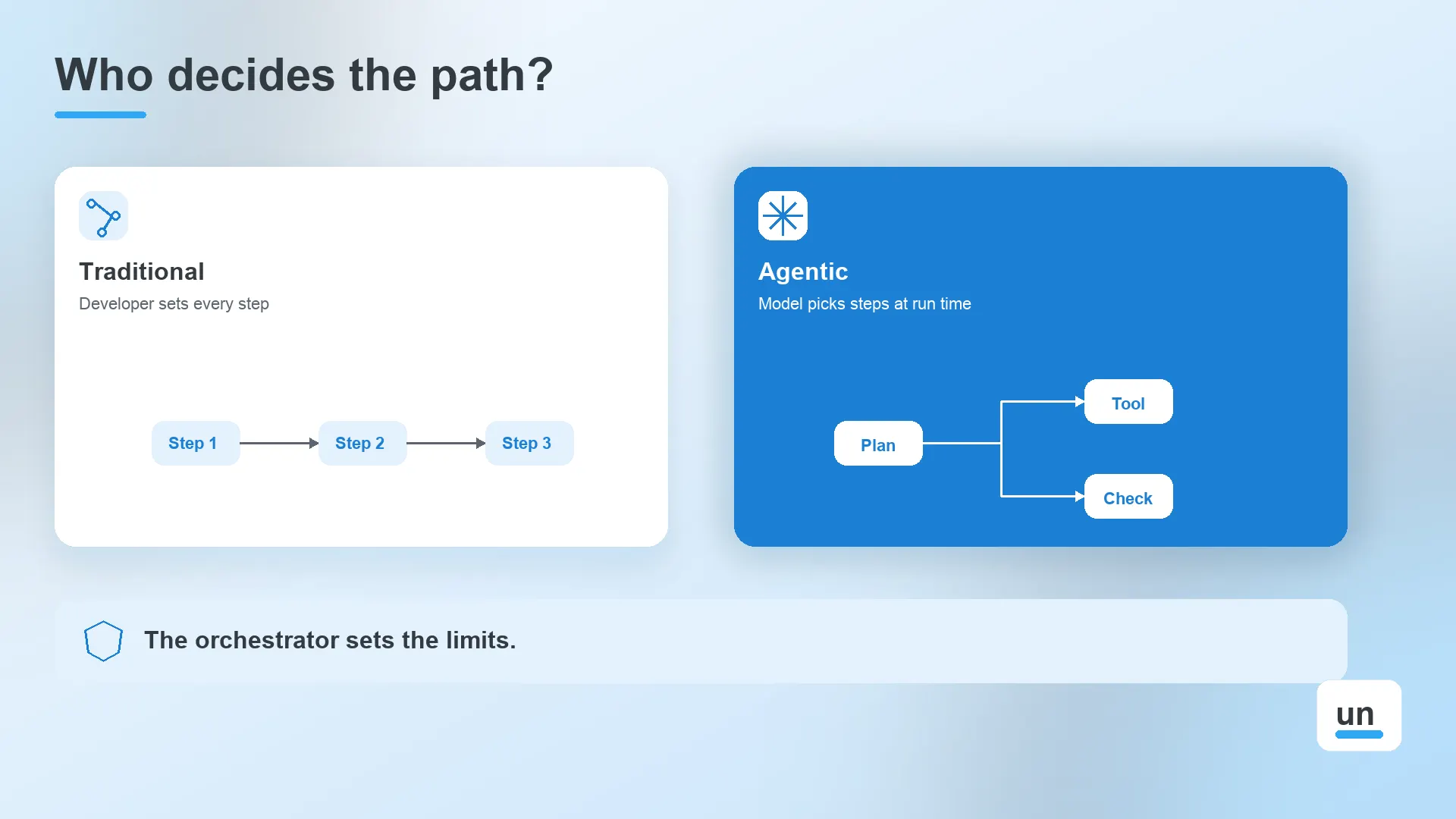
Traditional orchestration is what workflow engines and API orchestrators do. Our guide to AI orchestration covers the wider term, including pipelines and model routing. This post covers the narrower case where the path itself is not fixed.
| Dimension | Traditional | Agentic |
|---|---|---|
| Who decides the path | The developer, in advance | The model, at runtime |
| Predictability | Same input follows the same path | Same input can take different paths |
| Typical failure | A step errors out | An agent loops, picks the wrong tool, or compounds an early mistake |
| Cost shape | Fixed per run | Varies with the steps the model chooses to take |
| What the orchestrator adds | Retries and scheduling | Limits, approvals, tool scoping, and tracing |
That last row is the point. An agentic system doesn't need less orchestration. It needs more.
3. What Are Agentic Workflows, and How Do They Differ From Agents?
Agentic workflows are multi-step processes where AI models decide some of the steps inside a defined structure. An AI agent is a system that directs its own process and tool use. The workflow sets the boundary, and the agent acts inside it.
Anthropic draws the same line in its guide to building effective agents. Workflows orchestrate models and tools through predefined code paths, while agents let the model direct its own process and tool usage.
A workflow
- The path is set in code
- The model fills in content or makes bounded choices
- It's easy to test, audit, and explain
An agent
- The model picks the next action in a loop
- It uses tools and feedback from each step to decide what to do
- It's harder to predict and costs more per run
Most production systems mix both. A workflow handles intake, validation, and approvals, and an agent handles the one step that needs judgment. If you're choosing a framework for that agent step, our guide to agent frameworks compares six.
4. What Are the Core Agentic Orchestration Patterns?
The core agentic orchestration patterns are sequential, parallel, routing, orchestrator and workers, and evaluator loops. Each trades predictability against flexibility, and most production systems combine two or three of them.
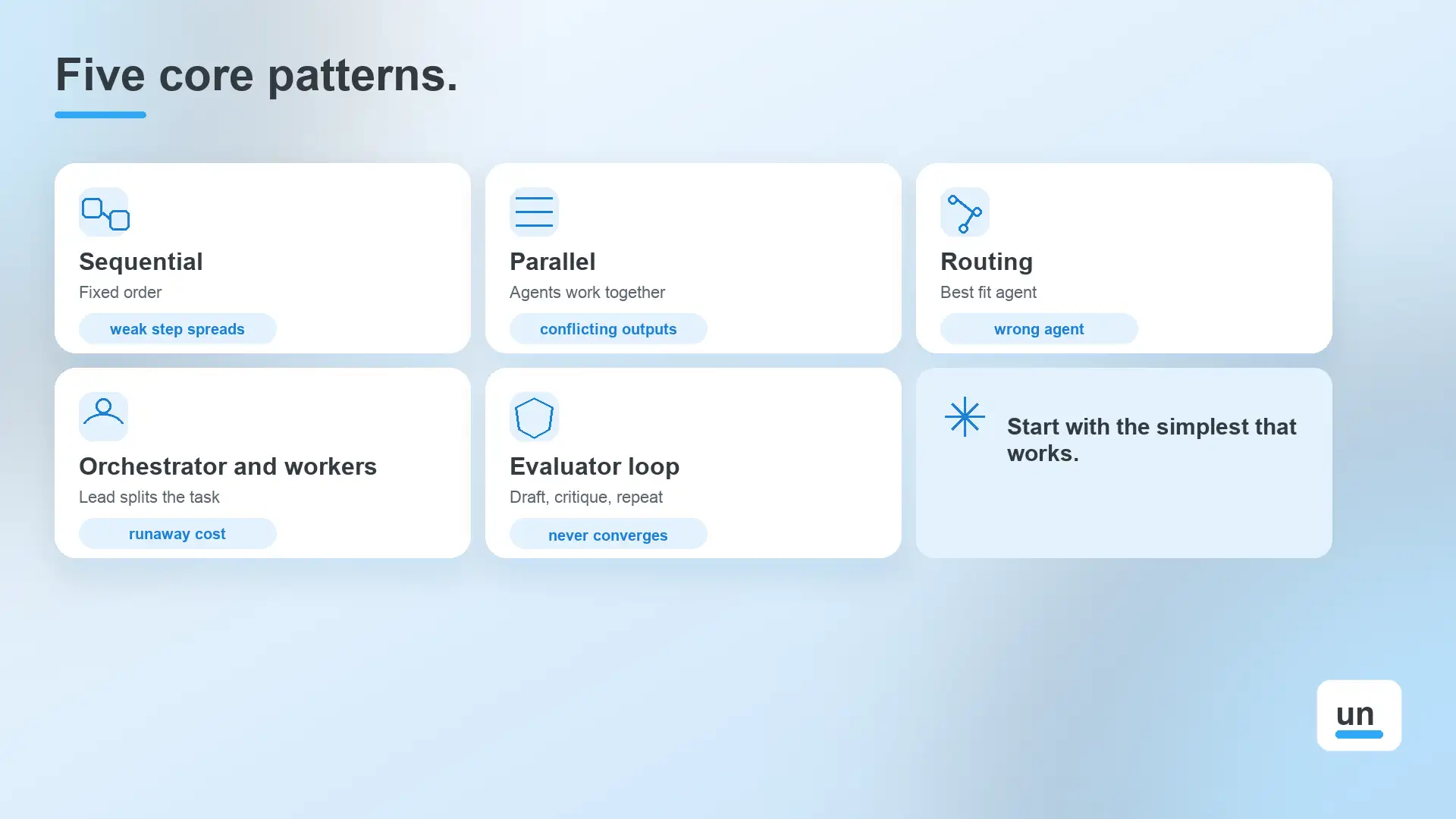
Anthropic and Google Cloud describe overlapping sets. This table pulls the common ones together.
| Pattern | How It Works | Main Risk |
|---|---|---|
| Sequential | Agents run in a fixed order, and each one feeds the next | One weak step weakens every step after it |
| Parallel | Agents work at the same time, and the results are merged | Conflicting outputs and higher token use |
| Routing | A classifier sends each request to the best-fit agent | Requests sent to the wrong agent |
| Orchestrator and workers | A lead agent splits the task and delegates the pieces | Runaway delegation and cost |
| Evaluator loop | One agent drafts, another critiques, and the cycle repeats | Loops that never converge |
Google Cloud warns that a loop can run indefinitely if its exit condition is wrong. That's why every loop needs a maximum number of iterations.
Start with the simplest pattern that works. Sequential and parallel patterns run on fixed logic with no model choosing the route, so they cost less and behave more predictably. Reach for orchestrator and workers only when you truly can't know the steps in advance.
5. How Does Autonomous Agent Coordination Work?
Autonomous agent coordination is how multiple agents hand off work, share state, and avoid conflicting actions without a person directing each step. It depends on explicit handoff rules, one source of shared state, and hard stop conditions.
- Handoffs: Define what one agent passes to the next and in what shape. Loose, free-text handoffs are where context gets lost.
- Shared state: Keep one record of the run that every agent reads and writes, instead of each agent carrying its own copy.
- Context scoping: Give each agent only the context its task needs. Google Cloud calls managing this flow context engineering.
- Conflict control: If two agents can change the same record, decide which one wins before they ever run.
- Stop conditions: Set step limits, timeouts, and a spend cap, so a stuck agent ends the run instead of draining it.
Shared state and stop conditions are infrastructure problems, not prompt problems. They're why agent infrastructure has become its own topic, and why runs need durable execution to survive a crash halfway through.
6. How Much Autonomy Should Each Step Get?
Give each step the least autonomy that still does the job. Use a fixed rule when the answer is known, a single model call when the input is messy, and an agent loop only when the steps can't be predicted in advance.
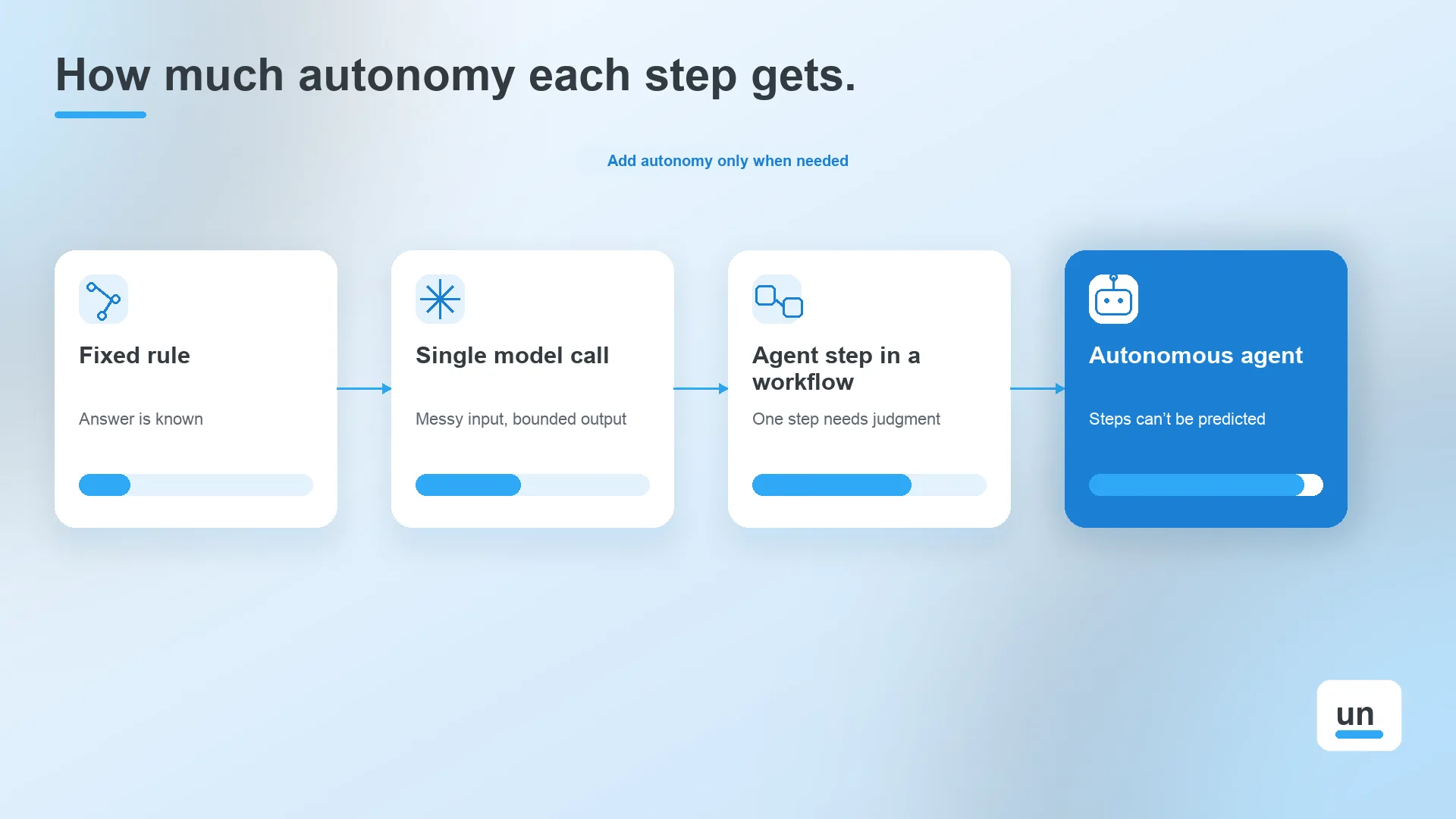
Think of autonomy as a dial, not a switch. Each notch adds flexibility, and it also adds cost, variance, and review work.
| Level | Use It When | Example | Cost and Review |
|---|---|---|---|
| Fixed rule | The answer is known | Is this request a duplicate? | Lowest, nothing to review |
| Single model call | The input is messy, but the output is bounded | Classify a support email | Low, spot check the output |
| Workflow with an agent step | One step needs judgment, and the rest is fixed | An agent researches a customer, then a rule decides what happens | Moderate, review flagged runs |
| Fully autonomous agent | The steps can't be predicted at all | Open-ended research or coding | Highest, needs strong limits |
Gartner's guidance maps to the same dial. It recommends agents where decisions are needed, automation for routine workflows, and assistants for simple retrieval.
Most teams start too far to the right. The cheaper path is to begin with a rule, promote a step to a model call when the input gets messy, and promote it to an agent only when the simpler version fails.
7. What Controls Does Agentic AI Orchestration Need in Production?
Agentic AI orchestration needs five production controls, which are spend ceilings, scoped tool access, approval gates, step limits, and full tracing. They stop an agent's freedom from turning into cost overruns or actions nobody reviewed.
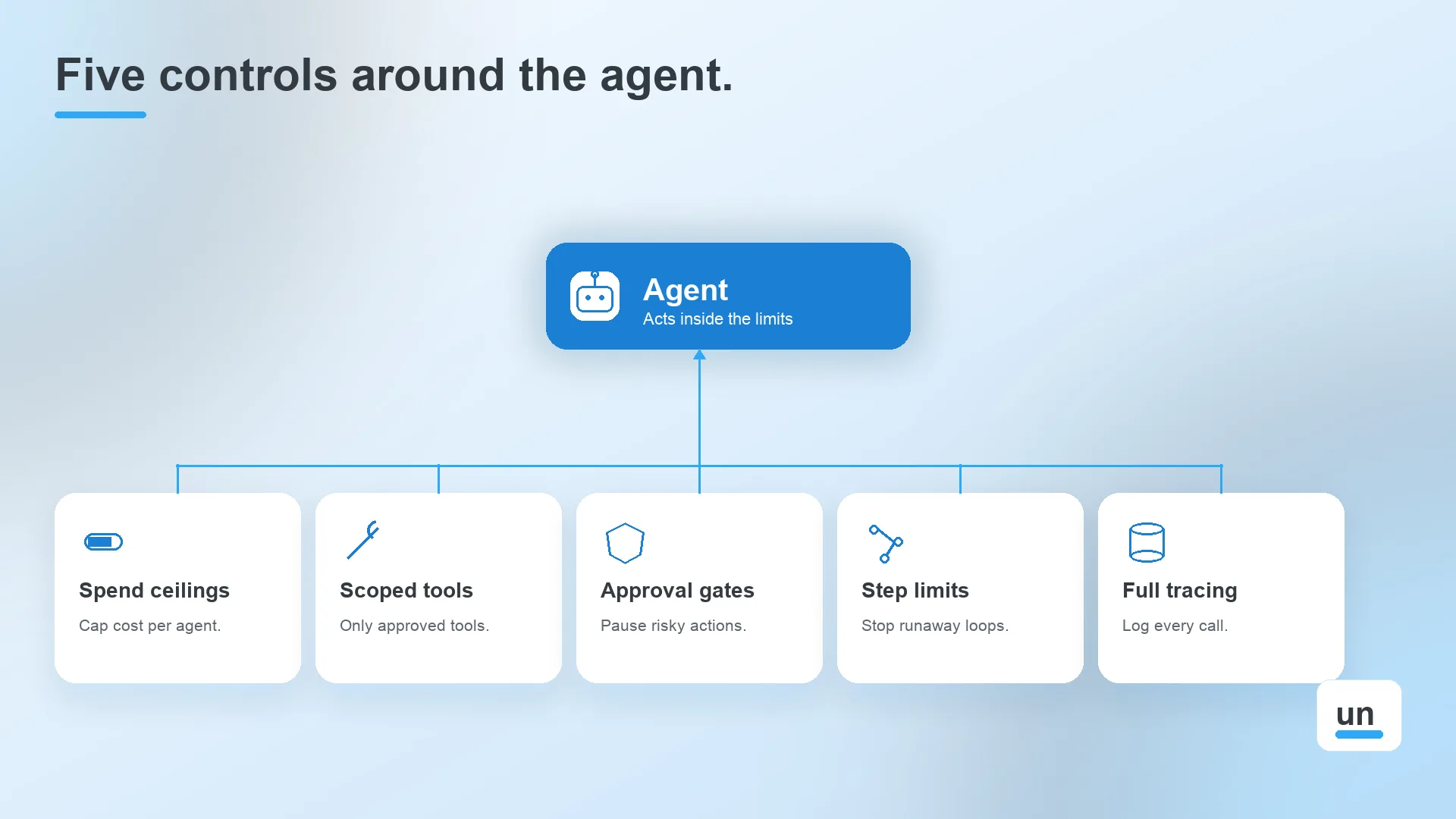
Gartner expects over 40% of agentic AI projects to be canceled by the end of 2027 because of escalating costs, unclear business value, or inadequate risk controls. Each control below answers one of those reasons.
- Spend ceilings: Cap what each agent can spend, and throttle it or switch it to a cheaper model near the cap. Cost grows with every extra step a model takes, so see our guide to token efficiency for where the money goes.
- Scoped tool access: Bind each agent to a fixed list of tools, enforced by the runtime and not by a line in a prompt.
- Approval gates: Pause the run before any action that is expensive to reverse, such as a payment or a deletion. A human-in-the-loop step does this and resumes the run once a person approves.
- Step limits: End the run after a maximum number of steps or minutes, so a loop can't run forever.
- Full tracing: Log every model call, tool call, and cost. LLM observability shows what happened, and agent evals show whether the result was any good.
None of these controls live inside the agent. They sit around it, which is why AI agent governance is a workflow concern and not a prompt concern.
8. What Should You Look For in an Agent Orchestration Platform?
An agent orchestration platform should add durable state, retries, approvals, tool scoping, spend tracking, and an audit trail around whichever agent framework you use. It runs the agents. It does not replace their reasoning.
The market mixes three different things under one label. Frameworks shape how an agent reasons. Cloud suites bundle models and agent builders for one vendor's stack. Workflow engines run durable, governed processes around any of them. Know which one you're buying.
| Criterion | What To Ask |
|---|---|
| Durability | Does a run survive a crash or a redeploy and resume where it stopped? |
| Tool scoping | Does the runtime stop an agent from calling a tool it wasn't given? |
| Spend controls | Can you set a ceiling per agent and see cost per run? |
| Human approval | Can a run pause for sign-off and resume on its own? |
| Observability | Can you inspect every model call, tool call, and retry? |
| Framework neutrality | Can you keep the agent framework your team already uses? |
| Cost shape | Does pricing grow with actions or stay predictable? |
Watch for agent washing as well. Gartner estimates that only about 130 of the thousands of agentic AI vendors are real, because many rebrand chatbots and RPA without real agentic capability. Ask any vendor to show you the run history of a failed agent step.
For the engine layer, see our roundup of workflow orchestration tools.
9. When Should You Avoid Agentic Orchestration?
Avoid agentic orchestration when the steps are known in advance, when one model call solves the task, or when an error is costly and can't be reviewed. Gartner says many use cases sold as agentic don't need an agentic setup.
Gartner analyst Anushree Verma put it plainly: "Many use cases positioned as agentic today don't require agentic implementations."
Google Cloud's guide makes the same point. Tasks like summarizing a document, translating text, or classifying customer feedback usually don't need an agentic workflow.
Skip it when
- The steps are known in advance
- A single model call solves the task
- A wrong action is expensive, and no one can review it first
Use it when
- The steps can't be predicted ahead of time
- The task needs tools and outside data across several steps
- You can check the outcome and cap the spend
- Risky actions can pause for a person to approve
Skipping it is a fine answer. A fixed workflow with one model step costs less, breaks less, and is easier to explain.
10. How Does Unmeshed Handle Agentic Orchestration?
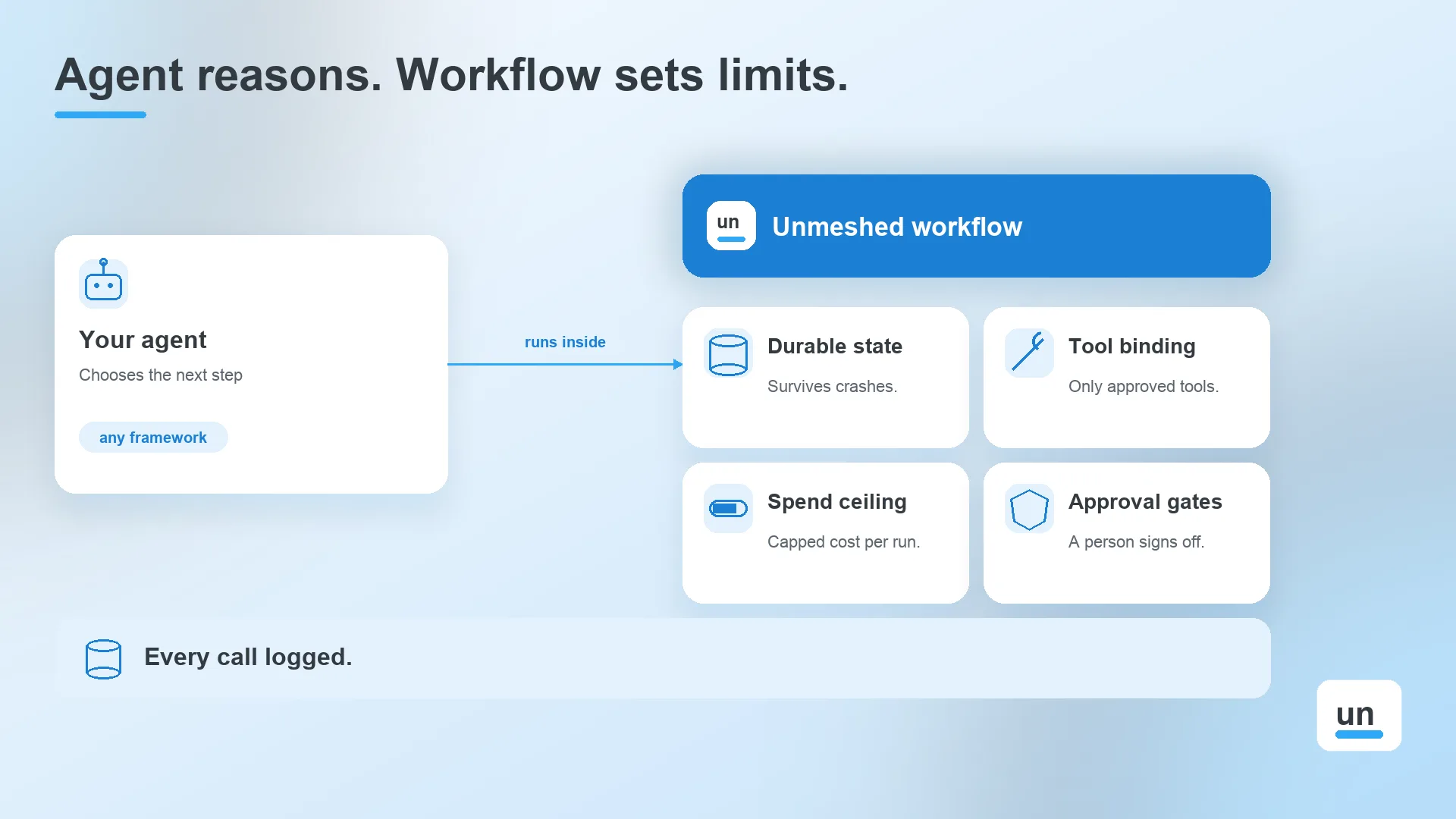
Unmeshed handles agentic orchestration by running agent steps inside durable, governed workflows. Each agent is bound to a fixed set of tools, tracked against a spend ceiling, and logged, while rules and approvals handle the decisions a model shouldn't make.
What it covers
- Workflows with durable execution, so agent state survives crashes and redeploys
- Agent orchestration steps that run on the same engine as your fixed steps
- Tool binding enforced by the runtime, so an agent can't call a tool it wasn't given
- Per-agent spend ceilings that throttle the agent or move it to a cheaper model near the cap
- A built-in decision engine for rules a model shouldn't decide on every run
- Approval steps that pause a run and resume it once a person signs off
- MCP native tools, model agnostic, and a full run history of every model call, tool call, and cost
What it doesn't do
- It isn't an agent reasoning framework. Keep LangChain, CrewAI, or your own loop inside a worker, and Unmeshed makes each step durable, retried, and audited.
- It doesn't train models, and it isn't an LLM gateway for routing across providers.
The practical difference
Teams usually stitch this together from a workflow engine, an approval tool, and a cost tracker. Unmeshed puts durable state, approvals, rules, spend tracking, and run history in one system, built by the creators of Netflix Conductor.
Let The Agent Reason. Let The Workflow Set The Limits.
Bind your agent to approved tools, cap its spend, and send risky actions to a person. See all three in one governed flow.
Set The GuardrailsIn a Nutshell
Agentic orchestration isn't a choice between using agents and skipping them. It's a choice about how much freedom each step gets and what limits surround it.
Start with a rule. Add a model call where the input is messy. Add an agent only where the steps can't be predicted. Then put spend ceilings, scoped tools, approval gates, step limits, and tracing around it.
Gartner's cancellation forecast comes down to cost and missing controls as much as missing value. The projects most at risk are the ones with no limits around the agent.
Frequently Asked Questions
Sources
Already running an agent that needs limits?
Show us your agent, and we'll show you where it needs guardrails.
Bring your current setup, even if it's a script and a prompt, and we'll point out what to bound first.