TLDR
- LLM orchestration is the control layer that decides which model does what, in what order, and what happens when something breaks.
- It's really three jobs. The model layer picks the model, the pipeline layer builds prompts and tool calls, and the run layer keeps everything durable, limited, and auditable.
- Teams use more than one model because of cost, speed, skills, and provider outages. They pick between them with routing, cascading, fallback, or parallel ensembles.
- Frameworks, gateways, and workflow engines aren't rivals. They sit at different layers, so you start with whichever one is failing in production.
- Unmeshed is the run layer. It handles retries, fallbacks, routing rules, spend limits, and approvals in one place, and it works alongside the tools you already use.
Ok so, LLM orchestration. Sounds super fancy, right? It really isn't.
Here's the deal. Most teams start with one model call, and it works great. Then they add a second model, then a third, and suddenly nobody knows which one is doing what, or what happens when one of them breaks.
That's basically what it's for. It decides who does what, in what order, and what to do when something goes wrong.
We're happy to say it's way less scary than it sounds. We'll go through the three jobs people mix up, how routing and fallback work, and where Unmeshed fits. And where it doesn't, because we'll be straight with you about that too.
Okay, let's get into it.
1. What Is LLM Orchestration?
LLM orchestration is how you coordinate multiple language models, prompts, tools, and data sources into one reliable process. It decides which model handles each step and what context it gets. And it decides what happens when a step fails or costs way too much.
Okay, but what does that actually mean? We figure the easiest way to wrap your head around it is to pretend it's a restaurant kitchen.
You've got a bunch of cooks. Some are fast, some are fancy, and some only do desserts. Someone has to decide who makes which dish, what to do when the oven dies, and who stops the kitchen from blowing the whole budget on truffles.
That someone is the head chef. And that's basically what orchestration is.
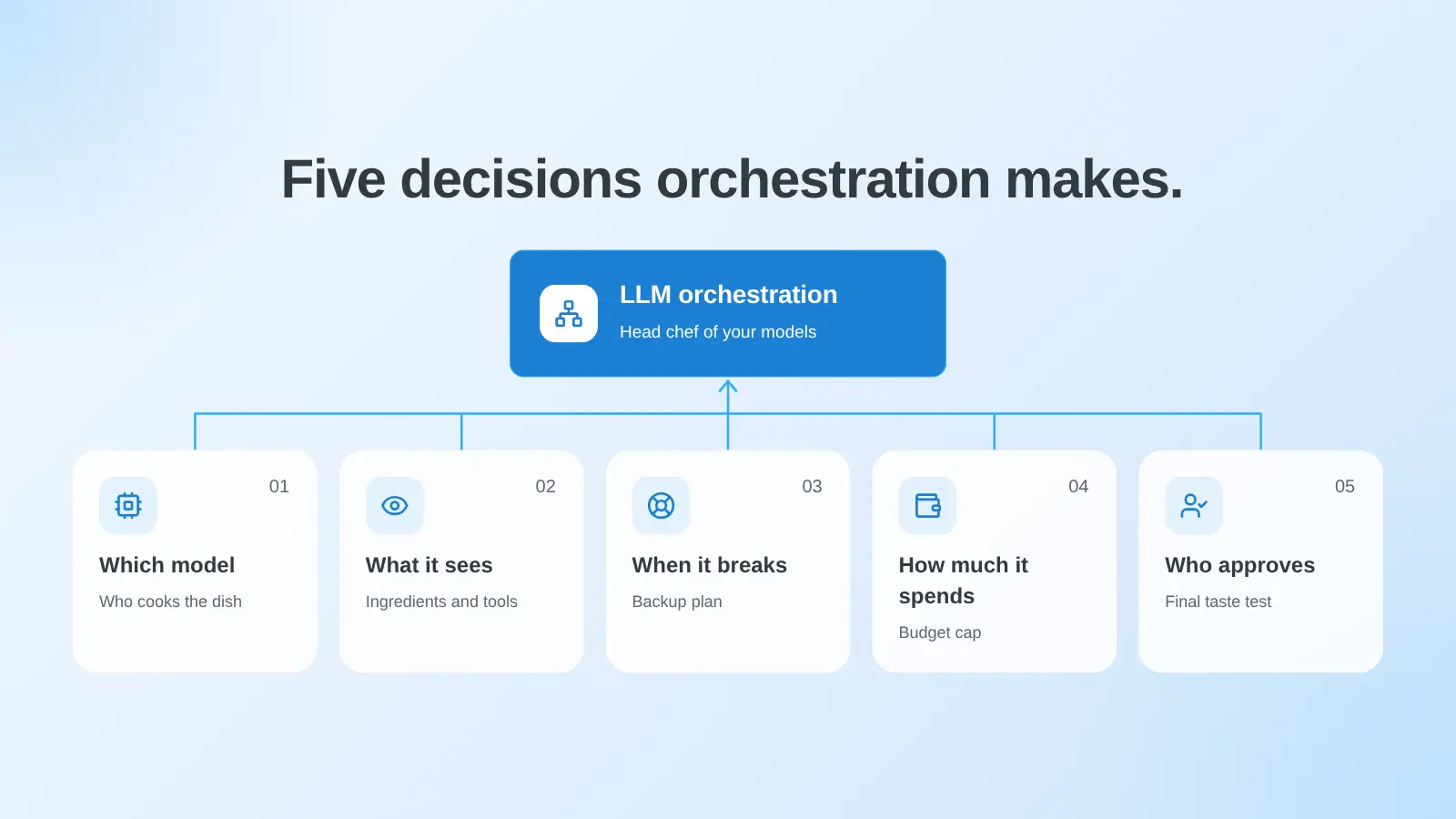
In plain terms, it involves five decisions.
- Which model handles each step (who cooks the dish)
- What the model gets to see and use (the ingredients and tools)
- What happens when something breaks (the oven dies)
- How much a run is allowed to spend (the truffle budget)
- Who has to approve it before it goes out (the taste test)
Quick note on what it isn't. It's not a single prompt. It's not only a gateway that passes requests along. And it's not agent orchestration, where the model picks its own next step (we cover that in our guide to agentic orchestration). Today we're only talking about the models.
If you want the bigger picture, our guide to AI orchestration covers pipelines, agents, and platforms. This one is just the model side of things.
2. Why Do Production Systems Use More Than One Model?
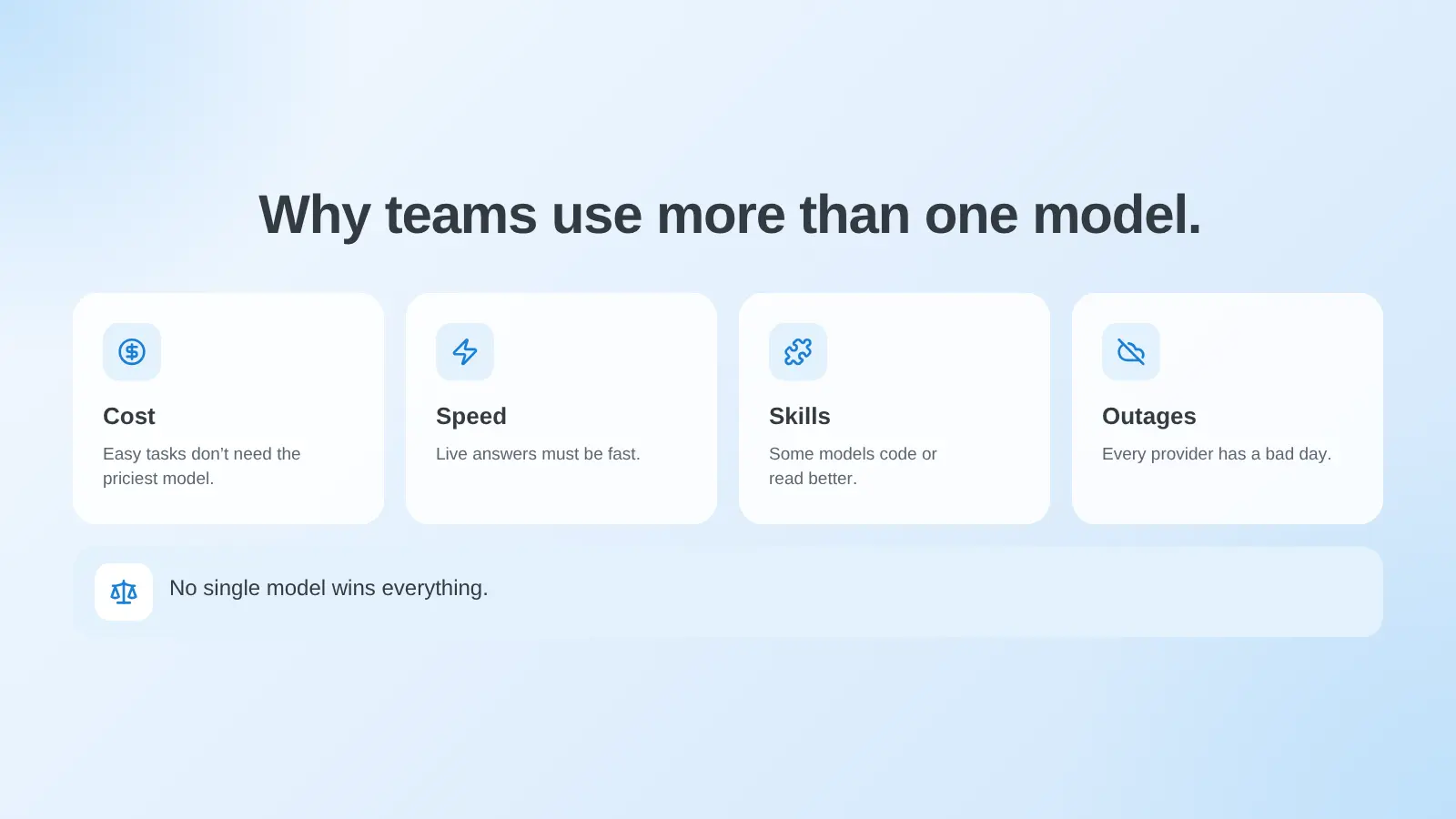
Production systems use more than one model because no single model is best at everything. One might be great at hard reasoning but too slow and pricey for sorting tickets. And every provider has a bad day eventually.
Okay, but why though? Can't you just pick the best model and call it a day? Hmm, that's what we thought too. Turns out, not really.
- Cost: You wouldn't hire a fancy chef to boil an egg. A quick classification doesn't need your priciest model.
- Speed: If someone's waiting on the answer, it has to be quick. A nightly report can take its time.
- Skills: Some models are just better at code, long documents, or using tools.
- Drama: Providers have outages, rate limits, and deprecations, usually at the worst possible time.
There's one more sneaky reason. Models get updated, sometimes quietly, and a prompt that worked last month can suddenly act weird.
With a backup model ready (and a way to compare the two), that turns into a boring switch. Boring is good.
Cost is usually what gets teams moving on this, and routing is one of the best ways to bring it down. We cover the tricks in our guides to cost optimization and token efficiency.
3. What Are the Three Layers of LLM Orchestration?
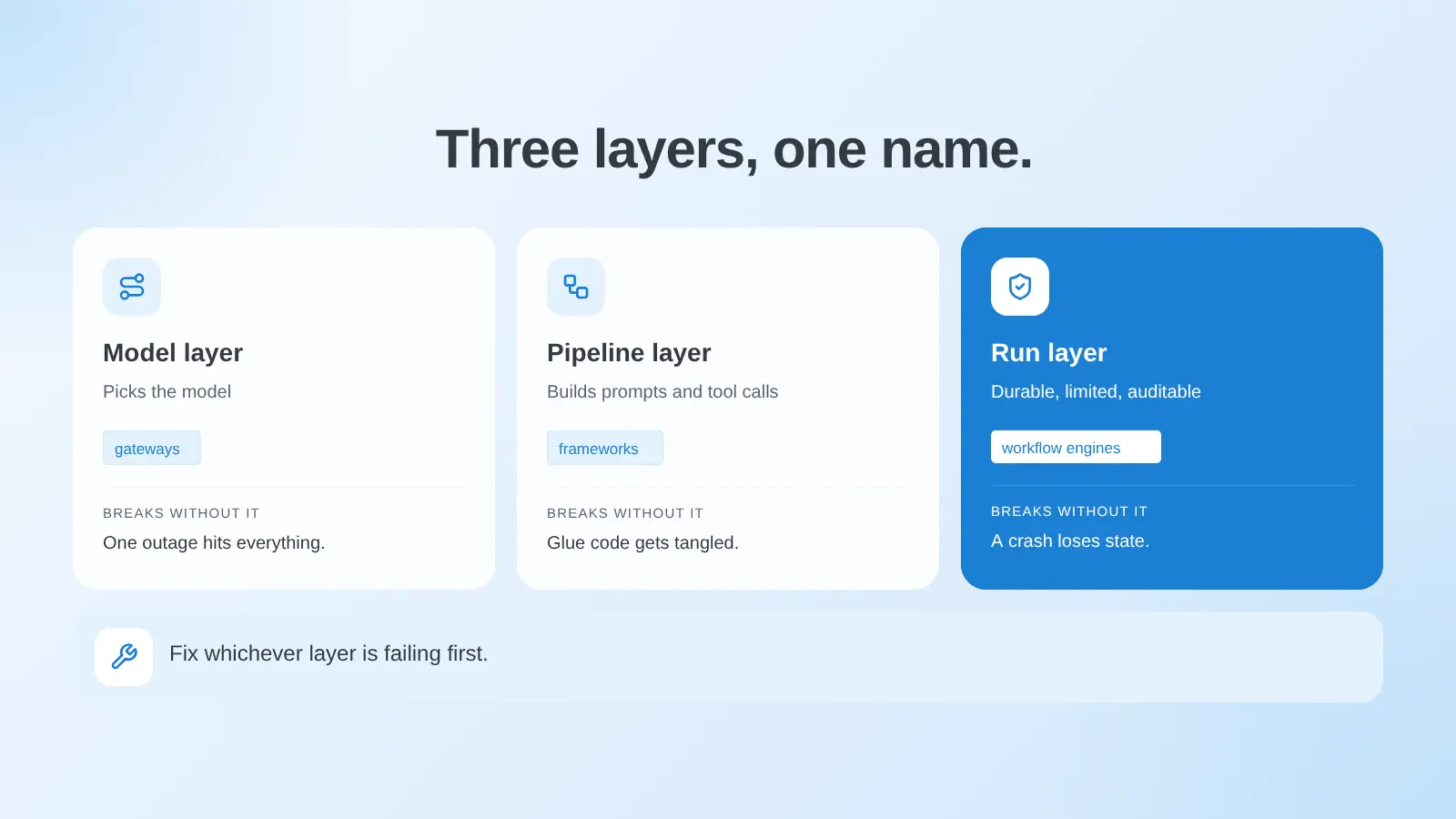
LLM orchestration has three layers. The model layer picks which model answers. The pipeline layer builds prompts, retrieval, and tool calls. And the run layer keeps everything durable, limited, and auditable. A model orchestration layer usually only covers the first one.
Back to the kitchen for a sec. These three layers are basically three different people.
The model layer is the waiter who decides which cook gets the order. The pipeline layer is the recipe, so what goes in and in what order. And the run layer is the kitchen manager who keeps track of everything, fixes stuff when it goes wrong, and writes it all down.
| Layer | Job | Typical Tools | What Breaks Without It |
|---|---|---|---|
| Model | Pick the right model and handle provider failure | Gateways and routers | One outage or price change hits your whole product |
| Pipeline | Build prompts, retrieve data, call tools, validate output | Frameworks such as LangChain and LlamaIndex | Prompts and tool calls turn into tangled glue code |
| Run | Keep runs durable, limited, approved, and traceable | Workflow engines | A crash loses state, and nobody can explain a result |
Most guides only talk about one of these and call it a day. So you end up with a waiter and no manager, or a great recipe and nobody watching the stove. Lowkey, that's where most of the pain comes from.
You don't need all three on day one. Start with whichever one hurts. The mistake is thinking the one you have covers the other two. It doesn't.
4. How Does Multi-Model Orchestration Work?
Multi-model orchestration works by picking a model for each request. There are four main ways to do it, which are routing, cascading, fallback, and parallel ensembles. Each one trades cost, speed, and quality a bit differently, and most teams end up combining two.
Here's the easy version of all four. Routing is like a host seating people at the right table. Cascading is trying the cheap option first and only calling the expensive one if the cheap one flops.
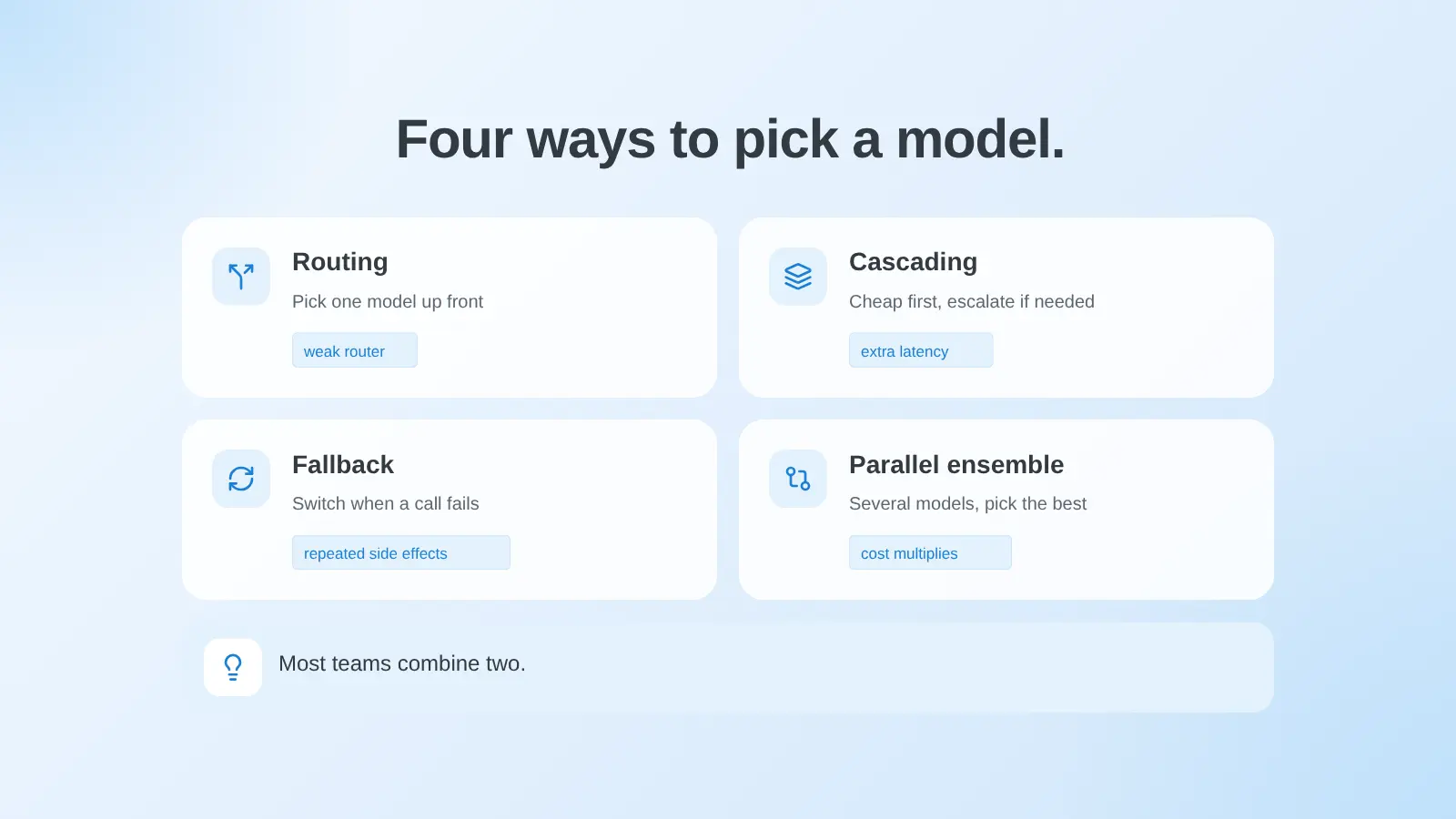
Fallback is the backup plan for when your first option is down. And a parallel ensemble is asking a few cooks to make the same dish and picking the best one (pricey, ngl).
| Pattern | How It Works | Best For | Main Risk |
|---|---|---|---|
| Routing | A router picks one model before generation based on the request | Mixed workloads with clear easy and hard cases | A weak router sends hard requests to weak models |
| Cascading | Run a cheaper model first and escalate if the answer scores low | High volume traffic where most answers are easy | Extra latency when escalation triggers |
| Fallback | Switch to another model or provider when a call fails | Reliability against outages and rate limits | Repeated side effects if the retry isn't safe |
| Parallel ensemble | Call several models and compare or merge the answers | High stakes decisions | Cost multiplies with every model you add |
There's actual research on this too. A paper on routing and cascading for LLMs describes routing as picking one model per query, and cascading as running bigger and bigger models until the answer is good enough.
The authors also came up with cascade routing, which mixes both. And the big finding is that it all depends on how well you can tell if an answer is any good.
That last part matters. A cascade is only as smart as whatever decides "is this answer ok?" Some teams use a simple rule, some use a validator, and some use another model as the judge, which is kind of a can of worms (our guide to LLM as a judge goes into where bias sneaks in).
One warning about fallback. Switching to another model is easy. Doing it safely is the tricky bit. If a retry sends the same email twice or charges a card twice, well, that's a bad day.
So limit your retries, and make the steps around the model safe to run twice.
5. What Is an LLM Pipeline, and How Is It Different From an LLM Workflow?
An LLM pipeline is a fixed set of steps that turns an input into a model output, like retrieve, prompt, generate, and validate. An LLM workflow wraps those steps with branching, retries, state, and human approval.
Still the kitchen. A pipeline is one recipe, with the same steps in the same order every time. A workflow is the whole dinner service, which includes what to do when the oven breaks, when to ask the head chef, and what happens when a customer wants a refund.
| Dimension | LLM Pipeline | LLM Workflow |
|---|---|---|
| Shape | A fixed sequence of steps | Steps plus branches, loops, and waits |
| State | Usually lives in memory for one run | Saved between steps so a run can resume |
| Failure handling | An error stops the run | Retries, fallbacks, and escalation paths |
| Human input | Rare | Approval steps that pause the run |
| Typical home | Application code or a framework | A workflow engine |
Here's an example. A support ticket comes in. The pipeline classifies it, grabs the account history, writes a reply, and checks the tone. Done.
The workflow decides which model writes the reply, retries if the provider times out, sends any big refund to an actual human, and writes down every step along the way.
6. Which Do You Need for LLM Orchestration: a Framework, a Gateway, or a Workflow Engine?
You need a framework to build the pipeline, a gateway for routing and provider control, and a workflow engine to run it all durably. Plenty of teams end up needing all three. Start with whichever layer is failing in production.
Think of it like this. The framework is your recipe book. The gateway is the delivery driver who finds a route to the model. And the workflow engine is the kitchen manager again. All different jobs.
| Tool Type | What It Covers | Examples | What It Doesn't Cover |
|---|---|---|---|
| Framework | Prompts, retrieval, tool calls, model interfaces | LangChain, LlamaIndex | Durable runs, spend limits, approvals |
| Gateway | Routing, load balancing, retries, fallbacks across providers | LiteLLM | Multi-step business logic and human review |
| Workflow engine | State, retries, branching, approvals, audit | Unmeshed | Prompt design and retrieval tuning |
LangChain describes itself as a framework for building agents and LLM-powered apps, with a standard interface for models and tools.
LlamaIndex started out as a data framework for connecting models to your own data. Its README now says the main focus is document parsing and extraction though, so worth knowing that before you pick it for something else.
On the gateway side, the LiteLLM router handles load balancing, retries, cooldowns, and fallbacks across deployments and providers. We go deeper on that in our guide to the LLM gateway.
None of these are rivals of a workflow engine. They just sit at different layers, and the best setups use them together. So pick based on what's breaking for you right now.
7. How Does Unmeshed Handle LLM Orchestration?
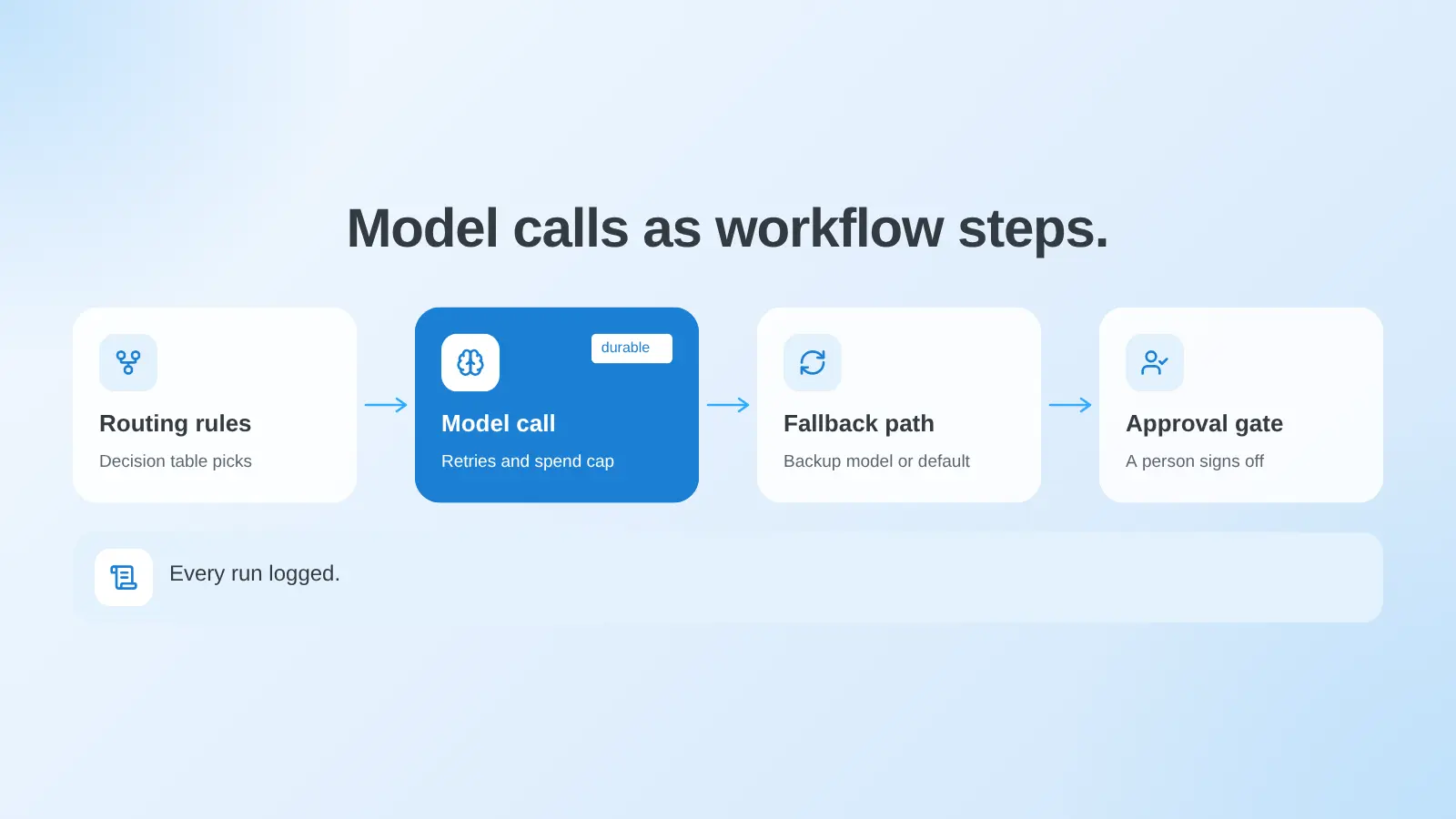
Unmeshed handles the run layer of LLM orchestration. Your model calls become steps in durable workflows. So retries, fallback paths, routing rules, approvals, and spend ceilings all live in one place, with a full run history and no lock-in to any one model.
In kitchen terms, we're the manager. Here's the rundown.
- Durable runs and retries: Model calls run as steps in workflows with retries and saved state, so a crash picks up where it stopped instead of starting over.
- Routing rules: A decision engine uses decision tables with first match or all match rules. You can route by request type, size, or customer tier without a pile of branching code.
- Fallback paths: When a model step fails, the workflow just branches to another model or a safe default.
- Spend and tool limits: Agents are bound to a fixed set of tools, and each one can have a spend ceiling that throttles it or switches it to a cheaper model. See AI agent governance.
- Approvals: A human-in-the-loop step pauses a run until a person decides.
- Visibility: Every run keeps a full history of steps, inputs, and outputs. For the agent side of things, see agent orchestration.
It's model-agnostic too, so you're not stuck with one provider, and it's MCP native. There are SDKs for Java, Go, Python, and TypeScript. Oh, and it comes from the creators of Netflix Conductor, in case that helps.
Now, the honest part. We're not a prompt framework, and we're not a gateway. If you love LangChain for building and LiteLLM for reaching providers, keep them! We just run them for you.
Your Models Are Not The Hard Part.
Unmeshed runs model calls as workflow steps with retries, fallback paths, and spend limits, so a provider outage doesn't take your product down.
Build A Fallback8. What Breaks When You Skip LLM Orchestration?
Without LLM orchestration, one provider outage takes your product down. Retries repeat work, spending drifts with nothing to stop it, and nobody can say why a model answered the way it did. These aren't model problems. They're everything around the model.
Picture the kitchen with no manager. Orders get lost. Someone burns the sauce twice. Nobody knows what anything cost. Yeah, it's that.
- A provider returns errors: No fallback means your feature goes down right along with them.
- A retry repeats a side effect: The customer gets two emails, or two refunds.
- Spend runs away: A loop or a huge context bill shows up at the end of the month instead of the moment it starts.
- A model updates quietly: Output changes, and you've got no record of which model ran which request.
- An auditor asks why: And you can't show the inputs, the model, or who approved it.
Most of this comes down to keeping state and records. A durable execution layer keeps state across failures, and LLM observability shows you what happened inside each call. Once people depend on the feature, you want both.
9. How Do You Decide What to Build First?
Build first whatever is failing in production today. Add fallback if outages hurt. Add routing if cost does. Add a pipeline framework if prompts are tangled, and a workflow engine once retries, approvals, or audit trails turn into manual work.
Here's the quick cheat sheet.
- Outages or rate limits hurt. Add a gateway with fallback.
- The bill is too high. Add routing or a cascade, and check answer quality before and after.
- Prompts and tool calls are tangled. Move them into a framework.
- Retries, approvals, or audit trails are manual. Add a workflow engine.
A good path is one model and a fallback to start. Add routing once cost starts to sting, then a workflow layer when the process around the model gets bigger. And only fix things you've actually seen break, not things you're just nervous about.
In a Nutshell
Orchestration is really three jobs wearing one name. Choose the model, build the pipeline, and run it durably. Then fix whichever layer is failing first. That order keeps you from buying a tool for a problem you don't have yet.
So yeah, that's the whole thing. If outages are what keep you up, start with a gateway and fallback. If the bill is scary, start with routing. If you're drowning in retries and approvals, look at a workflow engine.
Not sure which one is you? Check your last outage or your last wild bill. It's usually right there.
And the goal, like always, is that a model failing is boring. Not a fire.
Frequently Asked Questions
Sources
Running more than one model?
Show us your stack. We'll show you where it breaks.
Share which models you call and what happens when one fails. We'll point out what belongs in the orchestration layer first.